



Auto Bots® Follow-Up
Stay in the conversation until the customer is ready.
Some customers are ready today. Others need more time, a different vehicle or another conversation. TECOBI Auto Bots® help your dealership keep relevant follow-up going beyond the first few days. They use configured audiences, message timing and conversation context to create the next proactive text. When a shopper replies, the conversation returns to eligible Response Bot handling or your team, with the history still connected.
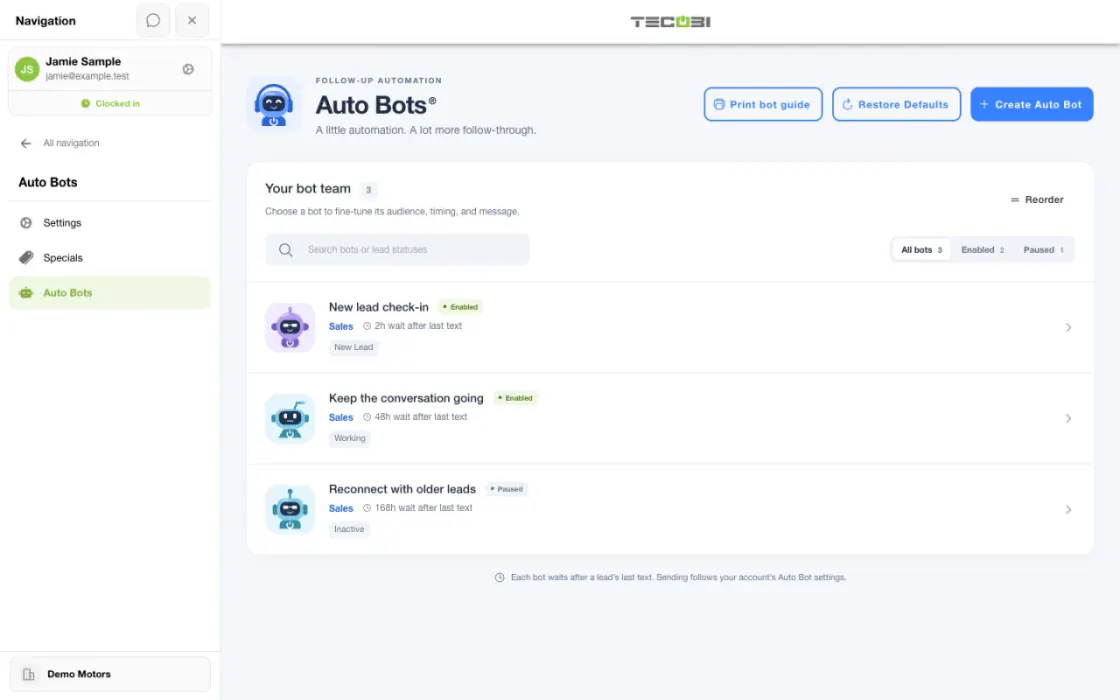
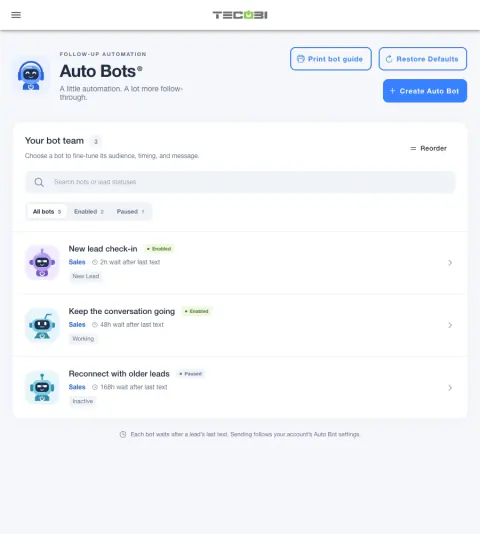
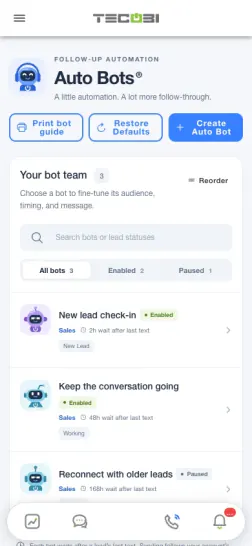
Pick the follow-up around the shopper’s situation
The same lead status, waiting period and message guidance can determine what happens to an eligible inquiry after the first interaction.
- Choose the audiencePick the customer situation and confirm which lead statuses qualify.
- Set the timing and guidanceSpecify when the next touch can run and what it should help the shopper do.
- Work the replyReview engagement, pause or adjust follow-up when appropriate, and let a salesperson pick up the conversation.
What it helps you do
Keep older opportunities in play.
Longer buying cycles should not depend entirely on a salesperson remembering another task. Configured follow-up can keep useful contact going while the shopper’s timing develops.
Make the message relevant.
Conversation history and your prompt guidance inform the next message. The goal is to continue an existing relationship rather than send a disconnected reminder.
Keep people in control.
Choose eligible audiences, pause workflows and exclude leads when automation should stop. Customer replies and handoff signals stay part of the same operating process.
Review what the follow-up produces.
AI reporting helps managers inspect message activity, responses, prompt performance and appointment-related signals. Review the underlying conversations and recorded outcomes alongside the activity.
Keep the relationship moving beyond the first inquiry.
Alongside AI Auto Bots, TECOBI has separate configured message automations for events such as a returning inquiry, a price drop on a liked vehicle and a recorded vehicle sale. Use each workflow for the customer situation it is designed to support. These event messages use configured templates; they are not all AI-generated Auto Bot messages.
How it works
Choose the customer situation.
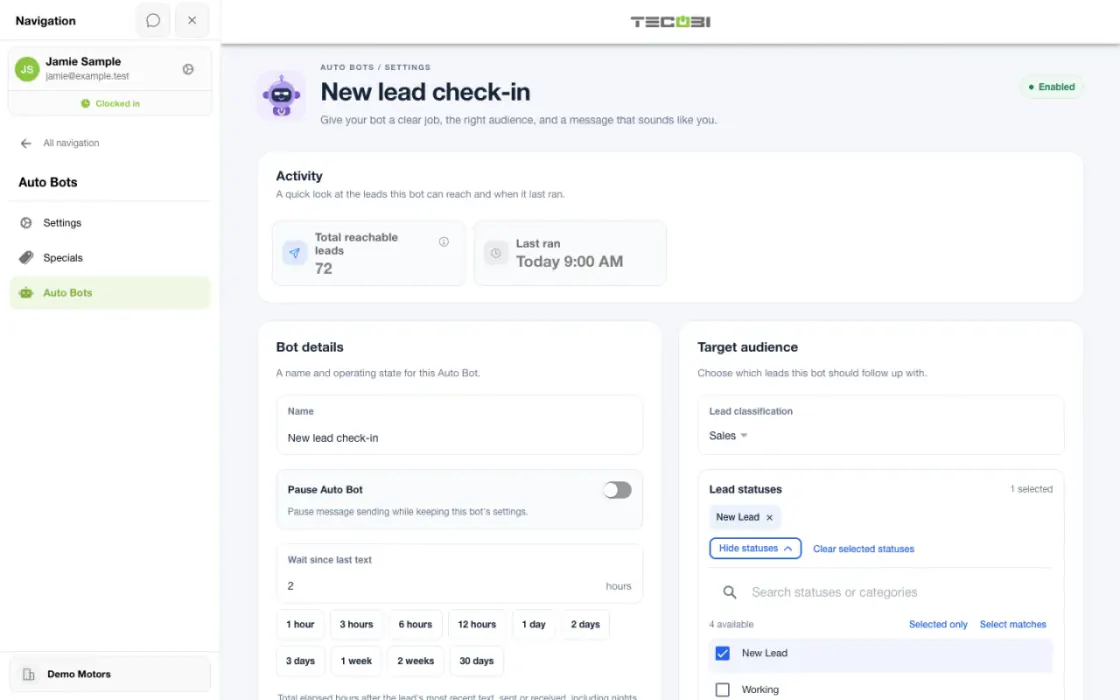
A user with the appropriate settings access selects the lead classification and statuses the Auto Bot should follow up with. Match the audience to a real need, such as a quiet conversation or a longer buying timeline.
Set the waiting period and message guidance.
Choose the supported wait between message activity and the next eligible follow-up, then give the bot instructions for the conversation you want to continue. This waiting period is different from the age of the lead.
Review the setup before using it.
The setup workflow provides Details, Audience & timing, and Prompt & review steps with a sample-message preview. Review the audience and guidance before activating the workflow.
Work the reply and adjust the process.
Eligible follow-up brings replies back into the conversation. Review the resulting questions, handoffs and reporting, then adjust the configured workflow with the appropriate permissions.
Pair AI follow-up with the right event messages.
Use Auto Bots for the eligible conversations and prompt guidance you configure. Use the separate template workflows when you want a message tied to a recorded event, such as renewed interest or an ownership check-in. The customer’s status, replies, pauses and the rules of that workflow determine whether further contact is appropriate.
Setup and availability
Auto Bots® handle proactive text follow-up. Inbound Response Bot replies, staff phone calls and this website’s Talk guide are separate workflows.
Your dealership’s audience, timing, hours and sending controls determine which conversations are eligible. Recent activity, customer restrictions and human handoffs can pause or change the next touch.
Authorized users can review and adjust the configuration. Follow-up and reporting help your team work opportunities; they do not guarantee a response or sale.
Event-triggered template automations are separate from AI Auto Bots. Each workflow has its own configuration, timing and eligibility checks; no universal cadence or identical inactivity rule applies to all of them.
Customer story · Always Auto
How Always Auto Scales 1,000+ Leads a Month Without Scaling Headcount
Always Auto uses TECOBI to manage high-volume lead engagement without turning the sales team into full-time CRM task operators. Auto Bots® keep routine follow-up moving across more than 1,000 monthly leads, while managers monitor customer activity and salespeople focus their time on engaged buyers who are ready for a real conversation.
Questions dealers ask
How is this different from a CRM reminder?
A reminder asks a person to remember and complete the next touch. Auto Bots® can carry out configured proactive follow-up, while your team stays responsible for the relationship and decisions.
Can Auto Bots® follow up on older leads?
Yes. Long-term nurture and reactivation are core use cases. The audience and timing should reflect the shopper’s situation, the dealership’s workflow and communication eligibility.
What happens when the customer replies?
The reply returns to the shared conversation. Response Bot can handle eligible routine inbound questions or route the thread to a person when human attention is needed.
Can we see whether follow-up is helping?
TECOBI reporting shows bot activity, response patterns, prompt performance and appointment influence. Sold-outcome attribution adds another view of the customer journey; activity alone is not a sale.
Is the waiting period the same as the age of the lead?
No. Auto Bot waiting rules consider message activity and the configured threshold. A lead’s age and the time since a conversation was last active are different measures, so do not choose a follow-up schedule from lead age alone.
Why has an Auto Bot not sent a message yet?
Check the selected audience and status, waiting period, recent activity and pause or contact restrictions. Dealership hours, queue pressure and configured sending limits can also affect eligible work. If the reason is unclear, ask TECOBI support to review the account; this website cannot inspect the private queue.
Can we pause follow-up?
Authorized users can pause bots, and customer communication restrictions affect eligibility. Review the appropriate bot and customer settings rather than assuming a paused or restricted conversation will continue receiving automation.
Are all TECOBI follow-up messages written by AI?
No. Auto Bots use AI and prompt guidance for proactive follow-up. TECOBI also has separate configured template automations for particular events. Those can include returning lead submissions, vehicle acquisition inquiries, selected appointment outcomes, price drops, post-sale check-ins and birthdays. Use the appropriate workflow for the customer’s situation.
Can follow-up give shoppers new information about a vehicle?
A configured price-drop message can reach eligible leads who liked a vehicle when its recorded selling price decreases and the vehicle remains in stock. This uses connected inventory data and a separate message template. It does not mean every inventory change sends a message or that the system negotiates a price.
Does follow-up continue after a customer buys?
TECOBI supports a configured check-in a chosen number of days after a recorded vehicle sale, using available details of the vehicle purchased. This is a separate template workflow for continuing the relationship after delivery. It is not automatic service scheduling or a promise that every customer will receive a message.
What happens when a previous lead submits another inquiry?
A returning lead submission can enter a separate configured re-engagement sequence. Its timing is connected to the renewed inquiry, with eligibility checks for replies, human activity, appointments, status and pauses. A website visit or inbound text alone is not the same trigger as a new lead submission.
ASK ME ABOUT IT
BETTER TOGETHER
Connect the next step.
Explore how these TECOBI solutions fit into your dealership’s workflow.