



Vehicle Price Drop Follow-Up
Turn a price drop into a useful customer conversation.
When a vehicle a shopper liked becomes more affordable, your dealership has a timely reason to reconnect. TECOBI can use a configured text to share that update with eligible customers and keep the conversation connected to their record.
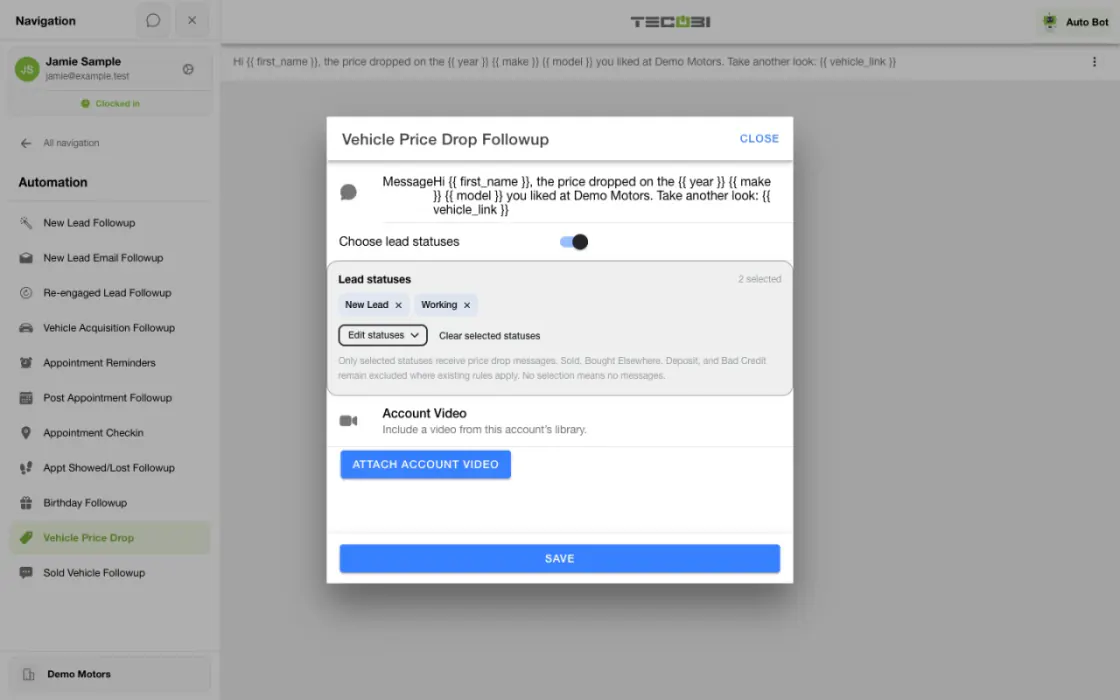
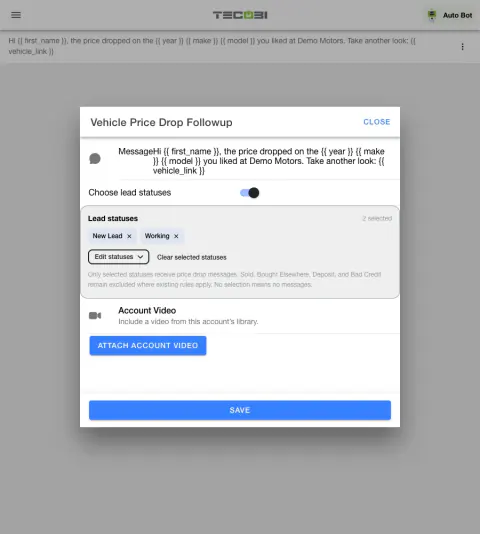
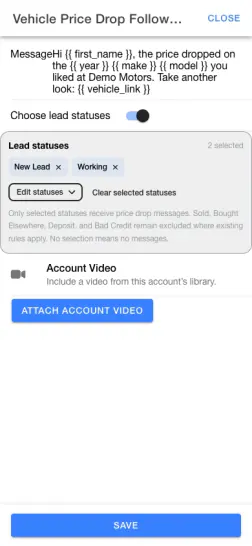
Make a price update useful to an interested shopper
A vehicle the shopper liked has a lower price. Check that the right audience and message are eligible before following up.
- Confirm the changeReview the updated price and the vehicle interest.
- Review qualifying shoppersCheck the configured status, timing and eligibility rules.
- Answer the next questionGive the shopper a clear way to ask about availability or the updated details.
Reconnect around a vehicle the customer likes
Make follow-up relevant to something the shopper has already shown interest in.
- A configured price-drop message can reach eligible leads who liked a vehicle when its recorded selling price decreases and the vehicle remains in stock.
- The workflow checks the previous and current selling prices and requires a recorded decrease. A vehicle being added, removed or unchanged does not by itself qualify.
- The customer must meet the workflow’s sales-lead and communication eligibility checks. This is not a broadcast to every customer in the database.
Make the update useful
Give the shopper a clear reason to continue the conversation.
- Your dealership writes the price-drop message as a configured template. This event-based message is separate from AI-generated Auto Bot follow-up.
- Available template information can include the shopper’s name, dealership, vehicle year, make and model, previous and new prices, price-drop amount and a personalized vehicle link.
- A ready, eligible account video can be attached when configured. A customer can reply and your team can continue the conversation with the vehicle context.
- For example, a shopper who liked an in-stock vehicle could receive a message about a lower recorded price and open a link to review it. This is an illustration, not a promise of a response or sale.
Keep timing and eligibility in context
A configured message does not mean every customer will receive a text.
- Paused or archived conversations, disabled automation, incompatible phone types, excluded lead statuses and an upcoming appointment can prevent this follow-up.
- Where dealership hours are configured, a qualifying message can be held for after-hours processing rather than sent while the store is closed.
- Eligibility and the vehicle’s price and stock status are checked during processing. Duplicate records for the same customer, vehicle and price change are checked to avoid creating another notification.
- Sending also depends on messaging restrictions and delivery processing. A recorded notification or scheduled message is not proof that a customer received or viewed it.
Use it as part of a connected workflow
Inventory information is a starting point for a helpful conversation.
- Keep inventory and customer vehicle interests accurate so the update is relevant to the shopper.
- Review the customer’s current conversation before making the next recommendation or discussing the deal.
Put the workflow into practice.
Connect and maintain the dealership inventory and customer vehicle interests.
Write the vehicle price drop message in your dealership settings.
When a qualifying in-stock vehicle’s recorded selling price decreases, TECOBI checks interested customers and messaging eligibility.
Review replies in the customer conversation and help the shopper with their next step.
Connected TECOBI tools
Questions dealers ask
Can follow-up give shoppers new information about a vehicle?
A configured price-drop message can reach eligible leads who liked a vehicle when its recorded selling price decreases and the vehicle remains in stock. This uses connected inventory data and a separate message template. It does not mean every inventory change sends a message or that the system negotiates a price.
Are all TECOBI follow-up messages written by AI?
No. Auto Bots use AI and prompt guidance for proactive follow-up. TECOBI also has separate configured template automations for particular events. Those can include returning lead submissions, vehicle acquisition inquiries, selected appointment outcomes, price drops, post-sale check-ins and birthdays. Use the appropriate workflow for the customer’s situation.
Can a salesperson see the vehicles saved with a customer?
The lead’s Shopping Signals includes Inventory Likes, giving staff a place to review saved vehicles alongside the conversation. That helps the salesperson ask a more relevant question about the customer’s choices. Inventory links and customer shopping actions depend on the dealership’s inventory setup.
What happens when the customer replies?
The reply returns to the shared conversation. Response Bot can handle eligible routine inbound questions or route the thread to a person when human attention is needed.
Does a sent text mean the customer read it?
No. A send or delivery status is not proof that a person read the message or is ready to buy. Use the customer’s reply and the conversation context to decide what to do next.
Setup and availability
Auto Bots® Follow-Up: setup and availability
Auto Bots® handle proactive text follow-up. Inbound Response Bot replies, staff phone calls and this website’s Talk guide are separate workflows.
Your dealership’s audience, timing, hours and sending controls determine which conversations are eligible. Recent activity, customer restrictions and human handoffs can pause or change the next touch.
Authorized users can review and adjust the configuration. Follow-up and reporting help your team work opportunities; they do not guarantee a response or sale.
Event-triggered template automations are separate from AI Auto Bots. Each workflow has its own configuration, timing and eligibility checks; no universal cadence or identical inactivity rule applies to all of them.
Inventory & Customer Shopping: setup and availability
Inventory and favorites depend on the dealership’s configuration and the type of customer link.
Listing details come from connected data; a displayed price or in-stock status is not a guarantee of a current offer or physical availability.
The product image is a captured example of inventory cards and favorite controls. Its vehicles, prices and stock numbers are not current offers.
Business Texting for Dealership Teams: setup and availability
Texting requires an eligible contact and correctly configured sending number; carrier delivery is not guaranteed.
Opt-out and account controls may restrict sending. Staff should respect customer contact preferences.
Available media types and delivery behavior differ between SMS, MMS, links and email.
Automotive CRM & Lead Management: setup and availability
Available tools depend on dealership configuration and user permissions.
Integration coverage varies by provider; TECOBI does not automatically synchronize every field with every CRM or DMS.
Pipeline and activity screens describe recorded work; they do not guarantee a sale or prove why it happened.
Survey access depends on dealership membership and user role or assignment. Automatic post-sale survey requests require enabled configuration and an active sending workflow; no universal schedule, delivery or response is promised.
Text Ninjas is an optional service. Confirm the service scope, coverage hours, handoffs and current pricing with TECOBI. No particular staffing ratio, response-time guarantee or managed phone service is promised here.
AI Texting & Response Bot: setup and availability
Reply modes, delays, permissions and customer context determine when Response Bot runs. Connected inventory and appointment workflows depend on the dealership’s configuration.
Negotiation, finance decisions and questions requiring dealership judgment need a person. An AI answer is not a binding out-the-door quote or finance approval.
Dealership AI calling is not available yet. The website’s Talk guide explains TECOBI; it does not access private accounts or perform customer actions.
The example shows the shared conversation workspace with demonstration identities. It does not identify a particular message as AI-written.
ASK ME ABOUT IT