



Digital Document Signing
Let customers finish the paperwork step from where they are.
A customer should not need another trip just to complete a supported document request. TECOBI connects templates, texted requests and a Digital Retail signing experience. Your team prepares the document, the customer completes the required fields and signatures, and the finished PDF returns to the customer record.
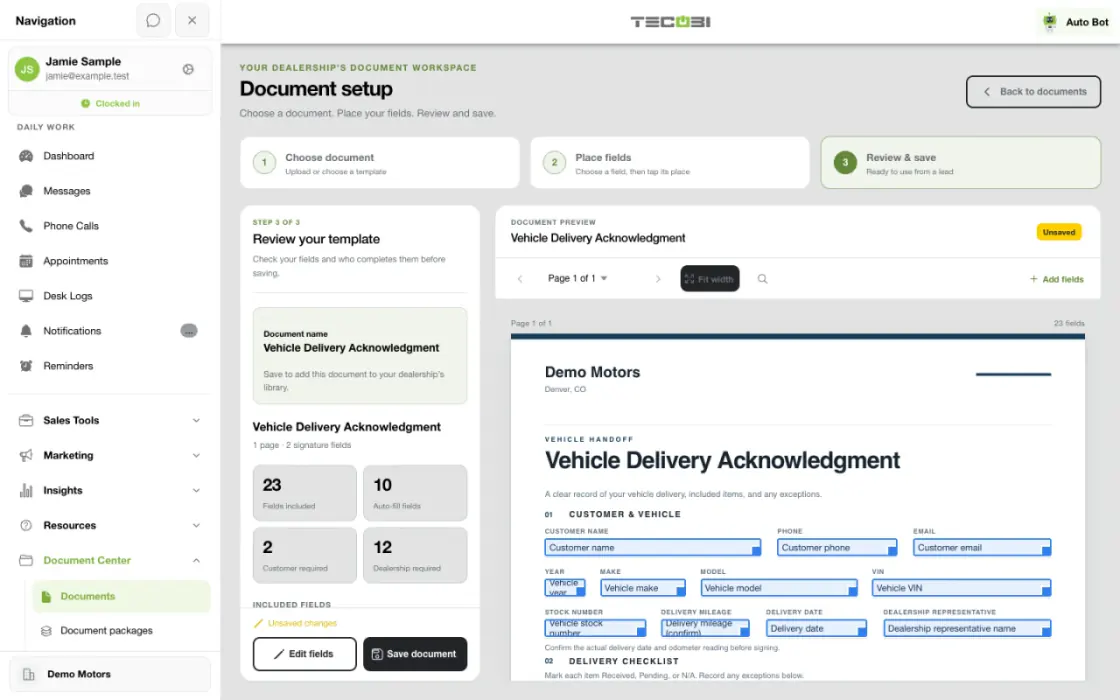
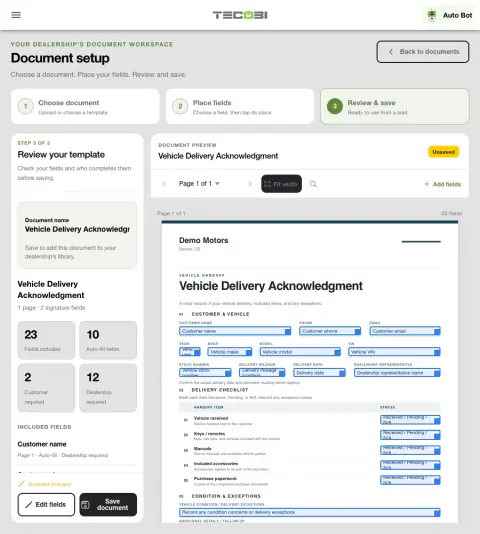
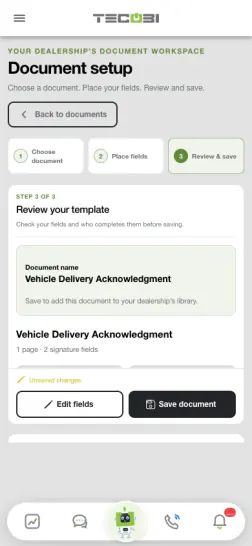
Review a document before asking the customer to sign
A supported form is ready for a buyer. Checking the details and assigned fields first makes it easier to spot a missing piece.
- Choose the customer and formConfirm the correct person and supported document.
- Review the prepared requestCheck the populated information and the required signing fields.
- Review completionOpen the returned document once the customer completes the supported request.
What it helps you do
Keep the next step convenient.
Customers can open the appropriate request from their Digital Retail link and complete the supported signing flow remotely.
Prepare documents consistently.
Use active, ready templates or available template groups, review prefilled values and complete required staff fields before sending.
Keep completion with the opportunity.
Request status and completed PDFs help the team see what is still outstanding and return to the document in the customer workflow.
How it works
Choose the customer and document.
Open the document workflow for the correct lead and select an available ready template or template group.
Review the prepared document.
Check available prefilled values, recipient and required staff fields. Preview the request before sending it through the supported conversation workflow.
The customer completes the request.
The customer opens the Digital Retail document link, reviews the disclosure and completes the required fields and signature steps.
Review the completed document.
Check the request’s completion status and available generated PDF on the customer record. Follow up when required steps remain incomplete.
Setup and availability
Template readiness, document permissions and the customer’s valid request link affect availability.
A sent or viewed request is not a completed signature; check the recorded completion status and generated document.
Electronic signing availability does not determine whether a particular document meets every external requirement.
FROM PREPARATION TO SIGNATURE
Make the paperwork step easier to finish.
Give your team a repeatable way to prepare a supported document and give the customer a convenient way to complete their part.
Prepare a reusable document.
In Document Center, an authorized team member can upload a source document, wait for it to become ready and place the supported fields on the document. Choose who needs to complete each required field, then review and save the template. Your team can also organize available documents into a group for a packet.
Choose the right document for the customer.
From the customer’s record, choose a ready document or available group. Review the preview, any prefilled details and required staff fields. TECOBI prepares a link in the conversation draft so your team can review the message and send it through the available communication workflow.
Let the customer complete their part.
The customer opens the Digital Retail document experience, follows the required fields and signs where requested. The signing screen shows progress through required fields and asks the customer to review and accept the applicable disclosure before submitting.
Return to the completed document.
Once the request is completed and the PDF is available, the document is associated with the customer record. Authorized users can also use Signed documents to find completed documents by search or signing date, open a document and return to the customer record.
A prepared link, a sent message and a completed document are different steps. Confirm status and availability before treating paperwork as finished. Document and signing requirements depend on the dealership’s policies and the transaction.
Questions dealers ask
What can a document template contain?
Supported templates can include text, checkbox, date and signature fields assigned to staff or the customer. Source files must be converted into a ready template before they can be used in a request.
Can we send more than one document together?
Available template groups let the team prepare a set of supported documents together. Review the packet and required fields before sending it to the customer.
Can customers sign from home on their phone?
The customer-facing Digital Retail workflow supports opening and completing eligible document requests remotely, including from a supported mobile browser. The customer still needs the correct secure link and must complete the required steps.
Why is a template missing from the request options?
Only active, ready templates are offered in the supported request workflow. An unavailable template may still be converting, be inactive or require attention from someone with document-management access.
Does this replace every dealership paperwork requirement?
No. It supports the configured electronic document workflow. Your dealership determines which documents and signatures are appropriate, and whether any part of the deal still requires a different process.
ASK ME ABOUT IT
BETTER TOGETHER
Connect the next step.
Explore how these TECOBI solutions fit into your dealership’s workflow.