



Desking, Pencils & Digital Offers
Give customers real deal information they can review from home.
When a customer is ready to talk numbers, give them a clear next step. TECOBI’s desking workflow brings vehicle information, trade details and dealership-prepared scenarios into a digital pencil. Your team can preview and share an offer through the customer experience, then keep a history of the information it shared as the conversation moves forward.
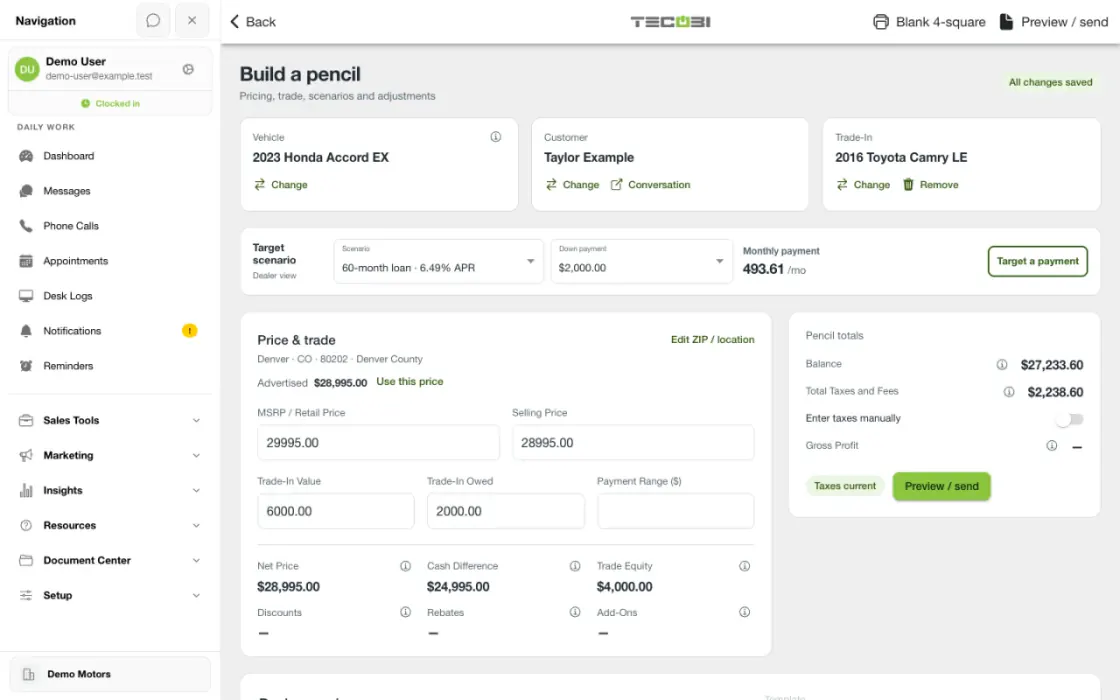
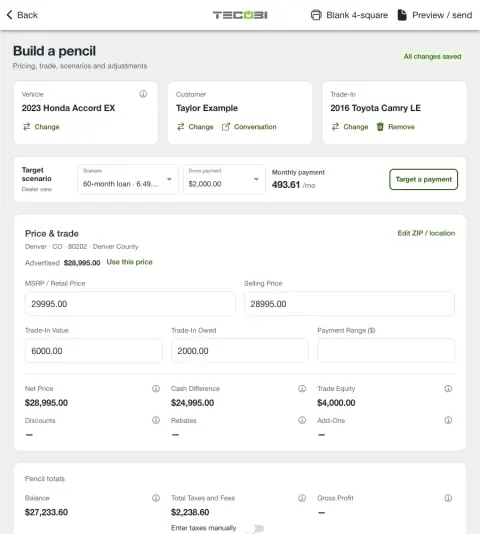
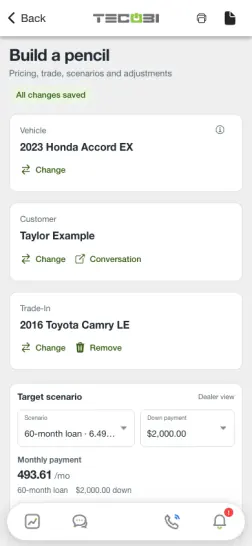
Compare offer scenarios before sharing one
A shopper asks how a trade changes their deal. Prepare the available scenario, then review the customer-facing terms before sending it.
- Build the pencilEnter the supported vehicle, trade and deal details for the shopper you are working with.
- Check the changesReview what changed across available scenarios and confirm the details you intend to share.
- Continue the conversationShare the reviewed offer and use the same customer record to discuss questions.
What it helps you do
Make the numbers easier to discuss.
Bring the selected vehicle, trade details, fees, taxes and prepared scenarios into one structured offer. Customers have something specific to review and ask questions about.
Let customers compare the options you prepare.
Supported digital offers can present down-payment and term choices prepared by the dealership. Customers can consider those choices from home while their salesperson remains available to explain the details.
Keep the shared offer connected to the opportunity.
Saved and sent snapshots provide a record of the offer information prepared at that point in the deal. Your team can refer back to the version it shared as the customer’s needs change.
How it works
Prepare the pencil.
An authorized team member opens Create Pencil or an existing pencil, selects the customer and vehicle, and enters the applicable trade and deal information. Desking access depends on the dealership setup and the user’s permissions.
Review the scenarios and customer-facing details.
Set the available payment choices and review taxes, fees, add-ons and the information the customer will see. Use Preview / send to check the offer before sharing it.
Setup and availability
Desking access, available scenarios and customer-facing fields depend on the dealership’s configuration and the user’s permissions.
Payment and offer figures depend on current inputs and dealership review. An offer response is not a lender approval or a guarantee of financing terms.
Offer history records the shared information and recorded actions; it does not establish that a particular person viewed the offer.
Questions dealers ask
What is a pencil in TECOBI?
A pencil is the dealership’s structured deal worksheet. It brings the customer, vehicle, trade and deal inputs together so authorized staff can prepare scenarios and a customer-facing offer.
Can customers compare payment options from home?
Yes. Supported digital offers let customers review the down-payment and term scenarios prepared and shared by the dealership. The options depend on the actual offer; this is not an unrestricted financing calculator.
Can customers respond to a digital offer?
Supported customer-facing offers include response actions for the options the dealership shared. Available actions and signature fields depend on the offer configuration. A response does not by itself establish lender approval or a completed vehicle purchase.
Does an offer snapshot prove the customer viewed it?
No. A snapshot preserves the offer information and its recorded history. A saved or sent offer is not proof that a particular customer opened, understood or accepted it.
Does the website AI produce my customer’s final payment or out-the-door quote?
No. The website guide explains the workflow. The dealership prepares the actual offer using the current vehicle, customer, trade, tax, fee and scenario inputs, then reviews the figures before sharing them.
How is a pencil different from Desk Log?
The pencil is where the deal information and offer scenarios are prepared. Desk Log organizes showroom or remote sales activity and can link the relevant pencils and offer history to that activity.
What if I cannot create a pencil or a customer cannot open an offer?
Check that the correct dealership is selected and that the user has desking access. For a customer offer, make sure the intended digital offer was shared through that customer’s secure experience. If the issue continues, tell TECOBI support which step failed and what the screen says. Keep financial details and secure customer links out of the public website chat.
Can a customer explain why an offer does not work for them?
The digital-offer flow includes a decline response with a message. That gives the customer a way to explain the concern, so the salesperson can continue the conversation and discuss another option. Response controls depend on the specific offer and customer access.
Can the team see which offer the customer responded to?
Offer history keeps the shared offer and its recorded response status together. The team can refer back to that version of the offer instead of starting the numbers conversation over. A recorded response is not lender approval, and a saved or sent offer is not proof that a particular person viewed it.
ASK ME ABOUT IT
BETTER TOGETHER
Connect the next step.
Explore how these TECOBI solutions fit into your dealership’s workflow.