



Website Lead Capture & Forms
Turn a website question into a useful next step.
A customer browsing your inventory may want an answer or a way to provide information before committing to a visit. TECOBI’s website widget and embedded forms give them useful contact and shopping entry points. Supported submissions connect to the dealership’s lead workflow, helping your team continue from the customer’s request and available page context.
Connect a website request to a conversation
A shopper opens the widget on a vehicle page and asks about the next step. The dealership can continue the supported request from the lead record.
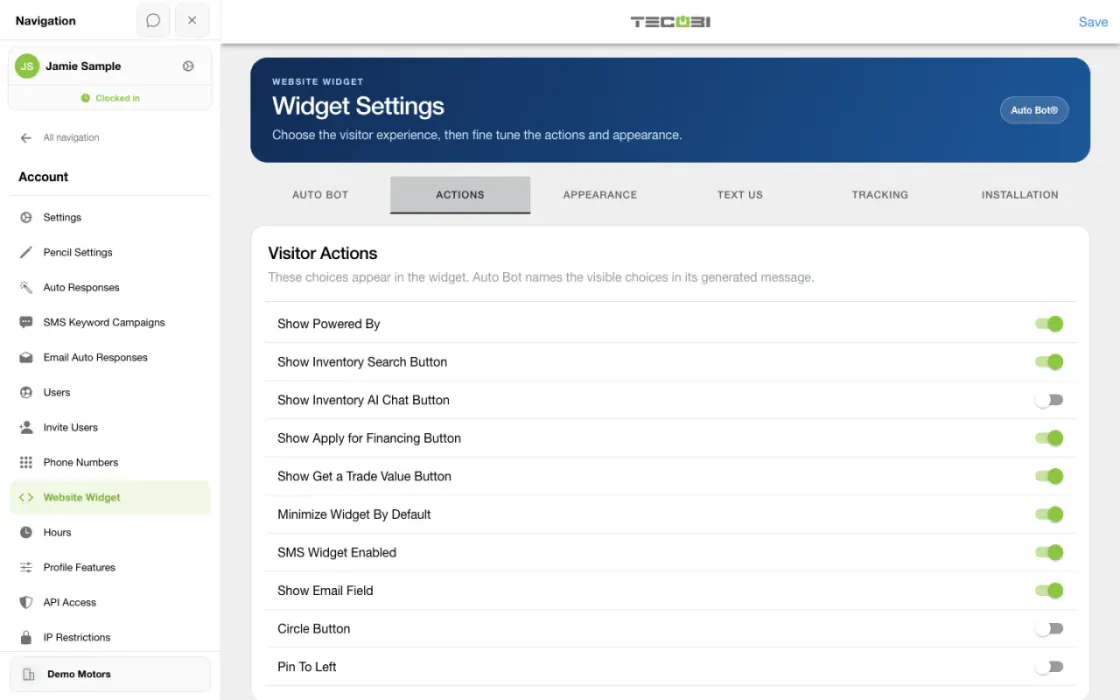
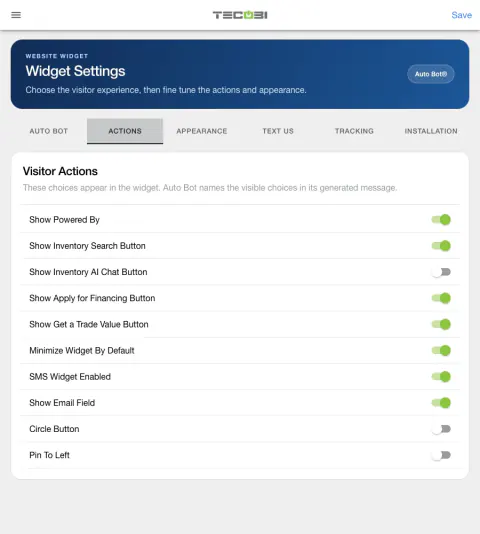
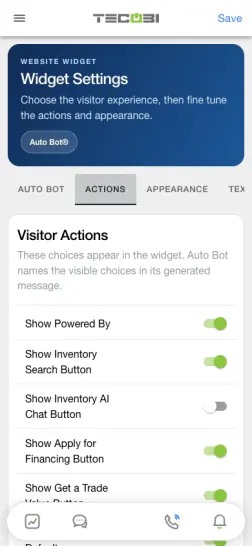
- Choose useful widget actionsReview which shopping, trade or financing actions fit the dealership setup.
- Submit the inquiryLet the shopper send the available request from the website.
- Pick up in the lead workflowOpen the inquiry with the context the site sent and respond from the team workspace.
What it helps you do
Let the customer choose the next step.
Offer the configured text contact, staff call, inventory or form actions in the website experience. Customers can start with the information they are ready to share.
Bring the inquiry into the conversation.
Supported forms create or update a TECOBI lead and preserve available source context, so follow-up can begin with what the customer asked.
Use a form that fits the task.
Contact pages, vehicle pages and finance pages can use different supported entry points. Quick Qualify and other finance tools follow the dealership’s integration and configuration.
How it works
Connect the dealership website.
Have the website provider use TECOBI’s integration instructions and the assigned dealership configuration. The widget script and supported form triggers need to be installed where shoppers will use them.
Show the relevant customer actions.
Use the contact form for a text inquiry. Add the supported inventory, trade or finance entry points that fit the dealership’s enabled setup.
Let the customer share the request.
The customer uses the relevant form and its disclosures. Keep sensitive credit or financial details in the designated form instead of a general chat message.
Continue from the lead workflow.
Review the inquiry and available source information in TECOBI. Your team and configured follow-up workflows can respond and guide the customer to the next useful step.
Setup and availability
Widget actions and forms depend on the dealership’s configuration and website integration.
Quick Qualify requires the applicable enabled credit integration; form submission does not guarantee financing approval.
The available website and analytics context depends on correct implementation. The widget does not guarantee a conversion.
MEET SHOPPERS WHERE THEY ARE
Give every website visit a useful next step.
A shopper looking at a vehicle, exploring financing or simply asking a question may be ready for different things. TECOBI brings those entry points together with the dealership’s follow-up workflow.
Start a conversation from the vehicle page.
Place a Text Us action on search results and vehicle detail pages so shoppers can open the contact form while a vehicle is on their mind. Supported forms pass the current page URL as context, helping the team understand where the inquiry began.
Let customers take the next step they choose.
Depending on the dealership’s configuration, the widget can offer contact, a staff phone call, inventory browsing, trade valuation or a financing form. Quick Qualify and the full credit application are different experiences; Quick Qualify requires the active 700Credit integration and enabled setup.
Fit forms into the website.
Buttons can open supported TECOBI forms through the widget, or a website provider can embed supported contact and finance forms directly on a page. The website integration guide explains where the widget script, vehicle-page actions and form embeds fit.
Continue the request in TECOBI.
Supported submissions create or update a lead so dealership staff can review the inquiry and available source information in the customer workflow. Configured follow-up can help the team continue the conversation as the shopper decides what to do next.
Available actions, disclosures and tracking depend on the dealership’s setup and correct installation. A form submission is not a financing approval or a guaranteed sale.
Questions dealers ask
Is Text Us a way for website visitors to contact our team?
Yes. The established widget contact action opens a form for the visitor’s request. Supported submission handling brings the request into TECOBI for follow-up. The exact widget actions depend on dealership configuration.
What does the widget’s call button do?
The staff call option opens a phone call to the configured dealership or tracked number. It gives the visitor a way to reach the team.
Can a form appear directly inside a website page?
Yes. TECOBI documents embedded contact and finance forms as well as widget buttons. Your website provider can use the supported integration method for the intended page and dealership configuration.
Can every dealership show Quick Qualify?
Quick Qualify requires the applicable active credit integration and enabled dealership setup. TECOBI’s installation instructions specifically require active 700Credit for that integration. A form submission or qualification step is not a financing approval or final offer.
Can website inquiries include the page the shopper came from?
Supported forms pass the current website URL as context, and the widget documents analytics events for clicks and submissions. The available signals depend on correct installation and the site’s analytics configuration.
What if the widget or a form is missing from our site?
Confirm the intended page and dealership setup with your website provider or TECOBI support. The script, trigger or embed must be installed correctly, and some actions appear only when their integration is enabled. Share the public page URL and a description of the problem, not customer financial information.
ASK ME ABOUT IT
BETTER TOGETHER
Connect the next step.
Explore how these TECOBI solutions fit into your dealership’s workflow.