



TECOBI Training & Product Help
Get help with the task in front of you.
A salesperson learning a feature and a dealer evaluating TECOBI need different levels of guidance. Public product explanations help visitors understand the workflow, while TECOBI training gives users organized lessons and available learning media. Staff training can include quizzes and completion tracking; account-specific problems belong with TECOBI support.
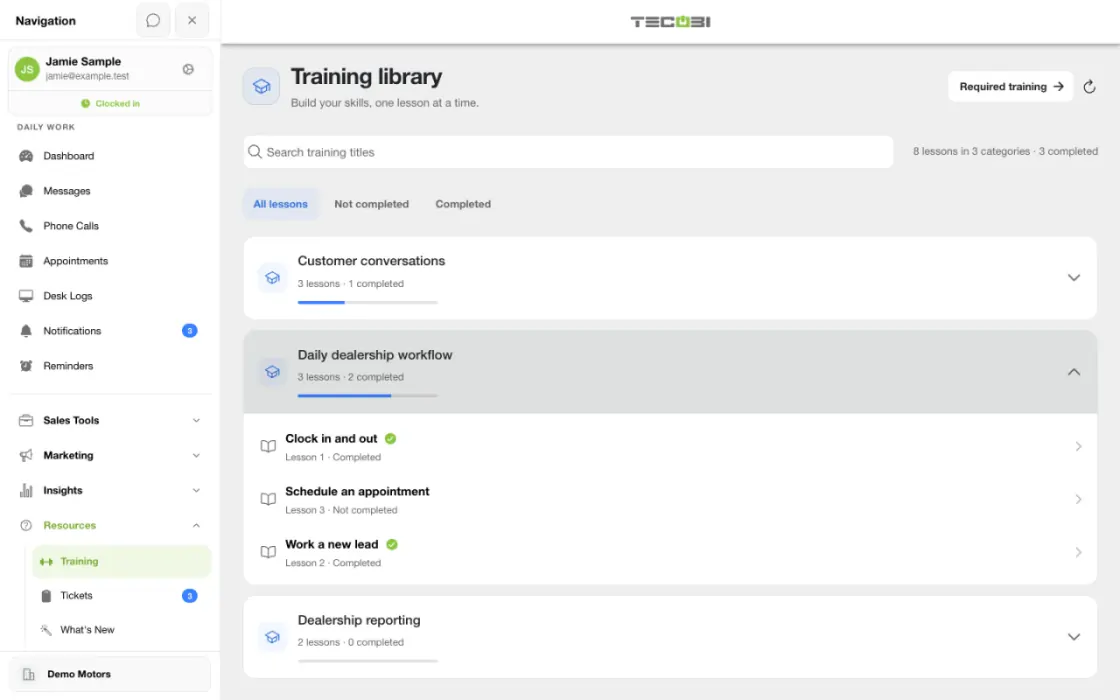
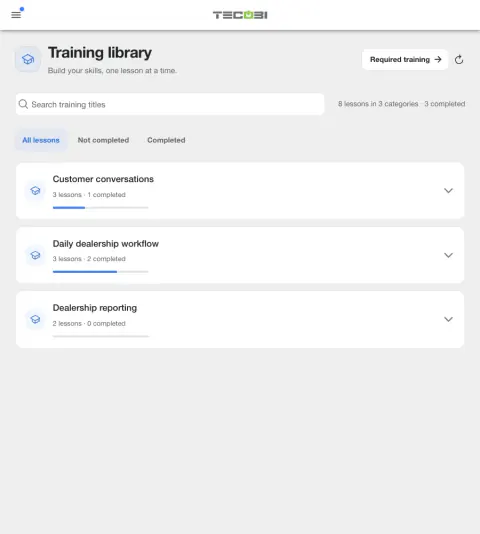
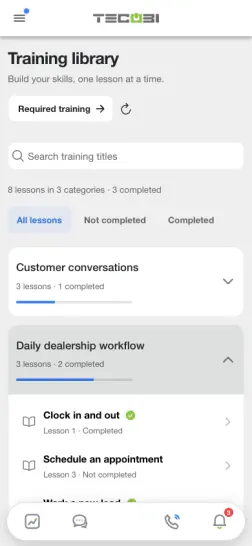
TECOBI training library
Find training videos and reference guides for your team.
AI & Automation1 item
- Bot Follow-Up: Give Your Helpers Better ContextTraining lesson
Appointments & Scheduling1 item
- Appointments: Book It. Keep It Current.Training lesson
Communication in TECOBI5 items
- Work Your Queues: Keep Customers MovingTraining lesson
- Directions: Help Them Find Your Store.Training lesson
- Calls: Connect, Talk and Follow ThroughTraining lesson
- Email: Write, Review and SendTraining lesson
- Keep Customer Calls & Texts in TECOBITraining lesson
Documents And Resources (No Quiz Required)5 items
- Blasting GuideReference guide
- Bot Status ExplanationReference guide
- Short CodesReference guide
- How Tecobi Fixes CRM FailureReference guide
- TECOBI Sales ProcessReference guide
Getting started in TECOBI6 items
- TECOBI: Your First DayTraining lesson
- Meet Your TECOBI Follow-Up HelpersTraining lesson
- Dashboard: Your Work, Your InsightsTraining lesson
- Lead Details: Your Sidebar, Your WorkflowTraining lesson
- Clocking In & Out: Know Your StatusTraining lesson
- Your Profile: Look Professional. Stay Reachable.Training lesson
Lead Management & Workflow7 items
- Opt-Outs & Archiving: Choose the Right ActionTraining lesson
- Lead Statuses: Put Your Helpers to WorkTraining lesson
- Pause: Follow Up at the Right TimeTraining lesson
- Add a Lead: Start the Conversation RightTraining lesson
- Merge Profiles: Keep the Conversation TogetherTraining lesson
- Desk Log: Track Every Visit. Keep the Team Aligned.Training lesson
- Contact Details: Keep the Right Customer ReachableTraining lesson
Manager Training And Tools10 items
- Automations: Start Strong. Follow Up Clearly.Training lesson
- Blasts: Start the Right ConversationsTraining lesson
- Pencil: Build and Present a DealTraining lesson
- Dealership Settings: Set Your Store Up RightTraining lesson
- The Manager’s Daily TECOBI ChecklistTraining lesson
- Notifications: See It. Take Action.Training lesson
- Monitor: Coach Your Team in Real TimeTraining lesson
- Reports & Profile Analytics: Turn Numbers into ActionTraining lesson
- Training: Assign, Coach and Follow ThroughTraining lesson
- Users: Add Your Team. Keep Access Current.Training lesson
Reset Your Password1 item
- Can’t Sign In? Get Back Into TECOBITraining lesson
Sales Tools & Features5 items
- Inventory: Share the Right VehicleTraining lesson
- Trades: Turn Details Into a VisitTraining lesson
- Credit Applications: Send, Track & TransferTraining lesson
- Surveys: Listen and Follow ThroughTraining lesson
- Short Codes: Reply Faster, Keep It PersonalTraining lesson
Support & Troubleshooting1 item
- Support Tickets: Get Help. Keep It Moving.Training lesson
TECOBI Entrenamiento en Español4 items
- TECOBI: Tu Primer DíaTraining lesson
- Gestiona tus Leads: Responde y Da SeguimientoTraining lesson
- Citas: Programa, Confirma y ActualizaTraining lesson
- Click-to-Call: Conecta y Da SeguimientoTraining lesson
Text Ninjas Explained: What They Do & How to Work with Them1 item
- Text Ninjas: Work as One TeamTraining lesson
Tools & System Features5 items
- Toolbox: Choose the Tool. Keep It Personal.Training lesson
- Conversation Shortcuts: Find Context. Choose Your Words.Training lesson
- Actions: Flag the Lead. Guide the Next Step.Training lesson
- Document Center: Send, Sign and Find ItTraining lesson
- Languages: Keep the Conversation Clear.Training lesson
Turn a task into a short training session
A teammate needs to learn how to share a walkaround. Use the lesson for that workflow, then practice the same steps in the dealership workspace.
- Find the lessonBrowse the library or describe the task to the AI guide.
- Practice the actionWatch the relevant section and follow along in the supported workspace.
- Ask for help when neededUse the lesson transcript to find a detail or create a support ticket for an account-specific question.
What it helps you do
Start with the job you need to do.
Ask about a specific workflow, such as sending a video, preparing a document request or reviewing a customer conversation.
Find the relevant lesson.
The training library organizes active lessons by category and supports finding lessons by name. Available lesson media supplies the instructional content.
Keep staff learning visible.
Signed-in training can include quizzes, recorded completion and required assignments. Authorized training managers can review the supported completion information.
How it works
Describe what you want to learn.
Name the feature and the step you are trying to complete so the guidance matches the task.
Review the explanation or available lesson.
Use public feature guidance to understand the process, or open the relevant Training lesson in TECOBI.
Complete assigned staff training when applicable.
If your account requires a lesson and quiz, finish them in the signed-in training workflow so completion can be recorded.
Request account-specific help when needed.
If a control is missing, a result looks wrong or training completion is not reflected, contact TECOBI support with the workflow, what happened and your device or browser.
Setup and availability
Lesson and video availability varies, and assigned staff training may require sign-in and a quiz.
Public guidance does not access private customer records, change account settings or mark training complete.
Account-specific troubleshooting and private attachments belong in TECOBI’s support workflow.
Need help with your account?
Learn how to create a support or training ticket and follow the conversation in TECOBI.
Explore TECOBI support tickets →Questions dealers ask
Do I need to take a quiz to learn what TECOBI does?
No. Public product explanations are separate from assigned staff training. Available guest lessons can be browsed without a staff quiz, while signed-in required training may include completion and quiz steps.
Can the website show a video for every feature?
Video availability varies by feature. The guide can provide an available public tutorial when one is listed, or explain the workflow when a suitable video is not available.
Why am I being asked to complete training in the app?
Your signed-in account may have assigned or required training. Complete the lesson and required quiz in that workflow; reading a public feature explanation does not mark the assignment complete.
What if I finished a lesson but the reminder remains?
Check the recorded lesson and quiz result in Training. If the assignment still appears outstanding, ask TECOBI support to review the completion record.
Should I book a sales demo for a product problem?
Existing-user technical or account questions should go to TECOBI support. A sales walkthrough is for evaluating the platform; support can investigate the specific workflow or account issue.
ASK ME ABOUT IT
BETTER TOGETHER
Connect the next step.
Explore how these TECOBI solutions fit into your dealership’s workflow.