



Online Credit Applications for Car Dealerships
Let customers start the financing conversation from home.
Give shoppers a way to take a financing step on their own timeline. TECOBI connects available credit forms and customer context so your dealership can continue the conversation when the customer is ready.
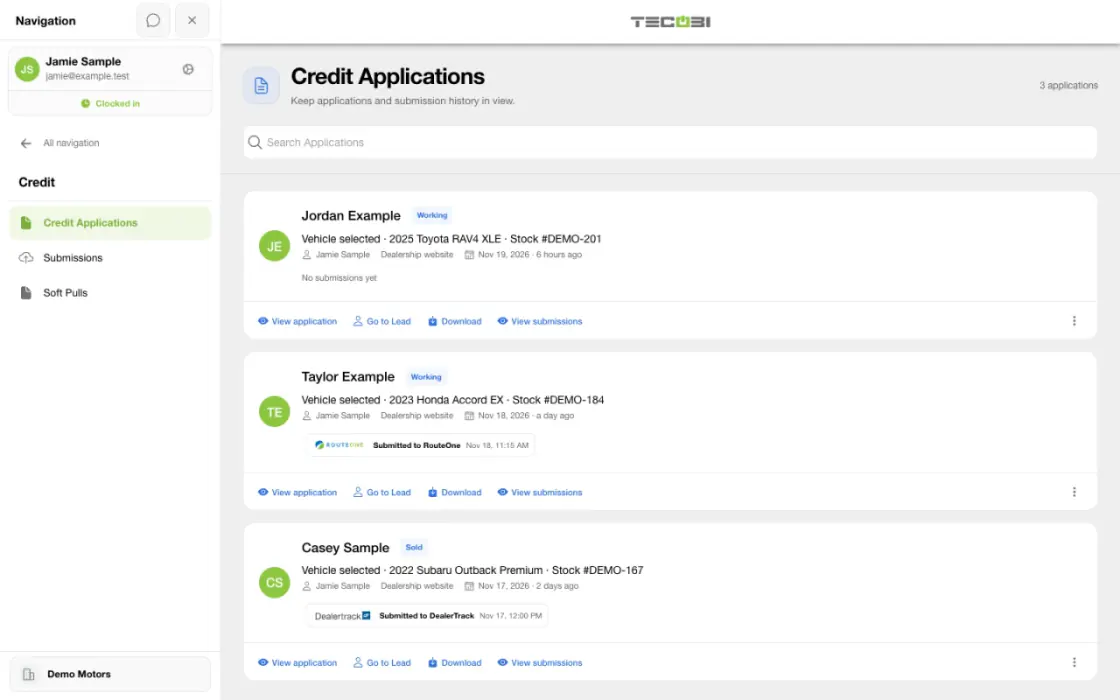
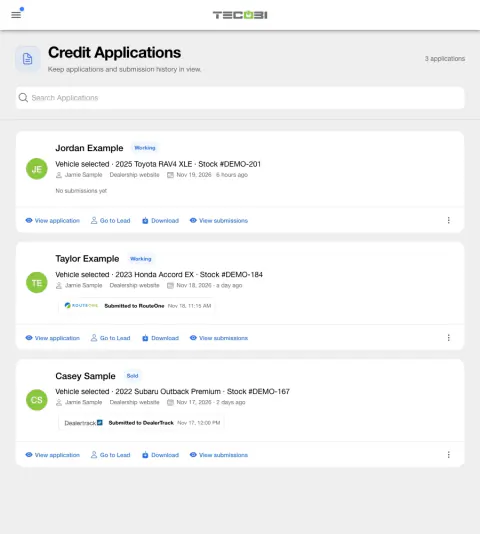
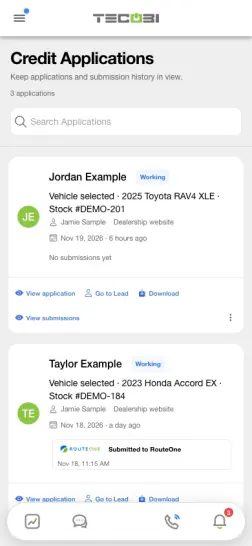
Review a customer application before a provider handoff
The customer has supplied an application for a vehicle. Review the record and the selected workflow before sending anything.
- Open the applicationConfirm the correct customer and vehicle in the dealership workspace.
- Choose the supported providerReview the configured destination and any available handoff details.
- Confirm the recorded resultCheck the application status before taking the next step.
Put the workflow into practice.
Share the appropriate customer-specific application link, or make the enabled form available in your dealership’s configured website experience.
The customer completes the appropriate form directly, using the protected credit workflow rather than a public conversation.
Authorized staff review the customer’s application or available Quick Qualify result and determine the next step.
When a supported provider connection is configured, authorized staff can transfer an application and check the provider result.
Give customers a practical starting point
A customer can start at home instead of waiting until they arrive at the dealership.
- The full credit application and Quick Qualify are separate experiences. Their availability and entry points depend on dealership features, widget configuration and the customer link.
- Quick Qualify uses the dealership’s configured 700Credit connection for a soft-pull prequalification. A salesperson can share an appropriate customer-specific link when available.
- A customer can browse vehicles and discuss a deal without completing a credit application. Share the appropriate form when it fits the customer’s next step.
Keep the team connected to the next step
Available customer information and results support a conversation with the dealership team.
- An existing customer link associates the relevant workflow with that customer. A website Quick Qualify submission can match an existing dealership lead by phone or create a new lead.
- Authorized staff can review available application or qualification information in the customer workspace. Visibility depends on the user’s permissions and dealership configuration.
- Supported RouteOne and Dealertrack integrations have separate setup, permissions and transfer workflows. Confirm the recorded result and any provider-side next action.
Understand what each result means
A financing conversation can involve several separate decisions and handoffs.
- A soft-pull prequalification is not a completed full application or a lender approval. An application transfer to a provider is not by itself proof of lender submission or approval.
- Interest rate, payment, lender decision and final terms require the appropriate lender and dealership review; TECOBI does not guarantee any outcome.
- Keep Social Security numbers, income details and other sensitive information in the appropriate credit form, not the website AI chat. Contact TECOBI support for account-specific access or provider issues.
- The Quick Qualify form requires the customer to agree to its credit-check terms; when contact information is captured, the form presents a separate texting consent choice.
- In the customer forms, the texting consent checkbox is separate and is not marked as required. Credit-check or application terms and electronic-signature steps may still be required.
- Quick Qualify may ask for a Social Security number when the initial identity match is unsuccessful. Customers should enter sensitive information only in the appropriate credit form.
Connected TECOBI tools
How it works
Today’s shoppers want to get information, give information and make progress on their own timeline. TECOBI’s Digital Retail experience gives them a branded, secure place to do that while staying connected to your dealership and their salesperson. Depending on the configured customer link, they can browse inventory, save favorites, schedule time, provide information, review an offer and complete documents. Your team can guide the experience through the same customer conversation.
Share the right customer link.
Send the appropriate Digital Retail link from the conversation. The available actions depend on the dealership’s setup and the type of customer access provided.
Let the shopper make progress.
The customer explores available inventory and completes the relevant information, booking, offer or document step at a convenient time.
Ask for the information the deal needs.
Use the enabled trade link or credit application link when it is relevant to the conversation. These links are separate actions, so a shopper does not have to complete a credit application just to browse inventory or discuss a vehicle.
Continue with context.
Your team follows up on the same opportunity with the customer’s progress in view, helping connect online preparation with the eventual visit and sale.
Offer a clear referral path.
When it fits the relationship, prepare the customer’s referral link from the conversation and send it through the normal messaging workflow. The customer can submit the referral details through that form. Your team can then review the referral’s recorded status in TECOBI.
Questions dealers ask
Can customers complete a credit application from home?
TECOBI supports a customer credit application link connected to Digital Retail. Available credit tools and which staff can send the built-in application depend on dealership settings and permissions. Customers should complete sensitive information through the appropriate application, not paste it into this website’s AI chat.
Is a completed application the same as financing approval?
No. Completing an application, using an available qualification tool, transferring an application to a configured provider and receiving a financing decision are separate steps. The dealership confirms the next step and any lender requirements. TECOBI’s website guide cannot approve credit or promise a rate, payment or lender decision.
Can every dealership show Quick Qualify?
Quick Qualify requires the applicable active credit integration and enabled dealership setup. TECOBI’s installation instructions specifically require active 700Credit for that integration. A form submission or qualification step is not a financing approval or final offer.
What should I include in an integration support request?
Identify the provider, the type of record or update that is missing, the intended direction and the approximate time. Share account-specific evidence through TECOBI support, not API keys or customer documents in this public chat.
Setup and availability
Digital Retail: setup and availability
Available tools depend on the dealership’s configuration and the customer’s specific link. A public contact profile does not grant access to another customer’s offers or documents.
Vehicle listings and screenshots do not guarantee current availability or pricing. Confirm current details with the dealership.
The dealership prepares the real offer and deal terms. This website’s AI guide explains the workflow; it does not calculate a binding quote, approve financing, inspect private accounts or complete a transaction.
The product images are captured examples. They show the interface, not a current customer action, appointment, signature or sales result.
Trade and credit tools depend on account setup, the link provided and staff/customer access. A trade estimate, submitted application or provider transfer does not establish a final appraisal, financing approval or agreed deal.
Referral forms, invitation status and optional reward wording do not establish messaging consent, a sale or reward payment. The dealership defines its program and reviews eligibility.
Website Lead Capture & Forms: setup and availability
Widget actions and forms depend on the dealership’s configuration and website integration.
Quick Qualify requires the applicable enabled credit integration; form submission does not guarantee financing approval.
The available website and analytics context depends on correct implementation. The widget does not guarantee a conversion.
Dealership Integrations: setup and availability
Availability and data coverage vary by provider, dealership configuration and permissions.
A configured connection does not imply that every operation is enabled or that a particular update has arrived.
Provider access, subscriptions and any associated terms must be established for the intended dealership.
CSV imports and exports cover their supported fields and workflows; they do not recreate an entire previous CRM or every historical conversation.
API data access is read-only and scoped. Available fields, timestamp definitions, pagination and request limits apply.
Background processing, a saved configuration or an email notification does not by itself establish that an import, download or provider handoff completed successfully.
Automotive CRM & Lead Management: setup and availability
Available tools depend on dealership configuration and user permissions.
Integration coverage varies by provider; TECOBI does not automatically synchronize every field with every CRM or DMS.
Pipeline and activity screens describe recorded work; they do not guarantee a sale or prove why it happened.
Survey access depends on dealership membership and user role or assignment. Automatic post-sale survey requests require enabled configuration and an active sending workflow; no universal schedule, delivery or response is promised.
Text Ninjas is an optional service. Confirm the service scope, coverage hours, handoffs and current pricing with TECOBI. No particular staffing ratio, response-time guarantee or managed phone service is promised here.
ASK ME ABOUT IT