



Business Texting for Dealership Teams
Answer the question. Keep the conversation moving.
Customers often want a useful answer before they are ready for a call or a visit. TECOBI gives your team a place to continue that conversation by text, with the customer record and previous activity close by. A salesperson can respond personally, share supported media or send the right Digital Retail link so the customer can make progress on their own time.
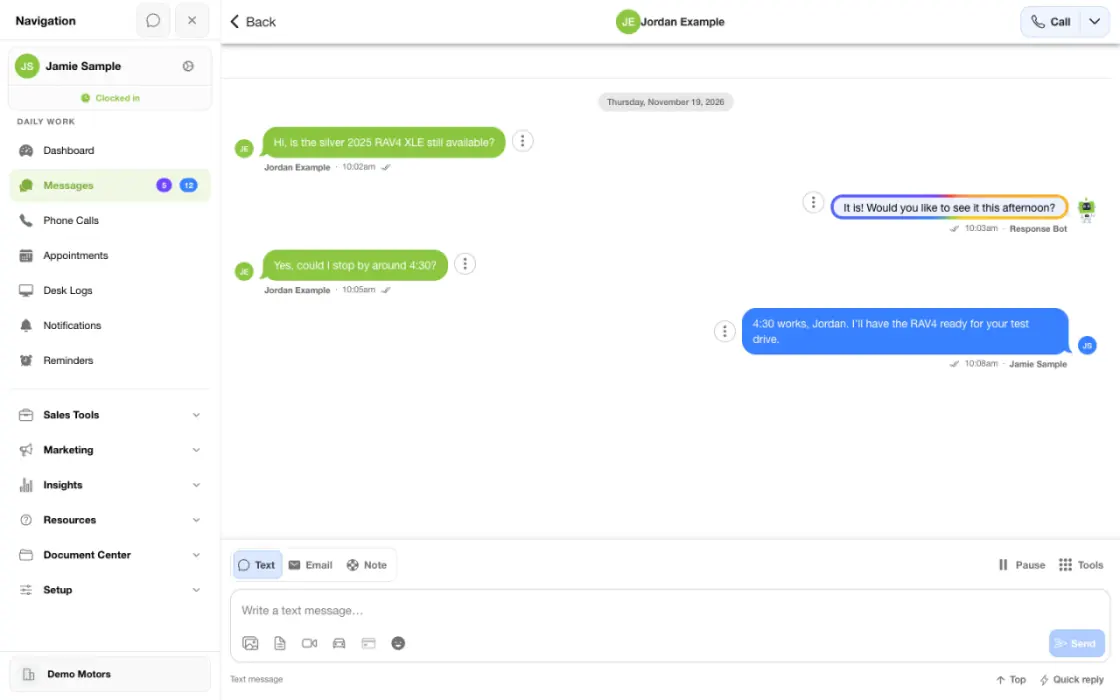
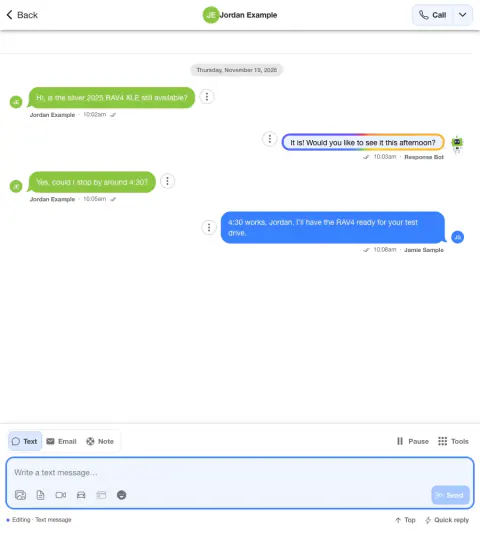
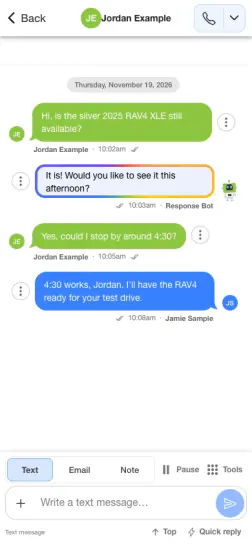
Answer a vehicle question and keep the thread useful
A shopper asks about mileage and availability. A helpful response carries the vehicle, their question and the next step in one conversation.
- Read the whole threadCheck prior messages, ownership and any communication restrictions.
- Share the useful detailAnswer the question and add a relevant photo or vehicle link when it helps.
- Record the next stepUse the thread to pick up after the shopper replies or agrees to a visit.
What it helps you do
Make the reply relevant.
Read the existing conversation before responding, so the salesperson can address the customer’s actual question instead of restarting the conversation.
Show what a short message cannot.
Add supported images or video, or share a link to the next buying step. Give the customer something useful to review before asking for a visit.
Keep the conversation with the opportunity.
Text activity stays in the lead workflow alongside available email, call and appointment context. Authorized teammates can review that history when helping the customer.
Start with a message that fits the inquiry.
Preset Auto Responses let your dealership tailor the first text to the lead source and available inquiry details. Set a useful introduction and a clear next question, then continue the conversation through your staff and configured AI follow-up.
How it works
Start with the customer who needs a response.
Open the relevant conversation from the text workflow or customer record. Check recent messages and the available contact and opt-out information.
Write a helpful reply.
Use the text composer for the customer-facing message. Add supported media or the appropriate link when it helps answer the question.
Review and send.
Confirm the recipient and the message before sending. Sending depends on the account’s messaging configuration and the contact’s eligibility.
Watch for the next useful step.
Review the reply and available message status, then continue helping or involve the appropriate teammate. Keep internal notes separate from messages meant for the customer.
Match the first message to the inquiry.
With the appropriate settings access, confirm the dealership and open Setup → Account → Auto Responses. Review Default Response and the source-specific responses. Check the relevant message variants and selected providers before saving; edits update the live template.
Setup and availability
Texting requires an eligible contact and correctly configured sending number; carrier delivery is not guaranteed.
Opt-out and account controls may restrict sending. Staff should respect customer contact preferences.
Available media types and delivery behavior differ between SMS, MMS, links and email.
Questions dealers ask
How is business texting different from AI texting?
Business texting is the conversation your staff writes and sends. Response Bot can handle appropriate inbound text replies, while Auto Bots® create proactive follow-up. Your team’s text workspace is where people can review context and handle the conversations that need their judgment.
Can a salesperson send photos and video?
The composer supports eligible image and video media, and TECOBI also provides personal video tools. File formats and delivery handling vary. Use the available upload or sharing controls and check for any error before assuming the customer received the content.
Can we send customers a way to keep shopping from home?
Yes. Share the relevant Digital Retail link so the customer can use the tools available to that dealership and customer, such as inventory, information, appointments, offers or documents.
Why might a text fail or be blocked?
Reasons can include an invalid or unsupported destination, an opt-out, the sending number’s configuration, registration or provider restrictions. Review the status or error and involve your administrator or TECOBI support. Do not repeatedly resend or override a customer’s contact preference.
Does a sent text mean the customer read it?
No. A send or delivery status is not proof that a person read the message or is ready to buy. Use the customer’s reply and the conversation context to decide what to do next.
How do preset Auto Responses differ from Response Bot and Auto Bots?
Auto Responses are first-message templates your dealership writes. Response Bot handles appropriate inbound text replies using its configured AI instructions, while Auto Bots® provide proactive AI follow-up. Scheduled template automations are another set of rules. Editing a first-message template does not rewrite either bot’s instructions.
Can we use a different first text for different lead sources?
Yes. A source-specific Auto Response can be assigned to one or more providers. When no source-specific response matches, the configured Default Response is the fallback. Available trade, inventory, showroom, service and employment variants help the message fit the inquiry. Use wording that makes sense for every provider assigned to the response.
Does saving an Auto Response make it send immediately to every lead?
No. Saving changes the live template. The actual first response still depends on the lead, contact eligibility and the dealership’s configured response and hours rules. A held initial response can also affect when later follow-up becomes eligible. Staff can review the conversation to see what actually happened.
ASK ME ABOUT IT
BETTER TOGETHER
Connect the next step.
Explore how these TECOBI solutions fit into your dealership’s workflow.