



Shared Image Library
Keep the right image ready for the conversation.
A useful image can make a customer text easier to understand. TECOBI Account Images gives your dealership a shared place for graphics your team can find and add to an eligible customer conversation.
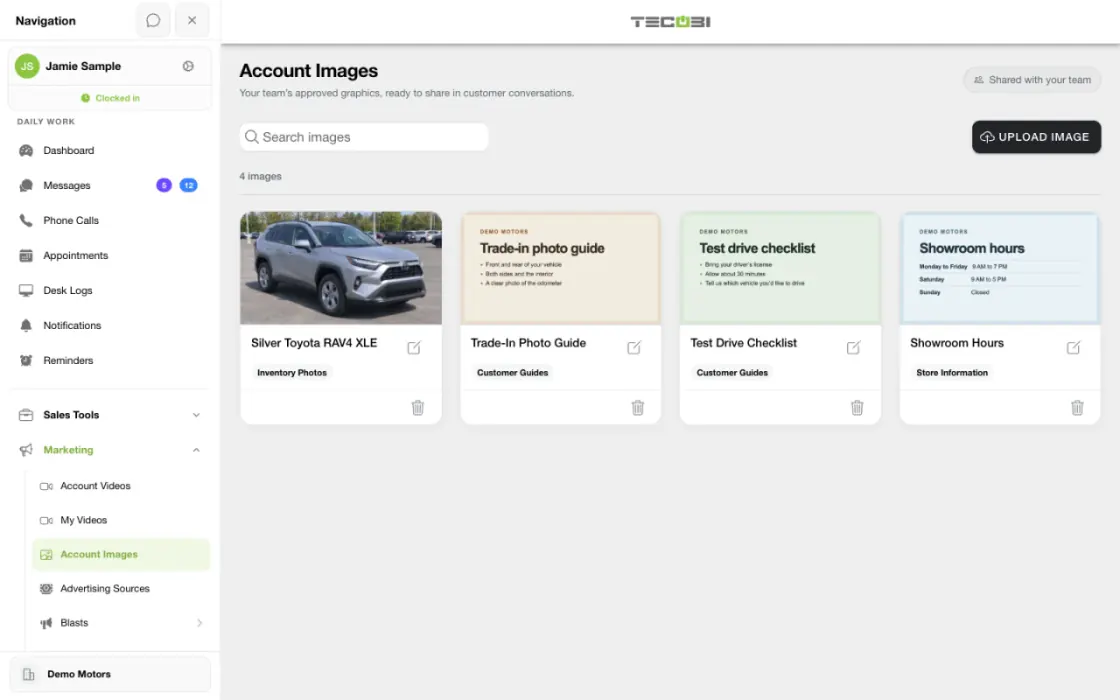
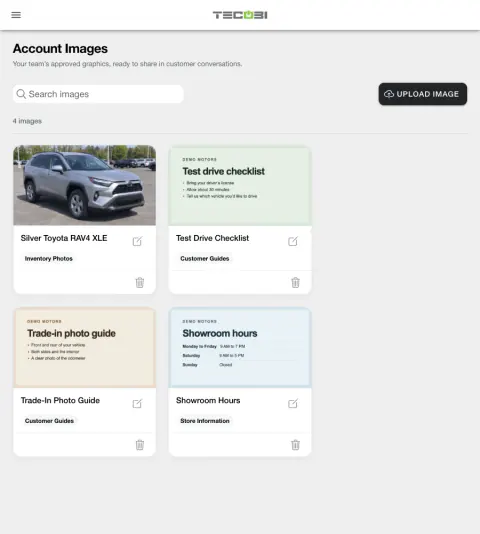
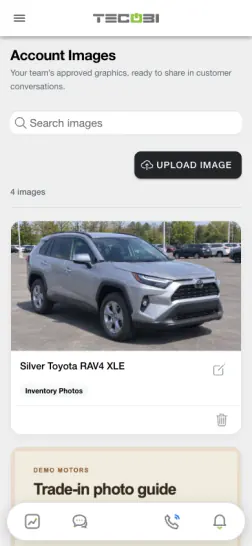
Find the image without leaving the customer thread
A salesperson wants to share a saved trade-in guide. A named asset in the library makes it easier to find the right version.
- Organize the assetUse a clear name and keep dealership-specific images where the team expects them.
- Open it from the threadChoose the relevant image for the customer question.
- Review the messageCheck the image and the surrounding text before sending.
Give the team a consistent starting point
Keep dealership-selected graphics close to the customer conversation.
- Account Images is a shared library for the selected dealership. Your team chooses which graphics to upload; the library does not itself certify or approve their content.
- Authorized account managers can upload images with a title and optional category, edit those details and remove an image from the library.
- Staff can search the available library by title or category when choosing an image for a customer text.
- Supported uploads include JPEG, PNG and WebP, subject to the product’s size and image-dimension checks. Images are prepared as JPEG for text-message delivery.
Add an image to a customer text
Keep the salesperson in control of the message.
- Open the correct customer conversation and choose the photo attachment tool. The picker can show shared images and a separate option to upload photos from the device.
- Choosing a shared image adds it to the draft; it does not send the message. It replaces the draft’s current attachment, so review the text and image before sending.
- A shared library image is supported as one direct MMS image in an outbound customer text, alone or with text. It is not the shared-image attachment path for email or internal notes.
- Sending depends on the dealership’s messaging setup, customer contact restrictions and carrier delivery. A sent message does not prove the customer received or viewed it.
Keep the library useful over time
Make it easy for the team to find the right graphic.
- Use clear titles and categories for graphics such as trade-in information, financing information or appointment preparation.
- Review images for accuracy and appropriateness before your dealership uploads them. TECOBI does not provide an approval decision for the content.
- Removing an image from the shared library keeps the stored attachment in messages already sent. A removed image is no longer available to select for a new text.
- Access and management controls depend on the user’s dealership membership and role. Your screens and available features may vary by device and setup.
Put the workflow into practice.
An authorized account manager opens Marketing, then Account Images for the selected dealership.
Upload a supported image, give it a title and optional category, and save it to the shared library.
In the correct customer conversation, choose the photo tool and find the image by title or category.
Add the image to the text draft, review the customer and message, and send when ready.
Connected TECOBI tools
Questions dealers ask
Who can add or remove shared images?
Authorized account managers can manage the library for their dealership. Team access depends on account membership and permissions.
Does choosing an image send it?
No. Choosing an image adds it to the draft and replaces the current attachment. Review the recipient and message, then use Send when ready.
Is the image sent as a link?
The shared image is sent as a direct MMS attachment in a supported outbound customer text. Carrier and recipient-device behavior can differ.
Can I use a shared image in an email or internal note?
The shared-library attachment is for outbound customer texts. The separate device-photo upload flow can have different options.
What happens to an image that was already sent if it is removed from the library?
The stored attachment remains with the prior conversation, but the removed image cannot be selected from the library for a new text.
Setup and availability
Business Texting for Dealership Teams: setup and availability
Texting requires an eligible contact and correctly configured sending number; carrier delivery is not guaranteed.
Opt-out and account controls may restrict sending. Staff should respect customer contact preferences.
Available media types and delivery behavior differ between SMS, MMS, links and email.
Automotive CRM & Lead Management: setup and availability
Available tools depend on dealership configuration and user permissions.
Integration coverage varies by provider; TECOBI does not automatically synchronize every field with every CRM or DMS.
Pipeline and activity screens describe recorded work; they do not guarantee a sale or prove why it happened.
Survey access depends on dealership membership and user role or assignment. Automatic post-sale survey requests require enabled configuration and an active sending workflow; no universal schedule, delivery or response is promised.
Text Ninjas is an optional service. Confirm the service scope, coverage hours, handoffs and current pricing with TECOBI. No particular staffing ratio, response-time guarantee or managed phone service is promised here.
ASK ME ABOUT IT