



DMS Blasting
Reconnect with the customers already in your dealership’s data.
Your dealership’s previous customers may be ready for another conversation. DMS Blasting helps you use available sales and customer data to build a targeted audience, send a relevant message and follow up on responses.
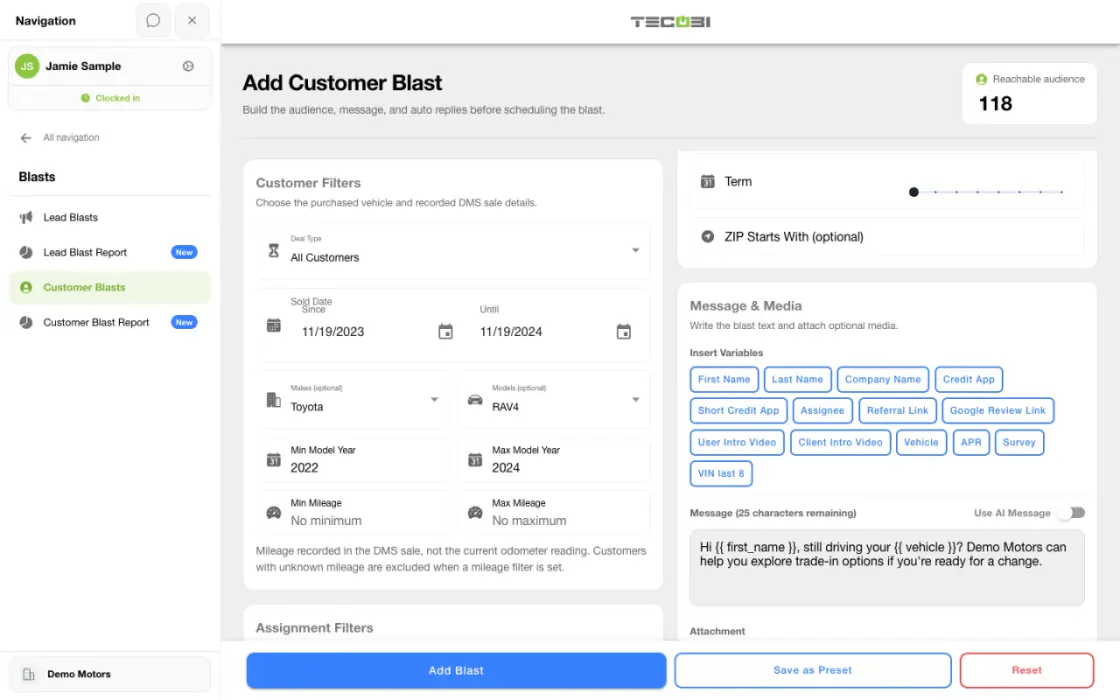
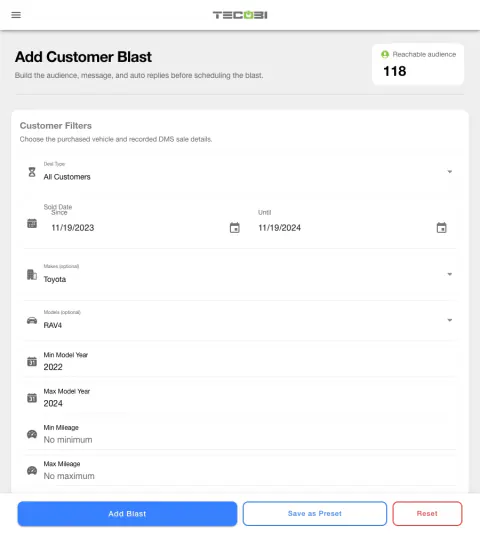
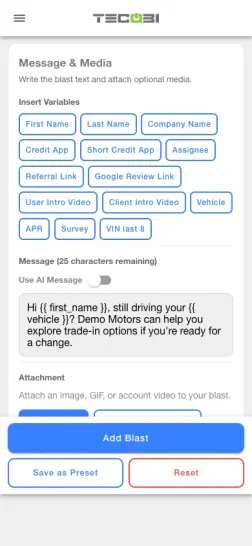
Work from a specific customer ownership group
A dealership wants to contact prior owners of a particular vehicle. Review the group and eligibility before composing the message.
- Choose the ownership filterCheck the make, model or purchase context that defines the group.
- Review reachable customersVerify the selected audience and applicable restrictions.
- Prepare a message about their vehicleUse relevant ownership context and review the send before scheduling.
Build a relevant audience from customer data
Choose people whose available purchase or vehicle information fits the reason for your outreach.
- Available criteria can include sale date, vehicle make, model or year, ZIP code, lease or non-lease deal type and lease-end dates.
- Where imported data is available, payment, APR, contract term and assigned team members can also help narrow the audience.
- For a matched customer, the selection workflow first uses the latest recorded sale not marked wholesale before applying sale criteria. Unmatched sale records are handled separately, subject to eligibility. Results depend on the dealership’s imported data and configuration.
Review who is eligible before sending
The audience preview helps your team check the reach of the selected criteria.
- The preview applies campaign filters and contact eligibility; it is not proof that a message was delivered.
- Available restrictions can exclude records marked not to receive blasts, paused or archived conversations, invalid or non-mobile numbers, recently messaged customers and other restricted contacts.
- Review eligibility and your dealership’s contact policies before starting a campaign.
Make the message useful and plan the reply
A customer is more likely to recognize outreach that fits their relationship with the store.
- Use supported personalization variables and optional images, GIFs or account videos. An AI Message option depends on the configured workflow and is not guaranteed for every recipient.
- Set the intended send time and available limits. Additional pacing controls may require elevated permissions.
- Optional positive and negative reply rules are configured by the campaign creator. Keyword rules use exact configured matches; they are not a guarantee that every reply will be classified.
Follow the customer response
Use the campaign report and conversation together.
- Review recorded sent, delivered, undelivered and response measures, then open available customer conversations for follow-up.
- The report also shows recorded appointments and sales in a defined reporting window. Those figures do not establish that the campaign caused an outcome.
- A reply, delivery, appointment and sale are different events. Results vary with audience, data, message, timing and eligibility.
Put the workflow into practice.
Confirm the dealership’s customer data and DMS Blast setup.
Choose available sale, vehicle and customer criteria, then review the eligible audience.
Prepare the message, schedule and any optional reply rules.
Review sent, delivery and response activity and continue customer conversations.
Connected TECOBI tools
Questions dealers ask
How is a broadcast different from Auto Bots®?
A broadcast is a campaign prepared for a selected audience and schedule. Auto Bots® provide configured proactive follow-up over time as opportunities move through the dealership’s workflow.
Why is the reachable audience smaller than my customer list?
Audience filters, account limits, number eligibility, opt-outs and other contact restrictions can exclude records. Recently contacted customers or leads marked not to receive broadcasts may also be excluded.
What happens when someone replies?
Replies stay connected to the customer record. Configured positive or negative reply rules can affect status, pauses or call follow-up, while staff handle conversations that need attention.
Is a scheduled or sent campaign the same as delivered messages?
No. Scheduling, sending, delivery, customer response and sales outcomes are separate events. Review the available campaign counts and individual conversation details before drawing conclusions.
Setup and availability
Targeted Text Broadcasting: setup and availability
Campaigns follow account permissions, messaging eligibility, configured volume limits and available customer data.
Scheduling and pacing do not guarantee carrier delivery or customer response.
AI messages and reply automation depend on the selected workflow and settings.
Automotive CRM & Lead Management: setup and availability
Available tools depend on dealership configuration and user permissions.
Integration coverage varies by provider; TECOBI does not automatically synchronize every field with every CRM or DMS.
Pipeline and activity screens describe recorded work; they do not guarantee a sale or prove why it happened.
Survey access depends on dealership membership and user role or assignment. Automatic post-sale survey requests require enabled configuration and an active sending workflow; no universal schedule, delivery or response is promised.
Text Ninjas is an optional service. Confirm the service scope, coverage hours, handoffs and current pricing with TECOBI. No particular staffing ratio, response-time guarantee or managed phone service is promised here.
Messaging Consent & TECOBI Shield: setup and availability
Available controls depend on account configuration, the restriction type and user permissions.
Automated interpretation may need human review, and no feature guarantees legal compliance.
Contact restrictions must not be bypassed by duplicating a record or changing the communication workflow.
AI Texting & Response Bot: setup and availability
Reply modes, delays, permissions and customer context determine when Response Bot runs. Connected inventory and appointment workflows depend on the dealership’s configuration.
Negotiation, finance decisions and questions requiring dealership judgment need a person. An AI answer is not a binding out-the-door quote or finance approval.
Dealership AI calling is not available yet. The website’s Talk guide explains TECOBI; it does not access private accounts or perform customer actions.
The example shows the shared conversation workspace with demonstration identities. It does not identify a particular message as AI-written.
ASK ME ABOUT IT