



Customer feedback surveys
Keep listening after the sale.
A sale is not the end of the relationship. Give customers a way to share their experience and help your team use that feedback in the next conversation.
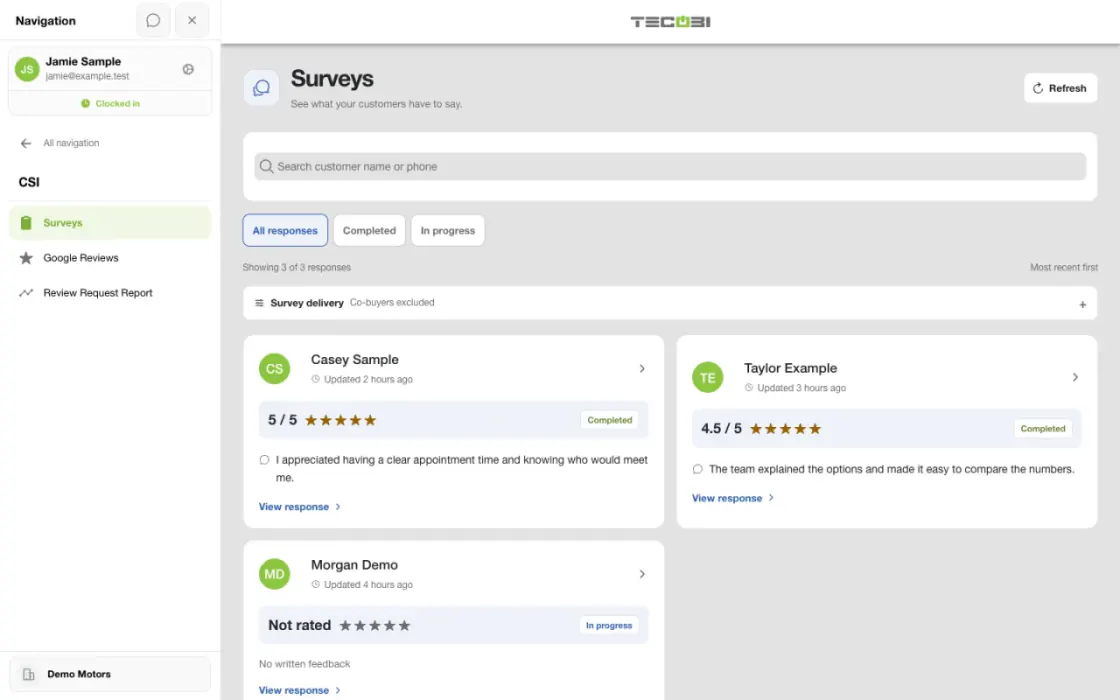
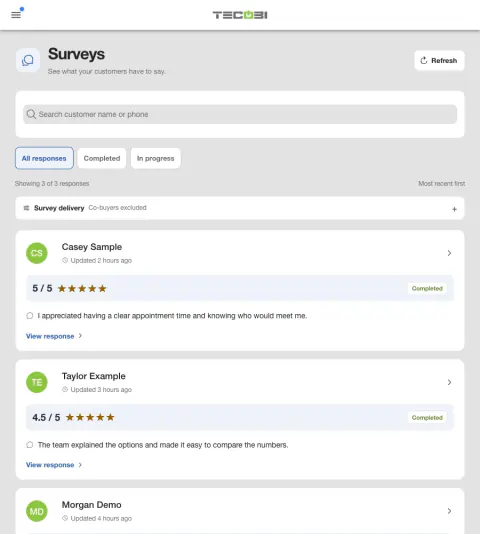
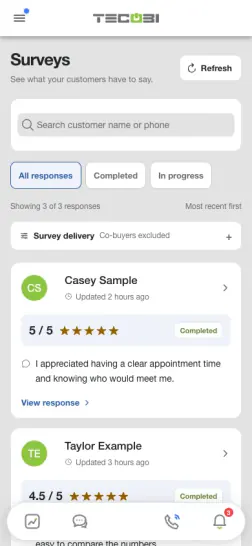
Route feedback to the right teammate
A customer sends private feedback about their visit. Give the staff member who can help the context they need.
- Read what happenedCheck the feedback along with the related customer activity.
- Review the next actionChoose a response or internal follow-up that addresses the concern.
- Record the outcomeReview the status so someone else can see what happened.
Put the workflow into practice.
Open the customer conversation and prepare the survey link.
Review the message and send it through your normal messaging workflow.
The customer opens the survey and can provide answers and comments.
Authorized team members review available responses and decide how to follow up.
Ask about the experience while the relationship is fresh
Give customers a convenient way to share feedback on their own time.
- Staff can prepare a survey link from the customer’s conversation and send it using the normal messaging workflow.
- A configured post-sale survey workflow can also request feedback for eligible recorded sales when the dealership’s sending workflow is active.
- Sending a survey request is a separate event from the customer completing it; check the recorded response before assuming feedback was received.
Bring feedback back to the customer relationship
Recorded answers and comments give your team context for the next conversation.
- The Surveys workspace and lead view provide access to available responses, question-level answers and written comments.
- Available access depends on dealership membership and the user’s role or lead assignment.
- Review the feedback and choose an appropriate personal follow-up when a customer needs attention.
Understand surveys and public reviews
Customer feedback and public reputation each have their own workflow.
- Survey responses are customer feedback records. They are separate from public Google reviews.
- Google review management depends on a configured connection and available permissions.
- Confirm your dealership’s survey settings and messaging eligibility before relying on an automatic request.
Connected TECOBI tools
Questions dealers ask
Can TECOBI help us collect feedback from customers?
Staff can prepare a survey link from the lead’s conversation. The Surveys workspace and lead view provide access to recorded responses, question-level answers and written comments. These are customer feedback records; they are separate from public Google reviews.
Does every salesperson see every survey response?
No. Access is tied to the dealership and the user’s role or lead assignment. The team should review the responses it is authorized to see rather than assume that every employee has the same store-wide view.
Can surveys be part of post-sale follow-up?
TECOBI includes a configured post-sale survey workflow as well as the lead-level survey action. Automatic requests depend on the dealership’s setup, eligible recorded sales and the sending workflow being active. Confirm that setup before relying on automatic follow-up; a sent request does not mean the customer answered.
Setup and availability
Automotive CRM & Lead Management: setup and availability
Available tools depend on dealership configuration and user permissions.
Integration coverage varies by provider; TECOBI does not automatically synchronize every field with every CRM or DMS.
Pipeline and activity screens describe recorded work; they do not guarantee a sale or prove why it happened.
Survey access depends on dealership membership and user role or assignment. Automatic post-sale survey requests require enabled configuration and an active sending workflow; no universal schedule, delivery or response is promised.
Text Ninjas is an optional service. Confirm the service scope, coverage hours, handoffs and current pricing with TECOBI. No particular staffing ratio, response-time guarantee or managed phone service is promised here.
Business Texting for Dealership Teams: setup and availability
Texting requires an eligible contact and correctly configured sending number; carrier delivery is not guaranteed.
Opt-out and account controls may restrict sending. Staff should respect customer contact preferences.
Available media types and delivery behavior differ between SMS, MMS, links and email.
Google Reviews for Dealerships: setup and availability
Availability depends on dealership enablement, authorized roles, configured Google Business Profile access and a selected location. A manual review destination alone does not enable review syncing or posting.
AI drafts require review and can be unavailable if the connected AI service is unavailable. A prepared draft or posting attempt does not establish that a response is live on Google.
Request delivery, clicks and review attribution are different measures. Matching can require staff review and does not prove causation or identify every reviewer.
No particular rating, number of reviews, response, sale or search ranking is guaranteed.
AI Texting & Response Bot: setup and availability
Reply modes, delays, permissions and customer context determine when Response Bot runs. Connected inventory and appointment workflows depend on the dealership’s configuration.
Negotiation, finance decisions and questions requiring dealership judgment need a person. An AI answer is not a binding out-the-door quote or finance approval.
Dealership AI calling is not available yet. The website’s Talk guide explains TECOBI; it does not access private accounts or perform customer actions.
The example shows the shared conversation workspace with demonstration identities. It does not identify a particular message as AI-written.
ASK ME ABOUT IT