



Inventory & Customer Shopping
Help customers find the right vehicle before they make the trip.
A shopper should be able to explore vehicles, narrow the choices and tell your team what interests them on their own timeline. TECOBI connects available inventory with the Digital Retail experience, including search, vehicle details and favorites where enabled. The salesperson stays connected as the customer moves from browsing to questions, an offer or a visit.
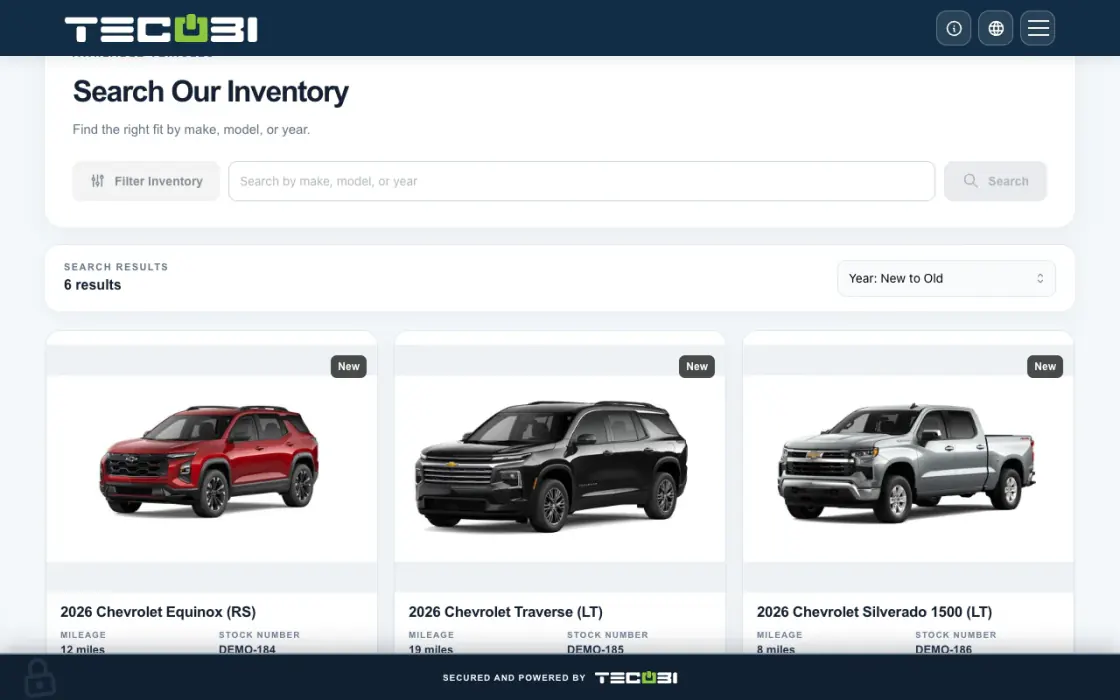
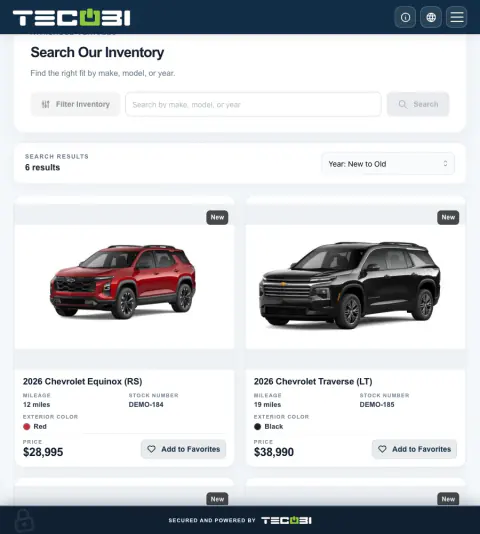
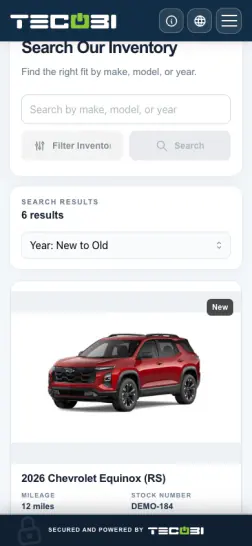
Get from a vehicle search to the right next step
A shopper wants an SUV in a specific price range. A relevant inventory link gives them a starting point before the salesperson follows up.
- Open available inventoryShare the supported shopping experience for the intended dealership.
- Narrow the searchUse the available filters and view the listing that meets the shopper’s needs.
- Continue on the selected vehicleUse the available customer action or ask the team for more information.
What it helps you do
Let shoppers do the early work from home.
Give customers access to available vehicle information through the dealership’s Digital Retail link. They can explore options before deciding whether a phone call or visit is the right next step.
Start the next conversation with a shortlist.
Supported favorites let customers save the vehicles that caught their attention. The team can use that recorded interest to ask more useful questions and help narrow the choice.
Connect the vehicle to the rest of the deal.
Use the selected vehicle as context when sharing a personal video, discussing a dealership-prepared offer or arranging a visit. The conversation can build on the customer’s interest.
How it works
Start with connected inventory.
Your dealership’s configured inventory source supplies the vehicle details shown in supported shopping views. The available fields and freshness depend on the feed and dealership setup.
Share the shopping link.
Open the customer’s Digital Retail inventory experience. Shoppers can search and use the available filters, open vehicle details and choose Add to Favorites when favorites are enabled for their customer access.
Help them take the next step.
Review the vehicles the customer is considering, answer their questions and confirm current availability. Continue with a vehicle video, a prepared offer or an appointment that fits what they need.
Setup and availability
Inventory and favorites depend on the dealership’s configuration and the type of customer link.
Listing details come from connected data; a displayed price or in-stock status is not a guarantee of a current offer or physical availability.
The product image is a captured example of inventory cards and favorite controls. Its vehicles, prices and stock numbers are not current offers.
Questions dealers ask
Can customers browse inventory before coming to the dealership?
Yes. Supported Digital Retail shopping views let customers explore the dealership’s connected inventory remotely. Available search filters and vehicle details depend on the data supplied by the inventory source.
Can a customer save more than one vehicle?
Yes. When favorites are enabled and the shopper has the appropriate customer access, they can save vehicles and return to their favorites in the Digital Retail experience. A public contact profile and a customer’s personal shopping access are not the same thing.
Does a listing guarantee that a vehicle is still available?
No. Inventory feeds and dealership updates determine what is displayed. Confirm current availability, pricing and offer details with the dealership before making a commitment.
Will TECOBI connect to our inventory provider?
TECOBI supports documented inventory integration workflows, but the provider, data fields and account setup need to match your dealership. Tell the TECOBI team which provider you use so the right connection can be confirmed.
What should I do if a vehicle or favorites option is missing?
Confirm that you are using the intended dealership and customer link, then check whether inventory and favorites are enabled for that experience. For a missing vehicle or stale listing, ask TECOBI support to review the inventory connection. Describe the issue and the vehicle stock number if needed; do not post a customer’s secure access link in the website chat.
Can a salesperson see the vehicles saved with a customer?
The lead’s Shopping Signals includes Inventory Likes, giving staff a place to review saved vehicles alongside the conversation. That helps the salesperson ask a more relevant question about the customer’s choices. Inventory links and customer shopping actions depend on the dealership’s inventory setup.
How are Inventory Likes different from Vehicles of Interest?
Inventory Likes shows the vehicles saved with the lead. Vehicles of Interest is a separate list the team can maintain from inventory or manual vehicle information, with one vehicle marked as primary. Staff can use both as conversation context; a staff-added interest is not evidence that the customer viewed or favorited that vehicle.
ASK ME ABOUT IT
BETTER TOGETHER
Connect the next step.
Explore how these TECOBI solutions fit into your dealership’s workflow.