



Vehicle Demand
See what shoppers want alongside the vehicles you have.
Your dealership’s customer conversations can reveal interest that is easy to miss. Vehicle Demand brings recorded vehicle likes and buying interests together with recorded sales and current inventory so your team can ask better questions about the vehicles customers want.
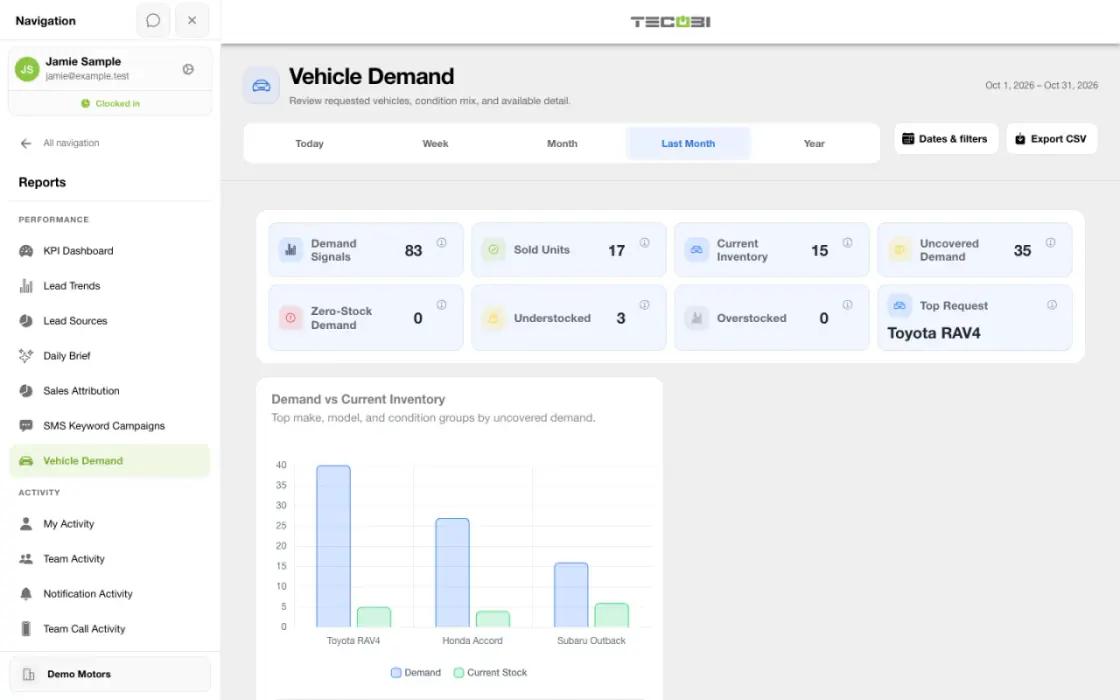
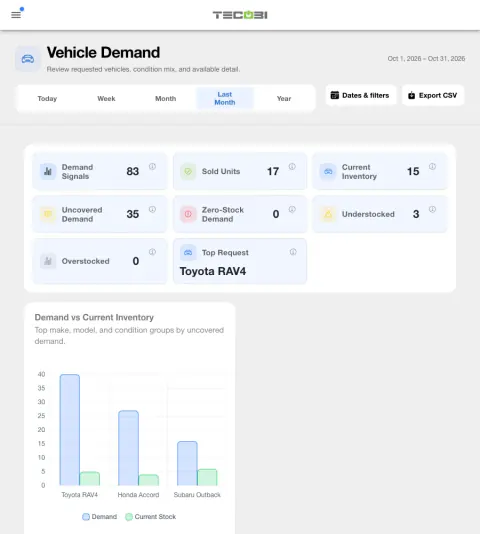
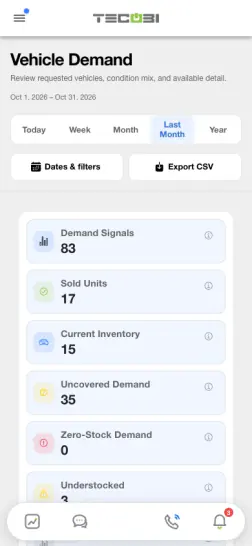
See interest and available stock together
A model with many recorded buying interests and limited stock is a place to look closer. Check the time window and current inventory before acting.
| Group | Recorded buying interests | Vehicles in stock |
|---|---|---|
| Compact SUV A | 34 | 6 |
| Midsize pickup B | 20 | 11 |
| Compact sedan C | 16 | 9 |
Turn recorded shopper interest into a useful view
See which vehicle groups are drawing interest in TECOBI.
- The report counts inventory likes by their creation date and most buying-interest records by their creation date within the selected period. A sold buying-interest record linked to a DMS sale is counted by its sold date, even if the interest was created earlier. These are activity signals, not a count of unique shoppers.
- Recorded sales include sold vehicles of interest by sold date and eligible DMS sales by delivery date; linked DMS sales are excluded from the second count. Interest and sold figures may represent different customers and are not a conversion cohort.
- Group rows by make, model and condition; available views also show demand trends, condition and make mix, and source mix.
Compare interest with the vehicles in stock now
See where recorded interest and available inventory may not line up.
- Inventory counts use vehicles marked in stock when the report is generated, even when the interest and sales date range is historical. Cached results can remain for up to five minutes.
- The report highlights demand groups with no current stock and groups with uncovered demand, alongside current inventory and overstock views.
- Demand gap is the recorded demand count minus recorded sold count for a group, floored at zero. Uncovered demand subtracts current stock from that gap and is also floored at zero.
- The headline Uncovered Demand tile identifies the largest remaining demand group; it is not the sum of uncovered demand across every group.
Explore the numbers before acting
Use the report as a starting point for dealership conversations and inventory decisions.
- Available group details include likes, buying interests, sales, current stock and coverage; supported price, days-in-stock and gross averages depend on the information recorded.
- Coverage compares the stock snapshot with recorded demand for the group. The overstocked label applies when stock exists with no recorded demand or when the rounded stock-to-demand ratio exceeds 1.5. Inventory overage is stock minus demand, floored at zero; these are report signals, not a purchase recommendation.
- Use the available CSV export for the acquisition rows, with top-demand rows used when acquisition rows are unavailable.
- Consider the customer context, selected dates, dealership data and current stock before changing an acquisition, merchandising or follow-up plan.
See the connected workflow
The report is one part of the customer and inventory picture.
- Customer inventory shopping can capture a like, while dealership records can include a vehicle of interest. Vehicle Demand summarizes available recorded signals alongside sales and inventory.
- Available reporting and customer information depend on dealership setup and user permissions. Results reflect recorded data and do not predict future sales or automatically acquire vehicles.
Put the workflow into practice.
Open Reports → Vehicle Demand with the appropriate dealership and reporting access.
Choose the reporting dates, then review recorded interest, sales and the current inventory comparison.
Compare make, model and condition groups, and review available demand, stock coverage and pricing details.
Use the available export to share the report rows, then review the underlying context before acting.
Connected TECOBI tools
Questions dealers ask
Which vehicles are shoppers asking about that we do not have in stock?
Vehicle Demand compares recorded vehicle likes and buying interests with recorded sales and current in-stock inventory, grouped by make, model and condition. It helps you find interest with little or no matching stock. These are recorded interest signals, not a count of unique buyers or a prediction of future sales.
Does Vehicle Demand show the inventory we had during the selected dates?
The inventory comparison uses vehicles currently marked in stock, even when you choose a historical demand period. The report’s uncovered demand compares recorded interest, recorded sales and current stock; it is not a forecast. The headline Uncovered Demand tile identifies the largest remaining demand group, rather than adding every group together.
Why might two reports show different totals?
Reports may use different date fields, eligibility rules, scopes or outcome definitions. For example, an appointment created in a period is different from one scheduled to occur in it. Read the report’s definitions and filters before comparing totals.
What if an expected outcome is missing from a report?
Check the account, date range and whether the underlying event was recorded with the required outcome. If it still appears wrong, ask TECOBI support to investigate the relevant report and record through a secure support request.
Setup and availability
Sales & AI Reporting: setup and availability
Available report views and drill-down access depend on account permissions and configuration.
Reports describe recorded data and defined attribution rules; they do not guarantee results or establish causation.
Example screenshot values illustrate the interface and are not promised dealership performance.
Submission and assignment history depend on when tracking began. A period can have partial or unavailable coverage.
Vehicle Demand uses recorded interest and current in-stock inventory. It does not measure every shopper, predict future sales or automatically purchase inventory.
Inventory & Customer Shopping: setup and availability
Inventory and favorites depend on the dealership’s configuration and the type of customer link.
Listing details come from connected data; a displayed price or in-stock status is not a guarantee of a current offer or physical availability.
The product image is a captured example of inventory cards and favorite controls. Its vehicles, prices and stock numbers are not current offers.
Automotive CRM & Lead Management: setup and availability
Available tools depend on dealership configuration and user permissions.
Integration coverage varies by provider; TECOBI does not automatically synchronize every field with every CRM or DMS.
Pipeline and activity screens describe recorded work; they do not guarantee a sale or prove why it happened.
Survey access depends on dealership membership and user role or assignment. Automatic post-sale survey requests require enabled configuration and an active sending workflow; no universal schedule, delivery or response is promised.
Text Ninjas is an optional service. Confirm the service scope, coverage hours, handoffs and current pricing with TECOBI. No particular staffing ratio, response-time guarantee or managed phone service is promised here.
ASK ME ABOUT IT