



Digital Retail
Let customers move the deal forward from wherever they are.
Today’s shoppers want to get information, give information and make progress on their own timeline. TECOBI’s Digital Retail experience gives them a branded, secure place to do that while staying connected to your dealership and their salesperson. Depending on the configured customer link, they can browse inventory, save favorites, schedule time, provide information, review an offer and complete documents. Your team can guide the experience through the same customer conversation.
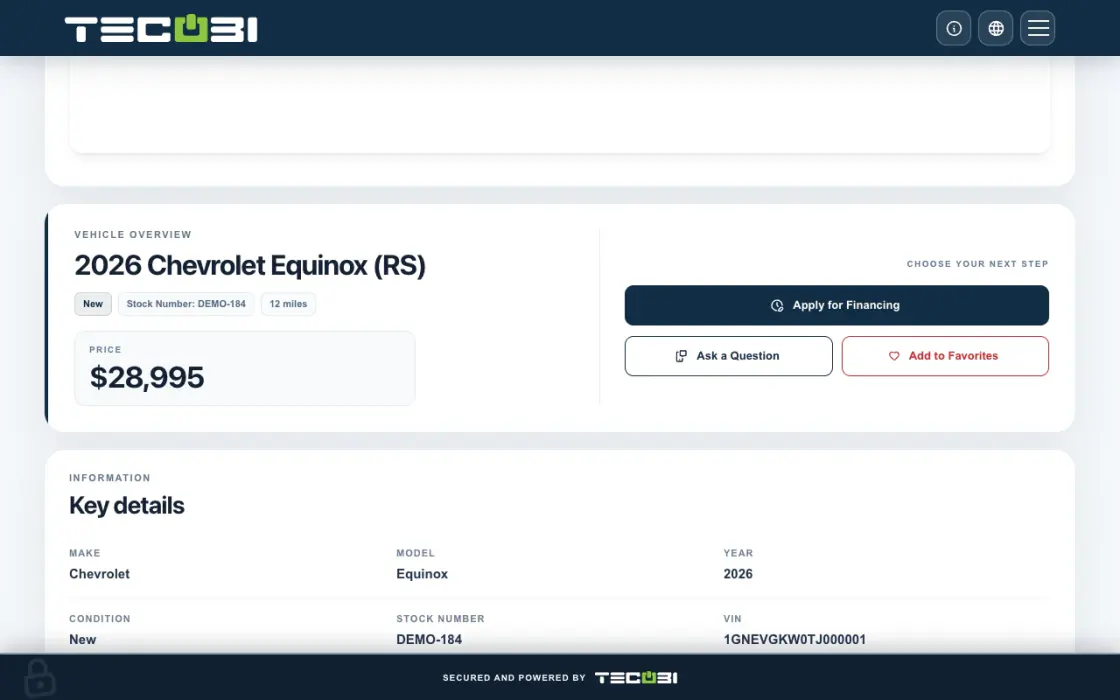
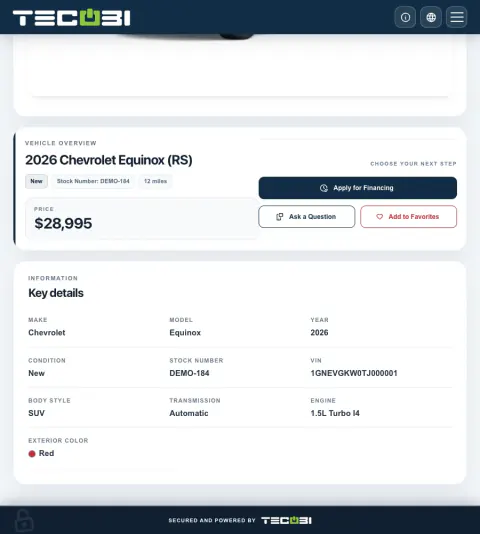
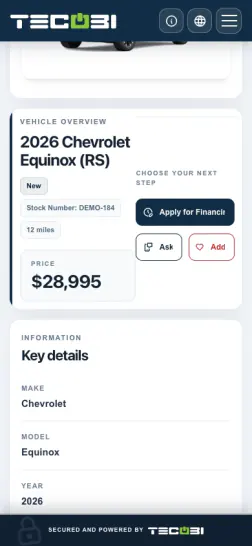
Give a remote shopper the right next action
A customer is interested in a vehicle and has a trade. A link can take them straight to the information or form they need.
- Start from the vehicleSend the relevant vehicle or shopping link from the conversation.
- Let the shopper continueUse the available trade or financing step when it fits the conversation.
- Pick up with contextReview the information received and help the customer take the next step.
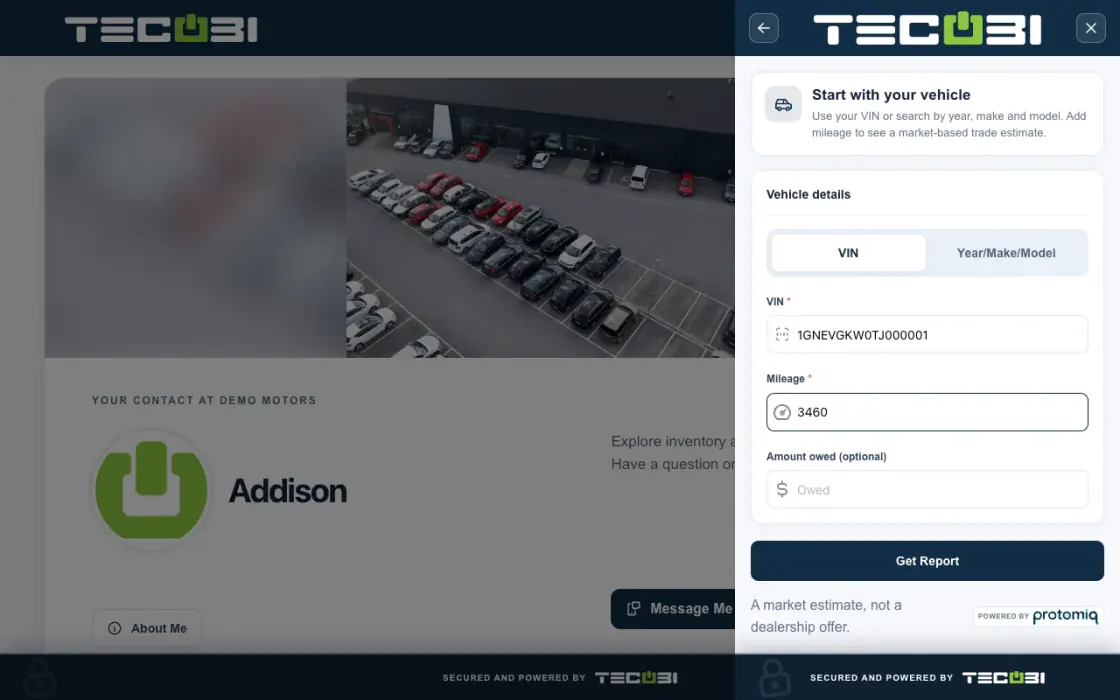
What it helps you do
Make remote progress practical.
Customers can complete supported steps from home instead of making a trip just to exchange information. A visit can start with better context already in place.
Connect the person and the process.
The customer sees the dealership brand, their contact and the available next steps together. Shopping actions stay closer to the conversation that created the interest.
Give each next step a home.
Offers, documents, appointments and media can be reached through the relevant secure customer experience instead of becoming separate links with no shared context.
Get the useful details before the visit.
A shopper can share information through the appropriate trade or credit application link when that tool is enabled. Your team can prepare the next conversation around the customer’s vehicle and submitted information, while the customer decides when to take that step.
Make it easy for customers to introduce someone.
The relationship can continue after the first purchase. A customer-specific Digital Retail referral form gives customers a way to introduce a friend or family member, while the dealership keeps the referral connected to the person who made it.
How it works
Let the shopper make progress.
The customer explores available inventory and completes the relevant information, booking, offer or document step at a convenient time.
Ask for the information the deal needs.
Use the enabled trade link or credit application link when it is relevant to the conversation. These links are separate actions, so a shopper does not have to complete a credit application just to browse inventory or discuss a vehicle.
Continue with context.
Your team follows up on the same opportunity with the customer’s progress in view, helping connect online preparation with the eventual visit and sale.
Offer a clear referral path.
When it fits the relationship, prepare the customer’s referral link from the conversation and send it through the normal messaging workflow. The customer can submit the referral details through that form. Your team can then review the referral’s recorded status in TECOBI.
Setup and availability
Available tools depend on the dealership’s configuration and the customer’s specific link. A public contact profile does not grant access to another customer’s offers or documents.
Vehicle listings and screenshots do not guarantee current availability or pricing. Confirm current details with the dealership.
The dealership prepares the real offer and deal terms. This website’s AI guide explains the workflow; it does not calculate a binding quote, approve financing, inspect private accounts or complete a transaction.
The product images are captured examples. They show the interface, not a current customer action, appointment, signature or sales result.
Trade and credit tools depend on account setup, the link provided and staff/customer access. A trade estimate, submitted application or provider transfer does not establish a final appraisal, financing approval or agreed deal.
Referral forms, invitation status and optional reward wording do not establish messaging consent, a sale or reward payment. The dealership defines its program and reviews eligibility.
Questions dealers ask
Is Digital Retail only an online credit application?
No. It can connect inventory, favorites, scheduling, offers, documents, media and available forms. A credit application is one possible step within a broader buying experience.
Does it replace the salesperson?
No. It helps customers make progress while keeping their dealership contact close. The salesperson still provides judgment, answers and relationship support throughout the deal.
Can customers review an offer before visiting?
Yes. Supported digital offers let customers review the scenarios and next steps shared by the dealership in the secure Digital Retail experience.
Will every customer see the same tools?
Not necessarily. Available modules follow the dealership’s configuration and the customer’s specific link, so the experience should match the next step that customer needs.
What if a customer’s Digital Retail link or security code is not working?
Confirm the customer is using the intended dealership link. Some personalized content asks them to verify access: use Get security code on that page, check the displayed phone or email destination, and enter the six-digit code there. If they already have a code, use the code-entry option. Follow any wait or retry message before requesting another. If the displayed contact is unavailable, no code arrives or access still fails, contact the dealership or TECOBI Support. This is separate from a staff password reset. Keep security codes and private customer links out of this website chat.
Can a customer share trade information before coming in?
Where the dealership has enabled the trade link, staff can prepare a customer-specific link from the conversation. Trade information can be kept with the lead, including the vehicle and available mileage, amount owed and report details. A trade report or estimate is a starting point for the dealership’s review, not a guaranteed purchase offer.
Can customers complete a credit application from home?
TECOBI supports a customer credit application link connected to Digital Retail. Available credit tools and which staff can send the built-in application depend on dealership settings and permissions. Customers should complete sensitive information through the appropriate application, not paste it into this website’s AI chat.
Is a completed application the same as financing approval?
No. Completing an application, using an available qualification tool, transferring an application to a configured provider and receiving a financing decision are separate steps. The dealership confirms the next step and any lender requirements. TECOBI’s website guide cannot approve credit or promise a rate, payment or lender decision.
Will every Digital Retail page show the same forms?
No. The customer link, enabled features and applicable access checks determine the experience. A targeted trade or credit link can open the relevant flow without implying that every public profile page has a trade or credit button. Your dealership can guide the customer to the next useful step.
Can a customer refer a friend through Digital Retail?
Yes. A customer-specific referral link can open a form for the friend’s contact details. The referral stays associated with the customer who made the introduction. For a new contact, the supported flow prepares an email invitation to continue; successful submission does not prove the invitation was delivered or that the person has agreed to marketing texts.
Can staff see what happened to a referral?
The lead’s Referrals section separates Pending and Accepted records and can open a linked lead. An Accepted record can also result from matching an existing dealership contact. It is a workflow status, not proof of a purchase, a delivered invitation or new messaging consent.
Can the dealership describe its referral reward?
The dealership can configure whether to display a reward, its amount and the applicable terms. Those settings describe the dealership’s program. They do not establish that TECOBI automatically pays rewards or that a particular referral qualifies for payment.
ASK ME ABOUT IT