



Trade-in valuation
Start the trade conversation before the customer arrives.
A trade-in can shape the whole car deal. TECOBI helps a shopper share vehicle details on their timeline, then gives your team the customer context to review the trade and continue the conversation.
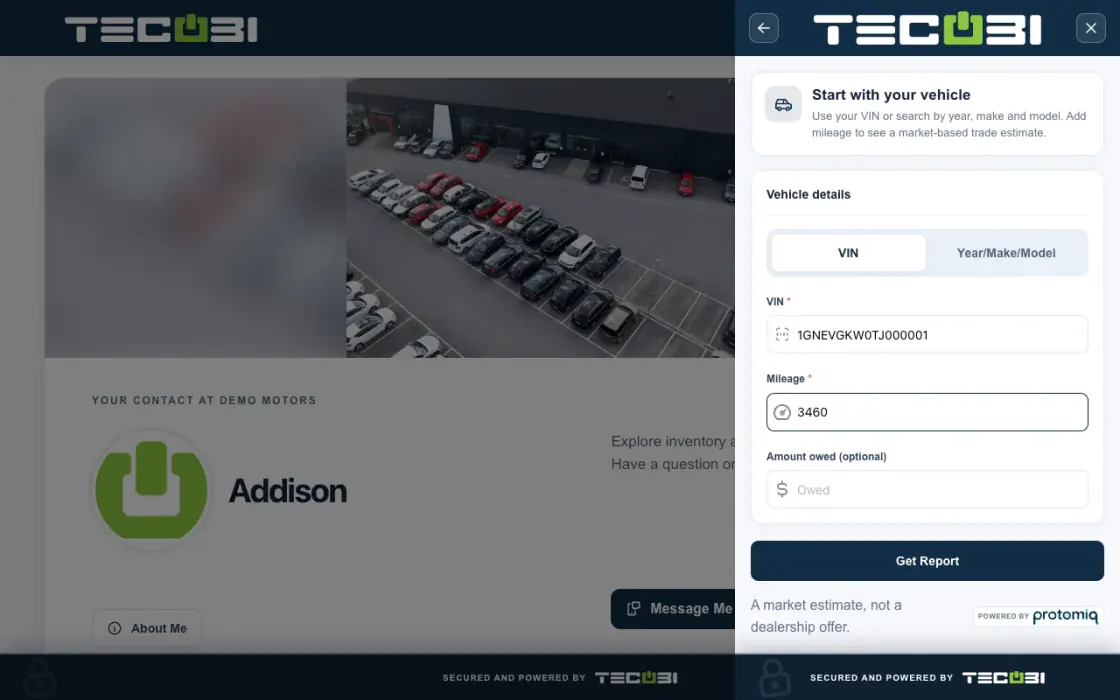
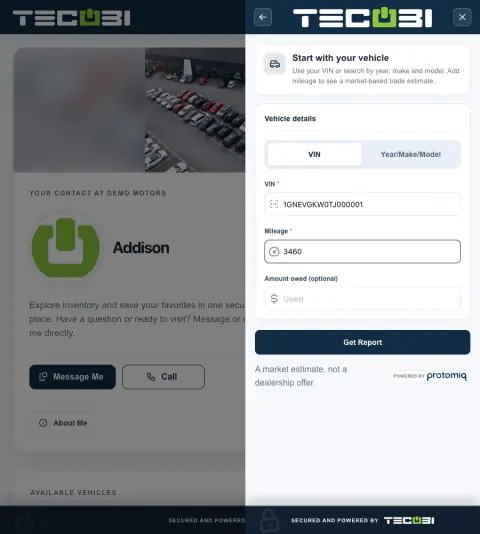
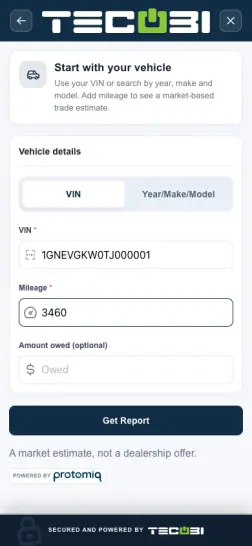
Carry a shopper’s trade details into the deal
A shopper wants to see what their current vehicle might change about the next purchase.
- Collect the vehicle detailsUse the supported form to provide vehicle identification and mileage.
- Review the available estimateConfirm the reported condition and payoff information before explaining the result.
- Discuss the next stepCarry the trade context into the vehicle conversation or available deal scenario.
Give shoppers a useful next step from home
Let customers start with the information they have, without requiring a phone call first.
- An enabled trade link can open the customer-specific trade form. A configured website trade experience can also collect vehicle and contact details before creating the trade for the resulting customer record.
- The form can identify a vehicle by VIN or by year, make and model. A dealership may require a VIN. The customer supplies mileage and can include an amount owed.
- Vehicle lookup, trade report availability and the customer experience depend on configuration and successful processing. A completed contact step does not by itself prove that a trade report was created.
Bring the trade into the customer conversation
Give the salesperson context to keep the deal moving.
- The trade is associated with the customer record so authorized staff can review available vehicle, mileage, value, payoff and report details.
- The Trades workspace can show customer trade-ins and estimated values, with search and date filters. What a user can see depends on their access and assignments.
- If a trade was not saved or a report is unavailable, review the customer record and involve TECOBI support rather than assuming the submission finished.
Use the right numbers when the deal is ready
Help your team move from an estimate to a dealership-prepared scenario.
- In the pencil workflow, an authorized team member can choose a customer trade or add one, then review its trade value and payoff as part of the deal.
- A trade report or estimate is a starting point for dealership review. It is not a guaranteed purchase offer, final appraisal or agreed deal.
- Your dealership determines the actual appraisal and deal terms. Confirm vehicle condition, payoff and other relevant details before presenting numbers.
- The related Digital Retail and pencil views show connected workflows; they are not screenshots of the trade form or Trades workspace.
Put the workflow into practice.
Share the appropriate customer-specific trade link, or direct the shopper to the configured website trade experience.
The customer identifies the vehicle and supplies the requested details in the trade form.
Review the trade and available report with the customer record; follow up where more information or an appraisal is needed.
When preparing a pencil, choose the relevant trade and review the trade value and payoff before sharing the offer.
Connected TECOBI tools
Questions dealers ask
Can a customer share trade information before coming in?
Where the dealership has enabled the trade link, staff can prepare a customer-specific link from the conversation. Trade information can be kept with the lead, including the vehicle and available mileage, amount owed and report details. A trade report or estimate is a starting point for the dealership’s review, not a guaranteed purchase offer.
Will every Digital Retail page show the same forms?
No. The customer link, enabled features and applicable access checks determine the experience. A targeted trade or credit link can open the relevant flow without implying that every public profile page has a trade or credit button. Your dealership can guide the customer to the next useful step.
What is a pencil in TECOBI?
A pencil is the dealership’s structured deal worksheet. It brings the customer, vehicle, trade and deal inputs together so authorized staff can prepare scenarios and a customer-facing offer.
What does TECOBI’s automotive CRM connect?
The lead workspace connects customer information, staff assignments, communication history and supported shopping steps. Auto Bots® provide proactive follow-up, Response Bot supports inbound text replies, and staff handle conversations that need a person.
Setup and availability
Digital Retail: setup and availability
Available tools depend on the dealership’s configuration and the customer’s specific link. A public contact profile does not grant access to another customer’s offers or documents.
Vehicle listings and screenshots do not guarantee current availability or pricing. Confirm current details with the dealership.
The dealership prepares the real offer and deal terms. This website’s AI guide explains the workflow; it does not calculate a binding quote, approve financing, inspect private accounts or complete a transaction.
The product images are captured examples. They show the interface, not a current customer action, appointment, signature or sales result.
Trade and credit tools depend on account setup, the link provided and staff/customer access. A trade estimate, submitted application or provider transfer does not establish a final appraisal, financing approval or agreed deal.
Referral forms, invitation status and optional reward wording do not establish messaging consent, a sale or reward payment. The dealership defines its program and reviews eligibility.
Automotive CRM & Lead Management: setup and availability
Available tools depend on dealership configuration and user permissions.
Integration coverage varies by provider; TECOBI does not automatically synchronize every field with every CRM or DMS.
Pipeline and activity screens describe recorded work; they do not guarantee a sale or prove why it happened.
Survey access depends on dealership membership and user role or assignment. Automatic post-sale survey requests require enabled configuration and an active sending workflow; no universal schedule, delivery or response is promised.
Text Ninjas is an optional service. Confirm the service scope, coverage hours, handoffs and current pricing with TECOBI. No particular staffing ratio, response-time guarantee or managed phone service is promised here.
Desking, Pencils & Digital Offers: setup and availability
Desking access, available scenarios and customer-facing fields depend on the dealership’s configuration and the user’s permissions.
Payment and offer figures depend on current inputs and dealership review. An offer response is not a lender approval or a guarantee of financing terms.
Offer history records the shared information and recorded actions; it does not establish that a particular person viewed the offer.
Website Lead Capture & Forms: setup and availability
Widget actions and forms depend on the dealership’s configuration and website integration.
Quick Qualify requires the applicable enabled credit integration; form submission does not guarantee financing approval.
The available website and analytics context depends on correct implementation. The widget does not guarantee a conversion.
ASK ME ABOUT IT