



Automotive CRM & Lead Management
Keep the customer’s next step connected.
A shopper may text a question, compare vehicles, pause for a few weeks and return ready to talk numbers. TECOBI brings lead management, conversations, follow-up and supported buying steps into one connected workflow. Your team can see the opportunity, the people responsible and the work ahead. Customers can continue from the information they already shared, while managers have a clearer view of activity across the store.
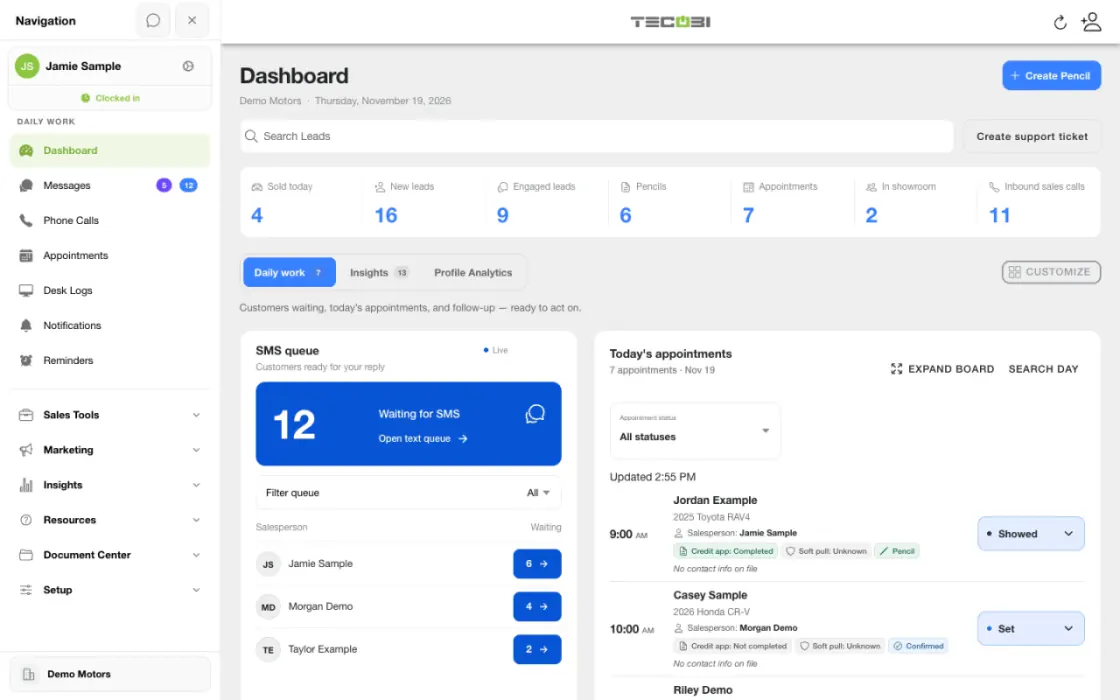
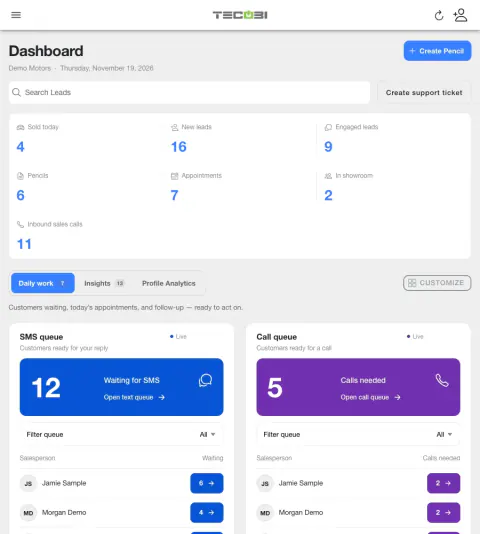
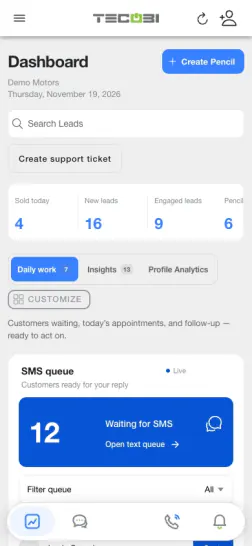
Keep one customer inquiry in view
A lead asks about an SUV, shares a trade and comes in for a visit. The same record can carry the context through each handoff.
- Review the opportunityOpen the lead and check the source, assigned person, conversation and vehicle interest.
- Give the shopper a next stepAnswer the question and record the trade or visit details where the team can find them.
- Pick up after the visitCheck the recorded outcome and choose the next follow-up from the customer context.
What it helps you do
Start with what the customer already told you.
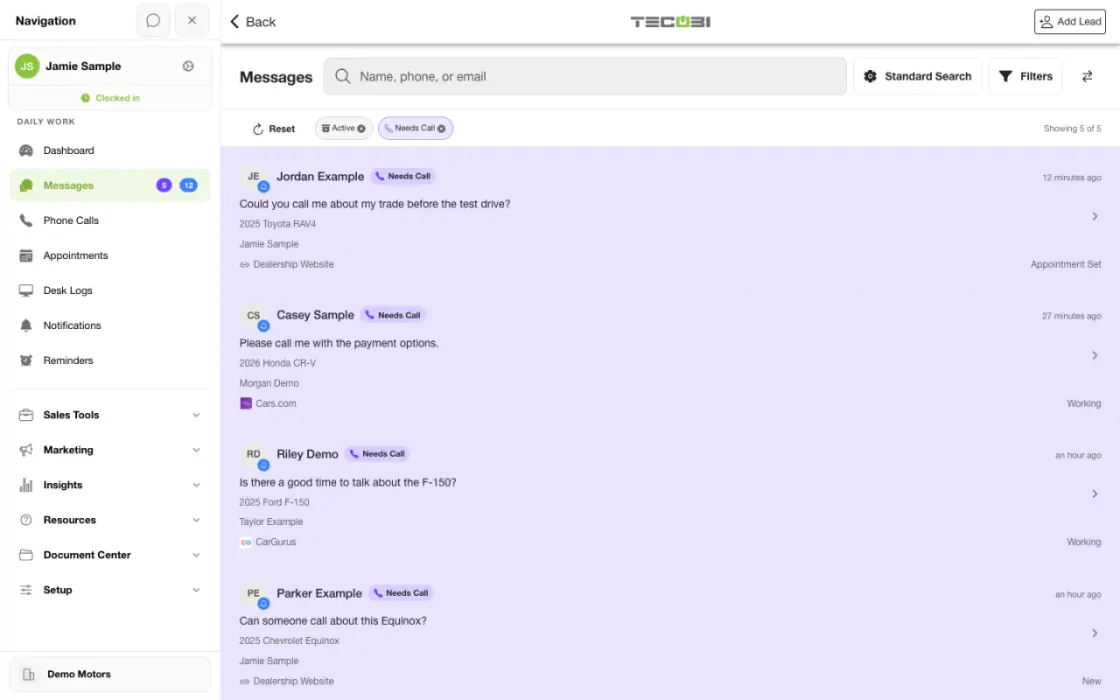
Review the lead’s messages and available call history alongside contact details, vehicle interest and appointments. Continue the conversation with useful context.
Make responsibility visible.
Keep salesperson, BDC and management assignments on the opportunity. Lead status and team access help organize who should act next.
Connect follow-up to the buying process.
Use the relevant inventory, Digital Retail, appointment and offer tools around the same opportunity, with automated follow-up supporting customers who are not ready yet.
Keep listening after the sale.
Give customers a way to tell you how the experience went. TECOBI lets staff prepare a survey link from the conversation and review recorded answers and comments alongside the customer relationship, so the next conversation can address what the customer actually shared.
Add human texting coverage where it helps.
Text Ninjas is an optional service with remote BDC agents who text leads, gather information and assist salespeople with handoffs. It gives dealers a way to discuss additional human support alongside the TECOBI software.
How it works
Open the customer opportunity.
Find the lead in the appropriate account or work queue. Review contact details, the latest conversation and the customer’s current status before reaching out.
Confirm ownership and context.
Check the assigned salesperson or team members, vehicle interest and appointment information. Update permitted fields when the customer’s situation changes.
Help the customer take the next step.
Answer the question, share the appropriate Digital Retail link, arrange an appointment or prepare an offer. Keep the next action tied to the existing conversation.
Keep progress visible.
Maintain the relevant status and outcome as the opportunity develops. Managers can review available pipeline and activity views to identify work needing attention.
Use customer feedback in the next conversation.
Prepare a survey link in the message composer, review the message and send it through the normal workflow. Open the available response to read the recorded answers and comments, then continue with the customer where a personal response would help. Access depends on dealership membership and the user’s role or assignment.
Setup and availability
Available tools depend on dealership configuration and user permissions.
Integration coverage varies by provider; TECOBI does not automatically synchronize every field with every CRM or DMS.
Pipeline and activity screens describe recorded work; they do not guarantee a sale or prove why it happened.
Survey access depends on dealership membership and user role or assignment. Automatic post-sale survey requests require enabled configuration and an active sending workflow; no universal schedule, delivery or response is promised.
Text Ninjas is an optional service. Confirm the service scope, coverage hours, handoffs and current pricing with TECOBI. No particular staffing ratio, response-time guarantee or managed phone service is promised here.
Questions dealers ask
What does TECOBI’s automotive CRM connect?
The lead workspace connects customer information, staff assignments, communication history and supported shopping steps. Auto Bots® provide proactive follow-up, Response Bot supports inbound text replies, and staff handle conversations that need a person.
Can TECOBI work with our existing CRM?
TECOBI supports integrations with other dealership systems. The supported data, direction of synchronization and setup vary by provider. A walkthrough can establish which parts of your current workflow should connect and which system your team will use for each job.
Does the customer have to visit the dealership to make progress?
Customers can use supported Digital Retail tools to exchange information, explore inventory and complete available next steps remotely. Your dealership still guides the deal and decides when an in-person step is needed.
Why can different users see different lead actions?
Available controls follow account configuration and user permissions. Lead assignments, status changes and sensitive actions may have different access rules for a salesperson, manager or TECOBI staff member.
What should I do if a lead or its information looks wrong?
Check that you are in the intended dealership account and reviewing the correct opportunity. For account-specific help, describe the affected workflow to TECOBI support. Keep private customer information and secure customer links out of this public website conversation.
Can TECOBI help us collect feedback from customers?
Staff can prepare a survey link from the lead’s conversation. The Surveys workspace and lead view provide access to recorded responses, question-level answers and written comments. These are customer feedback records; they are separate from public Google reviews.
Does every salesperson see every survey response?
No. Access is tied to the dealership and the user’s role or lead assignment. The team should review the responses it is authorized to see rather than assume that every employee has the same store-wide view.
Can surveys be part of post-sale follow-up?
TECOBI includes a configured post-sale survey workflow as well as the lead-level survey action. Automatic requests depend on the dealership’s setup, eligible recorded sales and the sending workflow being active. Confirm that setup before relying on automatic follow-up; a sent request does not mean the customer answered.
Can we add people to help with lead texting?
TECOBI offers Text Ninjas as optional human texting support. Discuss the service during rollout or when your team needs additional coverage, and confirm the scope, handoff expectations and commercial terms for your dealership.
Are Text Ninjas the same as the AI bots?
No. Text Ninjas provides human texting support. Auto Bots and Response Bot are software capabilities for the configured AI follow-up and reply workflows. Your team can evaluate which combination fits its workload; the human service is optional.
ASK ME ABOUT IT
BETTER TOGETHER
Connect the next step.
Explore how these TECOBI solutions fit into your dealership’s workflow.