



Dealership AI Assistant
Ask Auto Bot about your dealership.
A salesperson preparing for a customer or a manager looking for the next priority can ask a question inside TECOBI. Auto Bot brings together information the signed-in team member is permitted to see.
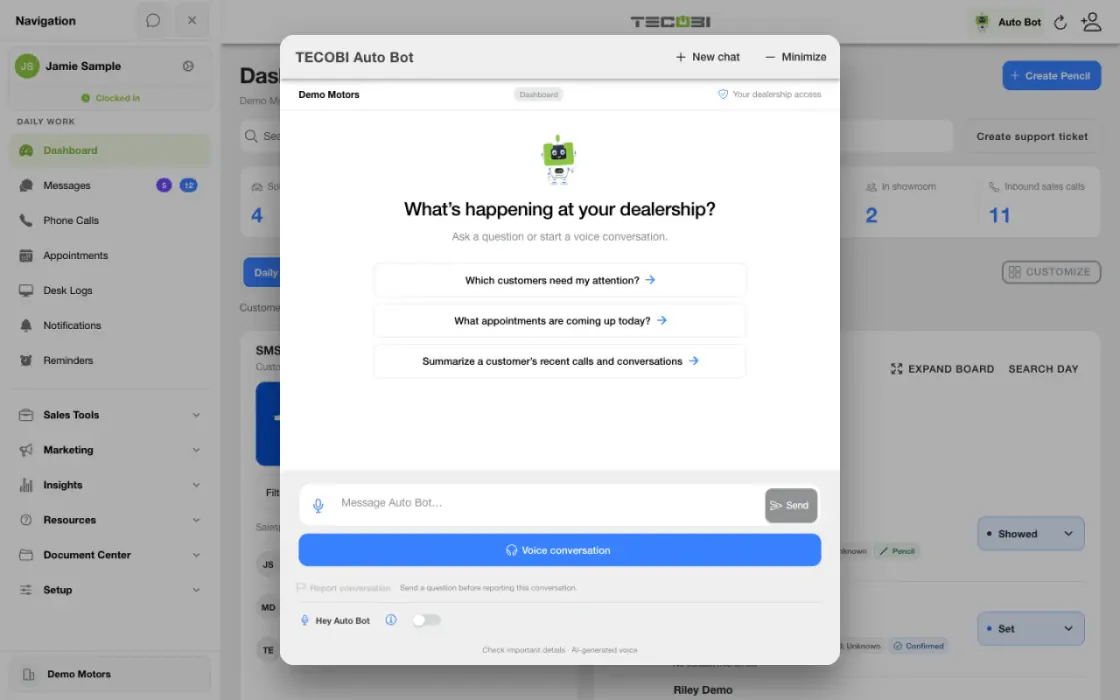
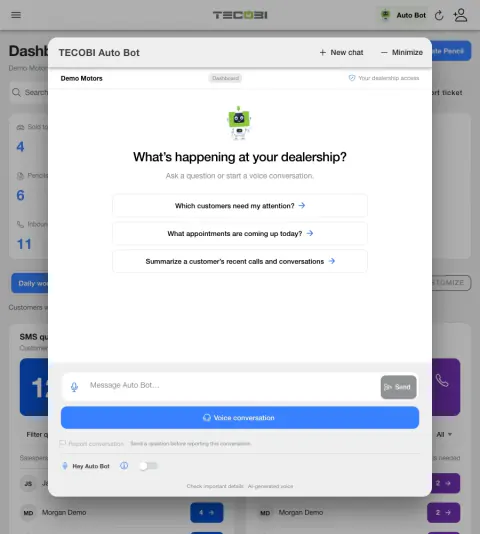
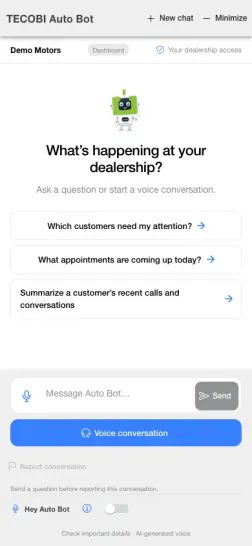
Start with a question about current work
A manager wants to understand what the team should review today. Ask a focused question and check the records the answer points to.
- Ask for a specific viewName the work category or period you want to understand.
- Read the answer in contextCheck the available measures and whether they match the question.
- Follow through in the workspaceOpen the supported report or queue before assigning an action.
Get context for the next conversation
Start with the work you need to do, using the customer information available to you.
- The signed-in assistant can help an authorized user explore accessible leads, upcoming appointments, inventory, calls, conversations and personal reminders.
- For example, ask which customers need attention, what appointments are coming up or for a summary of an accessible customer’s recent calls and conversations.
- A customer-specific question needs an identifiable customer or an appropriate customer context. If the request is ambiguous, the assistant may ask for clarification.
- The assistant looks up permitted records for the selected dealership. The information available depends on the user’s current membership, role and CRM visibility.
Help managers explore recorded activity
Use questions to find a useful starting point for a closer review.
- Users with the appropriate access can ask about available dealership activity and recorded results, including supported team and sales reporting.
- Reporting scope, time period and available records affect the answer. TECOBI-recorded sales are not necessarily every sale in the dealership’s DMS.
- Some searches and summaries are bounded. A sample or shortened result is not proof that no other records exist.
- AI-generated answers can be mistaken. Check important details and review the supporting customer record before acting.
Understand which Auto Bot you are using
The in-app assistant and customer follow-up workflows have different jobs.
- The dealership assistant is for signed-in staff asking questions about work they are authorized to see. The public website guide explains TECOBI to visitors and does not access a dealership’s private CRM.
- Configured Auto Bots provide proactive follow-up to eligible customers. Response Bot handles eligible incoming customer text replies using the dealership’s configuration.
- The in-app assistant reads supported information and may provide guidance; it does not send a customer message or change a CRM record through those read tools.
- Availability and supported inputs depend on the dealership’s setup, the user’s access and the current product version.
Put the workflow into practice.
Sign in to TECOBI and select the dealership you are authorized to work in.
Open Auto Bot in the app and ask a question about the customer or work you want to review.
Review the answer and available supporting records, then open the relevant CRM information when you need more context.
Use your normal TECOBI workflow to contact a customer or make a change.
Connected TECOBI tools
Questions dealers ask
Can the assistant look at my dealership’s customer activity?
When available, the signed-in assistant can use supported CRM information the user is authorized to see for the selected dealership. Customer and reporting access still follow the user’s permissions.
Can it help me prepare for an appointment?
You can ask about accessible upcoming appointments or request context about an identifiable customer’s recent calls and conversations. Review the customer record and confirm important details before the visit.
Can it send a customer a text or update the CRM?
The assistant’s supported CRM tools read information. Use the normal TECOBI conversation and CRM workflows to send a message or make a change.
Is this the same as Response Bot?
No. The signed-in dealership assistant helps staff explore authorized information. Response Bot is a separate workflow for eligible incoming customer text replies.
Can a manager see every store and every employee’s activity?
No. The answer is limited by the selected dealership, current membership, role, report access and the supported records returned for that question.
Setup and availability
Automotive CRM & Lead Management: setup and availability
Available tools depend on dealership configuration and user permissions.
Integration coverage varies by provider; TECOBI does not automatically synchronize every field with every CRM or DMS.
Pipeline and activity screens describe recorded work; they do not guarantee a sale or prove why it happened.
Survey access depends on dealership membership and user role or assignment. Automatic post-sale survey requests require enabled configuration and an active sending workflow; no universal schedule, delivery or response is promised.
Text Ninjas is an optional service. Confirm the service scope, coverage hours, handoffs and current pricing with TECOBI. No particular staffing ratio, response-time guarantee or managed phone service is promised here.
Salesperson Performance & Coaching: setup and availability
Call insights depend on available recordings and processing; a transcript or summary may be delayed, partial or unavailable.
AI summaries, sentiment labels and scores can be mistaken. Managers should review the underlying conversation before using them to make judgments.
Conversation and reporting access follows the user’s permissions. Available metrics depend on the selected report, date range and recorded activity.
The screenshots use demonstration identities and figures. They do not establish a performance benchmark, a sales result or a live customer outcome.
Call-needed wait and assignment measures depend on recorded event history and tracking coverage. Missing tracking is not zero activity.
Activity and scoring labels are signals to review. They do not prove a successful conversation, an appointment or the cause of a sale.
TECOBI Training & Product Help: setup and availability
Lesson and video availability varies, and assigned staff training may require sign-in and a quiz.
Public guidance does not access private customer records, change account settings or mark training complete.
Account-specific troubleshooting and private attachments belong in TECOBI’s support workflow.
ASK ME ABOUT IT