



Staff Calling & Call Intelligence
Keep the call connected to what happens next.
When a customer is ready to speak with someone, your team needs the context to make that call useful. TECOBI connects supported staff phone activity with the lead record. Available recordings, transcripts and AI-generated summaries help people revisit what was discussed, follow through on the customer’s request and coach specific moments in the conversation.
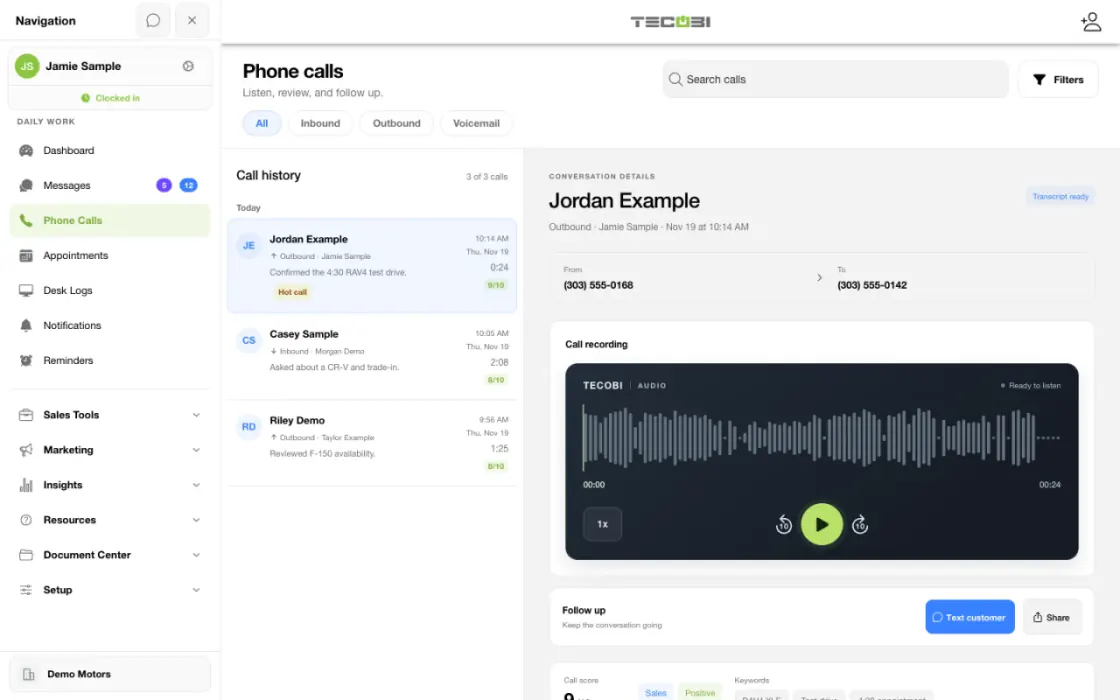
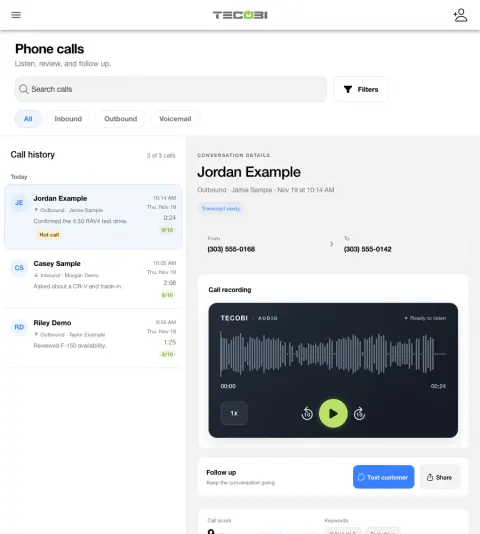
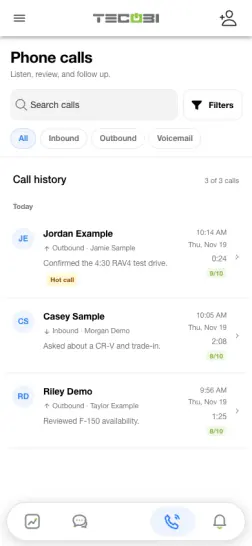
Turn a call record into a useful follow-up
A shopper calls about a used truck. The call record gives the team a place to review what happened before deciding who should act.
- Find the callOpen the relevant supported call record in the dealership workspace.
- Read the available detailReview the customer link, outcome and any available analysis.
- Follow up in contextReturn the call or send the next authorized message with the vehicle conversation in view.
What it helps you do
Go into the call informed.
Use the lead’s conversation history and contact information to continue the customer’s buying process. Supported calling keeps phone activity associated with that opportunity.
Revisit what was said.
Play an available recording and review the available transcript or summary to understand the customer’s request and the agreed next step.
Make coaching specific.
Managers can use call filters and available quality signals to find conversations worth reviewing, then coach from the actual call rather than volume alone.
How it works
Use the supported calling workflow.
Open the customer and choose the available call action. In the click-to-call workflow, select the staff callback and customer numbers; the staff phone rings before the customer is connected.
Review the resulting call record.
Look for the recorded direction, duration and call status. Play the recording when one is available for that call.
Use available analysis to orient the review.
Open the transcript or read the AI summary and other available signals. Some calls may still be processing or may not have analysis.
Follow through with the customer.
Use the conversation to decide whether to answer by text, confirm an appointment, involve a manager or make another appropriate follow-up. Record the relevant next step in the customer workflow.
Setup and availability
Calling options depend on dealership numbers, routing, device and user configuration.
Recording and AI analysis are not available for every call; processing can be delayed, skipped or fail.
Call counts and automated quality signals are review aids, not proof that an appointment or sale occurred.
A CLOSER LOOK
From a customer conversation to the next step.
Give the person making the call the customer context, and keep the call connected to the follow-up that comes after it.
Choose the numbers for a staff call.
Open the customer opportunity and review the available contact information. In the supported click-to-call workflow, choose the available staff callback and customer number. The staff phone rings first before the customer is connected.
Find the call and return to the customer.
Search the dealership’s call history and narrow it by available user, direction, date, duration, category or emotion filters. Review call direction, timing and duration; where a call is linked to a customer, open the related conversation to continue the work.
Review what was discussed.
Play the recording when one is available. Depending on the call and its processing, a transcript, AI summary or other insights can help your team find the customer’s question and the next action. Some calls may be processing, unavailable or only partially analyzed.
Turn the review into a useful follow-up.
The salesperson can continue the customer conversation, clarify an appointment or involve a manager. A manager can use the available call context to coach a specific part of the interaction.
Calling is handled by dealership staff. AI-generated summaries support review of available call content and can be incomplete or mistaken; they do not mean an AI agent placed the call.
Questions dealers ask
Who is speaking on these phone calls?
These tools support calls handled by your dealership’s people. AI-generated summaries and other available insights help the team review recorded conversations afterward.
Does every call have a recording and transcript?
No. A recording depends on the supported call workflow and its configuration. Transcripts and summaries also depend on eligible audio and processing; the interface can show waiting, processing, skipped, failed or unavailable states.
How can a manager find calls to review?
The call view supports searches and filters such as user, direction, date, duration and available category or emotion signals. The records and controls a user can access depend on their account permissions.
Should we rely on the AI summary or score alone?
Use AI analysis to help prioritize review. Listen to the recording and consider the customer’s actual context before coaching or drawing conclusions; automated interpretation can be incomplete or mistaken.
What if I cannot place a call or find its recording?
Check the selected dealership, available customer number and staff callback configuration. A call record does not guarantee a recording exists. For help with a specific call or persistent processing issue, contact TECOBI support through the appropriate account support path.
ASK ME ABOUT IT
BETTER TOGETHER
Connect the next step.
Explore how these TECOBI solutions fit into your dealership’s workflow.