



Mobile CRM
Stay connected to your customers, wherever the day takes you.
Your sales team is not always sitting at a desk. TECOBI’s mobile app gives dealership users a way to keep customer conversations and daily follow-up close at hand, so they can review context and take the next step throughout the day.
Pick up the lead while you are away from the desk
A salesperson receives a shopper reply while walking the lot. Open the same dealership thread and carry the next step forward.
- Open the right workspaceCheck the dealership and the customer’s latest activity.
- Use the customer contextReview the vehicle, messages and any needed follow-up.
- Keep the team currentRecord the result in the shared workflow before moving on.
Keep the conversation close
Give your team customer context when they are moving around the dealership.
- Open the customer’s conversation, review previous messages and use the available texting workflow to answer the question.
- Review the customer opportunity, staff assignments and available activity instead of starting from scratch when the conversation resumes.
See the work waiting for your team
Bring the next call, text, appointment or reminder into a practical daily workflow.
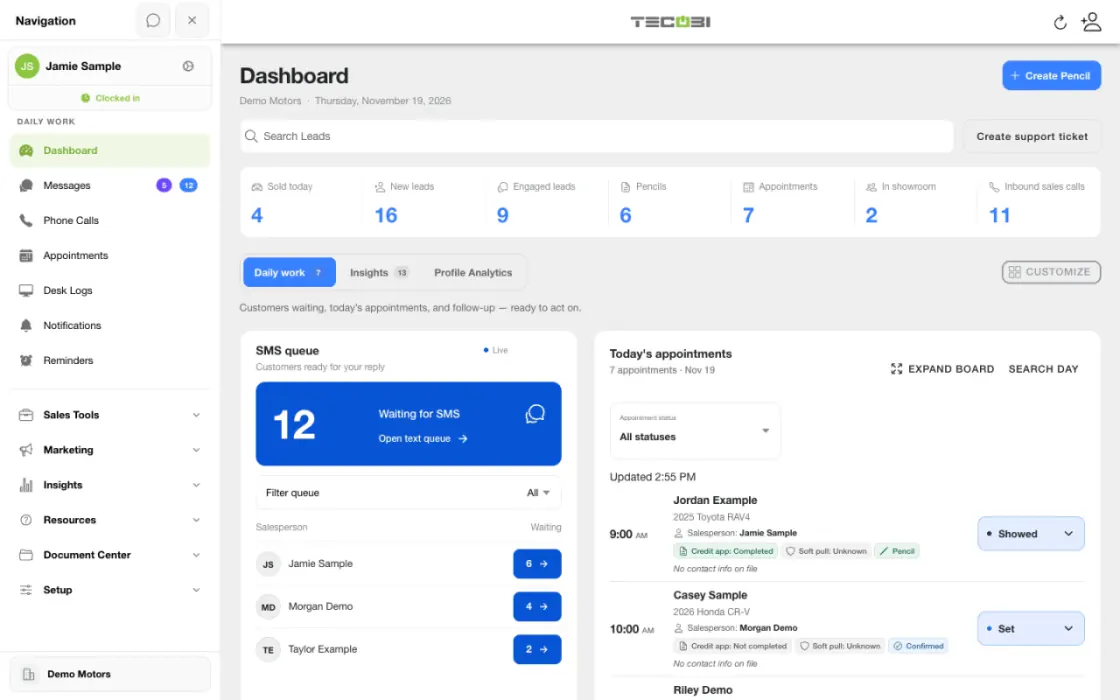
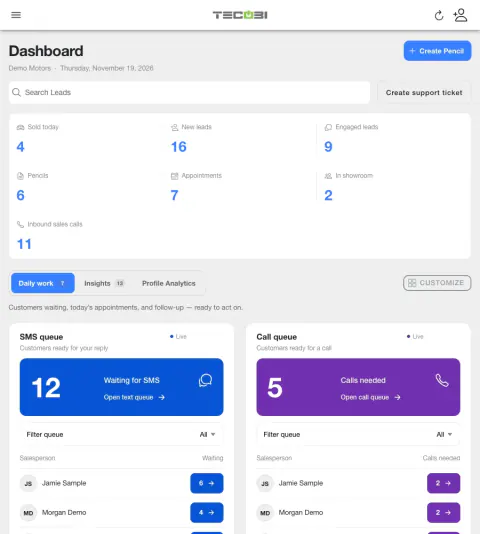
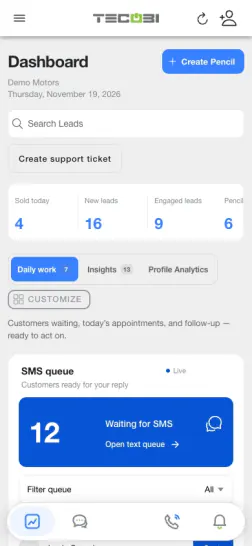
- The dashboard can show SMS and call queues for customers needing staff attention, with visibility and actions depending on the user’s access and dealership setup.
- Today’s appointments and personal reminders help staff see upcoming work and return to the relevant customer context.
- A personal reminder is for the signed-in team member. It does not send the customer a text, book an appointment or prove the follow-up was completed.
Pick up where a notification leads
Help staff return to the right part of their workflow.
- Supported notifications can open a destination in the app, including a linked customer conversation when the notification contains that context.
- Notifications depend on the device, permission settings, account configuration and connection. An alert being created does not guarantee it appeared or was read.
- App capabilities and available screens can differ by device, software version, permissions and dealership configuration.
Put the workflow into practice.
Open the dealership account and review the work that needs your attention.
Open the customer record or text conversation to see the available history and respond.
Check the appointment or set a personal reminder when there is a next step to remember.
Return to the conversation with the customer’s context when it is time to continue.
Connected TECOBI tools
Questions dealers ask
What does TECOBI’s automotive CRM connect?
The lead workspace connects customer information, staff assignments, communication history and supported shopping steps. Auto Bots® provide proactive follow-up, Response Bot supports inbound text replies, and staff handle conversations that need a person.
How is business texting different from AI texting?
Business texting is the conversation your staff writes and sends. Response Bot can handle appropriate inbound text replies, while Auto Bots® create proactive follow-up. Your team’s text workspace is where people can review context and handle the conversations that need their judgment.
Does a personal reminder send the customer a message?
A personal reminder is for the signed-in team member. It can link to a customer conversation, but creating it does not schedule a customer text or book an appointment. Customer appointment reminders and automated follow-up use their own workflows.
Does Sent mean I completed the task or saw the alert?
No. Sent means TECOBI created the reminder notification for you. It does not confirm that your phone displayed it, that you read it, or that you completed the customer follow-up. If the reminder is linked to a customer, open that conversation and take the next step.
Setup and availability
Automotive CRM & Lead Management: setup and availability
Available tools depend on dealership configuration and user permissions.
Integration coverage varies by provider; TECOBI does not automatically synchronize every field with every CRM or DMS.
Pipeline and activity screens describe recorded work; they do not guarantee a sale or prove why it happened.
Survey access depends on dealership membership and user role or assignment. Automatic post-sale survey requests require enabled configuration and an active sending workflow; no universal schedule, delivery or response is promised.
Text Ninjas is an optional service. Confirm the service scope, coverage hours, handoffs and current pricing with TECOBI. No particular staffing ratio, response-time guarantee or managed phone service is promised here.
Business Texting for Dealership Teams: setup and availability
Texting requires an eligible contact and correctly configured sending number; carrier delivery is not guaranteed.
Opt-out and account controls may restrict sending. Staff should respect customer contact preferences.
Available media types and delivery behavior differ between SMS, MMS, links and email.
AI Texting & Response Bot: setup and availability
Reply modes, delays, permissions and customer context determine when Response Bot runs. Connected inventory and appointment workflows depend on the dealership’s configuration.
Negotiation, finance decisions and questions requiring dealership judgment need a person. An AI answer is not a binding out-the-door quote or finance approval.
Dealership AI calling is not available yet. The website’s Talk guide explains TECOBI; it does not access private accounts or perform customer actions.
The example shows the shared conversation workspace with demonstration identities. It does not identify a particular message as AI-written.
Sales Work Queues & Reminders: setup and availability
Queue visibility and claim behavior vary with account access, lead assignments and configuration.
TECOBI-managed staffing services are separate from access to dealership queue screens.
Queue counts can require a refresh; a flag records work to consider rather than proving a completed customer interaction.
Personal reminders belong to the signed-in user and require continued dealership access. They do not assign tasks to other staff, send customer messages or record task completion.
Personal reminders are one-time. Notification timing can vary; Sent does not mean the task is complete.
Appointment Scheduling: setup and availability
Booking options depend on configured event types, availability, the calendar connection and the customer’s access.
Calendar-aware scheduling depends on the available calendar data and does not guarantee every conflict is detected.
Reminders and recorded appointment statuses do not guarantee message delivery, attendance or a sale.
The product image shows the customer’s booking entry point with no upcoming appointments, not a confirmed booking or a calendar availability screen.
Store booking, event assignment and capacity enforcement require their own configuration and eligible calendar connections. Check-in and board status are recorded workflow information, not independent proof of physical arrival or a sale.
TECOBI Notifications & Alerts: setup and availability
Preferences apply to the signed-in user. Alert availability also follows account access and the underlying activity.
Native phone status and settings controls vary by app build, device and operating system. Check the controls actually shown on your device.
ASK ME ABOUT IT