




Automotive AI
AI that helps your dealership keep the conversation moving.
Give shoppers useful answers and consistent follow-up while your team stays involved in the moments that need a person.
Choose the AI role that fits the customer’s message
One lead is waiting on a reply and another is still researching. Start with the customer’s situation before picking an AI workflow.
- Review the customer momentLook at the thread, current status and available vehicle context.
- Choose a supported AI workflowUse eligible inbound support or configured follow-up based on what the customer needs.
- Give staff the contextKeep the conversation available when somebody needs to take over.
A connected conversation from the first inquiry
Help shoppers move forward in the way that fits their timeline.
- The customer record connects available contact information, conversation history, vehicle interest and staff ownership.
- A dealership-written first response can use a source-specific message or the default template. It is a separate workflow from the AI bots.
- Staff can continue a personal conversation and share the relevant Digital Retail link, so the customer can explore available inventory or complete an enabled next step from home.
AI follow-up and replies have different jobs
Keep the distinction clear for your team and your customers.
- Auto Bots use configured audiences, timing and prompt guidance for proactive follow-up, including older opportunities. Their waiting rules consider message activity, not lead age alone.
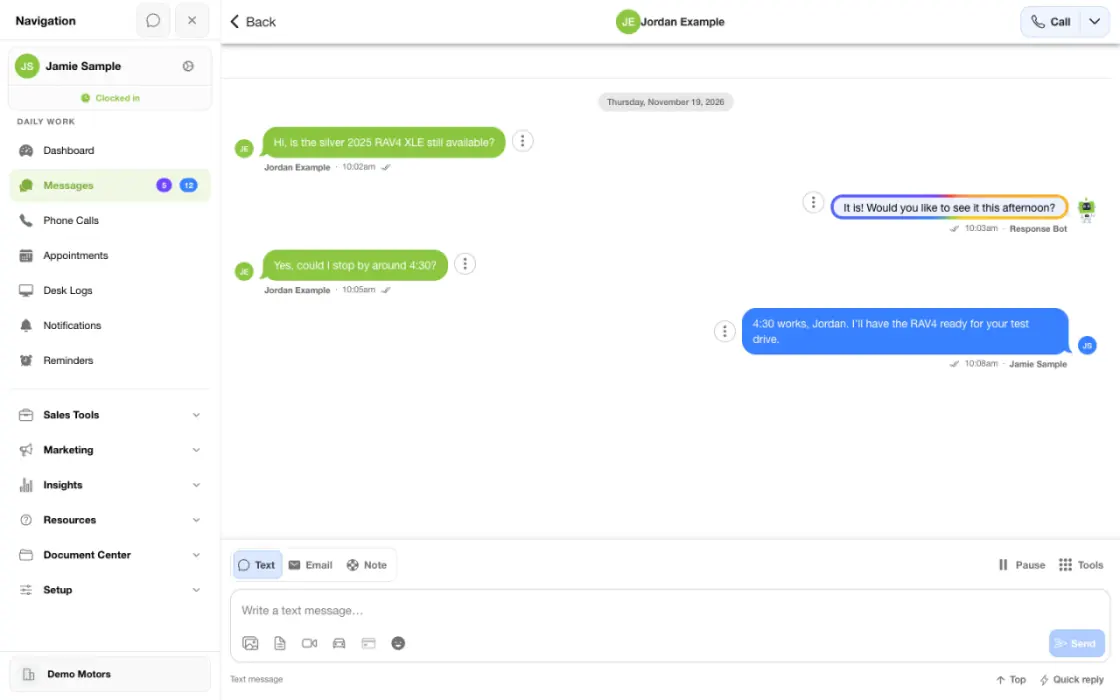
- Response Bot handles eligible inbound text replies. Depending on the dealership setup and customer context, it can answer routine questions, use a connected inventory or appointment workflow, or leave a question for a person.
- Human-only handoffs leave the automated text unsent and the customer’s question waiting for staff. Negotiation and dealership decisions require human judgment.
Help managers see where to coach
Give leaders context behind the numbers.
- Available reports distinguish proactive Auto Bot activity from Response Bot reply attempts and related outcomes. Read each report’s date range and definitions before comparing totals.
- Available call insights can include a summary, transcript, call type, sentiment or score. Managers should review the underlying recording or transcript before drawing conclusions.
- AI call insights help review dealership conversations; they do not mean an AI agent placed the call. Activity and recorded outcomes do not by themselves establish why a sale happened.
Put the workflow into practice.
Bring the inquiry and available customer context into the dealership workflow.
Use configured proactive follow-up and eligible inbound AI replies to keep the conversation moving.
Help the shopper take the right next step, such as reviewing inventory or making progress through Digital Retail.
Your team handles questions needing judgment and reviews conversations and available reports.
Connected TECOBI tools
Questions dealers ask
How are Response Bot and Auto Bots® different?
Auto Bots® handle proactive follow-up and reactivation. Response Bot handles inbound customer replies, decides whether AI should respond and routes the next action.
Are all TECOBI follow-up messages written by AI?
No. Auto Bots use AI and prompt guidance for proactive follow-up. TECOBI also has separate configured template automations for particular events. Those can include returning lead submissions, vehicle acquisition inquiries, selected appointment outcomes, price drops, post-sale check-ins and birthdays. Use the appropriate workflow for the customer’s situation.
Can AI texting help customers find inventory?
Response Bot can use connected inventory workflows when the dealership’s setup supports them. It should clarify the shopper’s needs and use available data instead of inventing a vehicle or availability.
Can Response Bot help with appointment requests?
Response Bot supports appointment handling through its connected conversation workflow. The available action depends on the configured scheduling path and customer context. An AI statement alone is not a confirmed booking, and this website guide does not book dealership customer appointments.
What is the difference between Auto Bots® and Response Bot reporting?
Auto Bots® reporting describes proactive outbound AI follow-up, including available message and response measures. Response Bot reporting describes eligible inbound AI reply attempts, timing, routing and related appointment activity.
What can AI help managers see about a sales call?
Available call insights can include a summary, transcript, call type, emotion or sentiment labels, keywords and a score. These are aids to review, not a complete or infallible assessment of the customer or salesperson.
Is this the same as an AI making calls to customers?
No. This feature supports review of calls and conversations handled through the dealership’s workflow. AI-generated summaries and insights help a manager understand the recorded conversation; they do not mean an AI agent placed or handled that call.
Should a manager rely only on an AI score?
No. Use the available recording, transcript and customer context alongside the AI signals. A score or emotion label can be incomplete or mistaken, and activity counts alone do not explain the quality of the customer experience.
Setup and availability
Auto Bots® Follow-Up: setup and availability
Auto Bots® handle proactive text follow-up. Inbound Response Bot replies, staff phone calls and this website’s Talk guide are separate workflows.
Your dealership’s audience, timing, hours and sending controls determine which conversations are eligible. Recent activity, customer restrictions and human handoffs can pause or change the next touch.
Authorized users can review and adjust the configuration. Follow-up and reporting help your team work opportunities; they do not guarantee a response or sale.
Event-triggered template automations are separate from AI Auto Bots. Each workflow has its own configuration, timing and eligibility checks; no universal cadence or identical inactivity rule applies to all of them.
AI Texting & Response Bot: setup and availability
Reply modes, delays, permissions and customer context determine when Response Bot runs. Connected inventory and appointment workflows depend on the dealership’s configuration.
Negotiation, finance decisions and questions requiring dealership judgment need a person. An AI answer is not a binding out-the-door quote or finance approval.
Dealership AI calling is not available yet. The website’s Talk guide explains TECOBI; it does not access private accounts or perform customer actions.
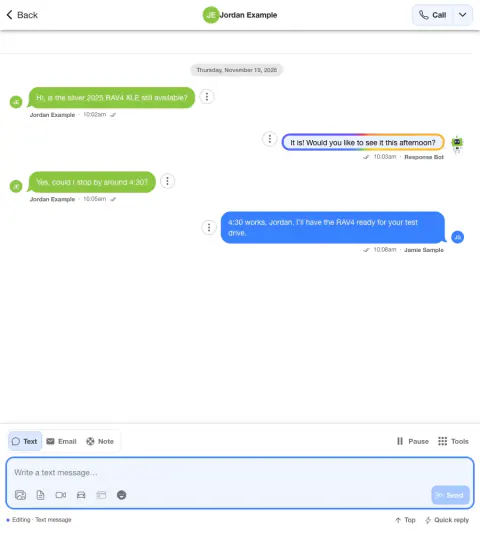
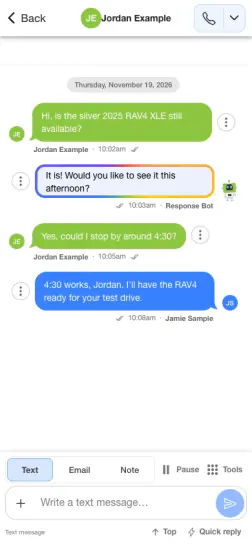
The example shows the shared conversation workspace with demonstration identities. It does not identify a particular message as AI-written.
Automotive CRM & Lead Management: setup and availability
Available tools depend on dealership configuration and user permissions.
Integration coverage varies by provider; TECOBI does not automatically synchronize every field with every CRM or DMS.
Pipeline and activity screens describe recorded work; they do not guarantee a sale or prove why it happened.
Survey access depends on dealership membership and user role or assignment. Automatic post-sale survey requests require enabled configuration and an active sending workflow; no universal schedule, delivery or response is promised.
Text Ninjas is an optional service. Confirm the service scope, coverage hours, handoffs and current pricing with TECOBI. No particular staffing ratio, response-time guarantee or managed phone service is promised here.
Digital Retail: setup and availability
Available tools depend on the dealership’s configuration and the customer’s specific link. A public contact profile does not grant access to another customer’s offers or documents.
Vehicle listings and screenshots do not guarantee current availability or pricing. Confirm current details with the dealership.
The dealership prepares the real offer and deal terms. This website’s AI guide explains the workflow; it does not calculate a binding quote, approve financing, inspect private accounts or complete a transaction.
The product images are captured examples. They show the interface, not a current customer action, appointment, signature or sales result.
Trade and credit tools depend on account setup, the link provided and staff/customer access. A trade estimate, submitted application or provider transfer does not establish a final appraisal, financing approval or agreed deal.
Referral forms, invitation status and optional reward wording do not establish messaging consent, a sale or reward payment. The dealership defines its program and reviews eligibility.
Salesperson Performance & Coaching: setup and availability
Call insights depend on available recordings and processing; a transcript or summary may be delayed, partial or unavailable.
AI summaries, sentiment labels and scores can be mistaken. Managers should review the underlying conversation before using them to make judgments.
Conversation and reporting access follows the user’s permissions. Available metrics depend on the selected report, date range and recorded activity.
The screenshots use demonstration identities and figures. They do not establish a performance benchmark, a sales result or a live customer outcome.
Call-needed wait and assignment measures depend on recorded event history and tracking coverage. Missing tracking is not zero activity.
Activity and scoring labels are signals to review. They do not prove a successful conversation, an appointment or the cause of a sale.
Sales Work Queues & Reminders: setup and availability
Queue visibility and claim behavior vary with account access, lead assignments and configuration.
TECOBI-managed staffing services are separate from access to dealership queue screens.
Queue counts can require a refresh; a flag records work to consider rather than proving a completed customer interaction.
Personal reminders belong to the signed-in user and require continued dealership access. They do not assign tasks to other staff, send customer messages or record task completion.
Personal reminders are one-time. Notification timing can vary; Sent does not mean the task is complete.
Business Texting for Dealership Teams: setup and availability
Texting requires an eligible contact and correctly configured sending number; carrier delivery is not guaranteed.
Opt-out and account controls may restrict sending. Staff should respect customer contact preferences.
Available media types and delivery behavior differ between SMS, MMS, links and email.
Messaging Consent & TECOBI Shield: setup and availability
Available controls depend on account configuration, the restriction type and user permissions.
Automated interpretation may need human review, and no feature guarantees legal compliance.
Contact restrictions must not be bypassed by duplicating a record or changing the communication workflow.
Targeted Text Broadcasting: setup and availability
Campaigns follow account permissions, messaging eligibility, configured volume limits and available customer data.
Scheduling and pacing do not guarantee carrier delivery or customer response.
AI messages and reply automation depend on the selected workflow and settings.
Sales & AI Reporting: setup and availability
Available report views and drill-down access depend on account permissions and configuration.
Reports describe recorded data and defined attribution rules; they do not guarantee results or establish causation.
Example screenshot values illustrate the interface and are not promised dealership performance.
Submission and assignment history depend on when tracking began. A period can have partial or unavailable coverage.
Vehicle Demand uses recorded interest and current in-stock inventory. It does not measure every shopper, predict future sales or automatically purchase inventory.
Dealership Integrations: setup and availability
Availability and data coverage vary by provider, dealership configuration and permissions.
A configured connection does not imply that every operation is enabled or that a particular update has arrived.
Provider access, subscriptions and any associated terms must be established for the intended dealership.
CSV imports and exports cover their supported fields and workflows; they do not recreate an entire previous CRM or every historical conversation.
API data access is read-only and scoped. Available fields, timestamp definitions, pagination and request limits apply.
Background processing, a saved configuration or an email notification does not by itself establish that an import, download or provider handoff completed successfully.
ASK ME ABOUT IT