



After-hours Texts
See when your team texts customers after the dealership closes.
Customers and salespeople do not always keep the same schedule. TECOBI’s After-hours Texts report gives authorized dealership leaders a way to review eligible outbound staff text activity outside the store’s configured hours and start a useful conversation about coverage and follow-up.
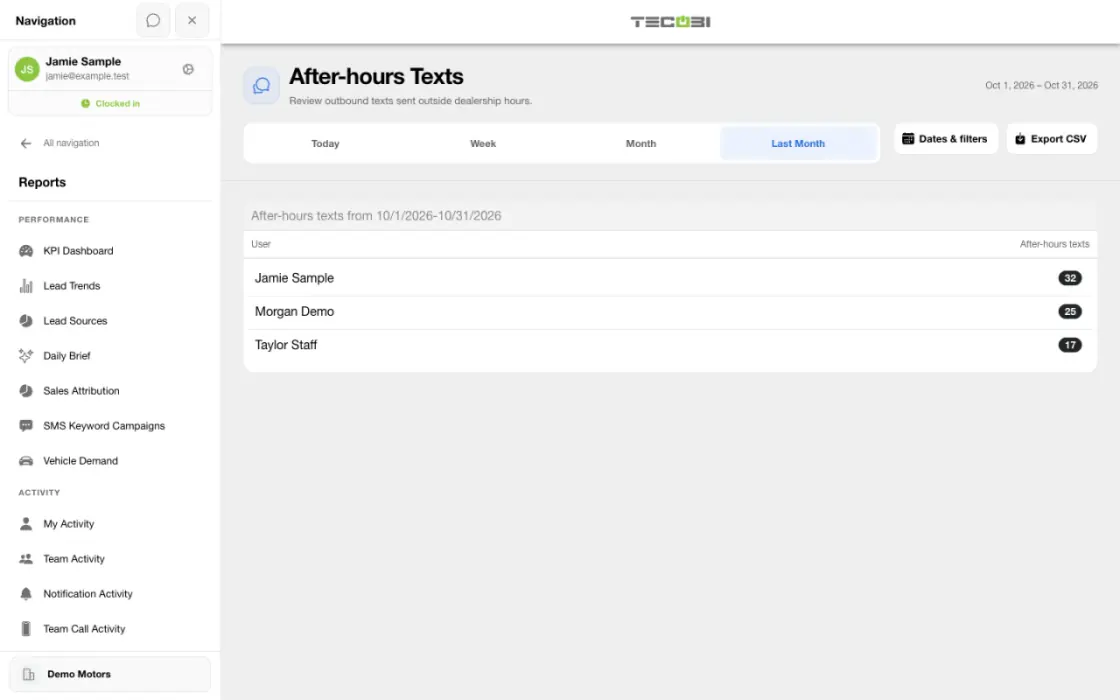
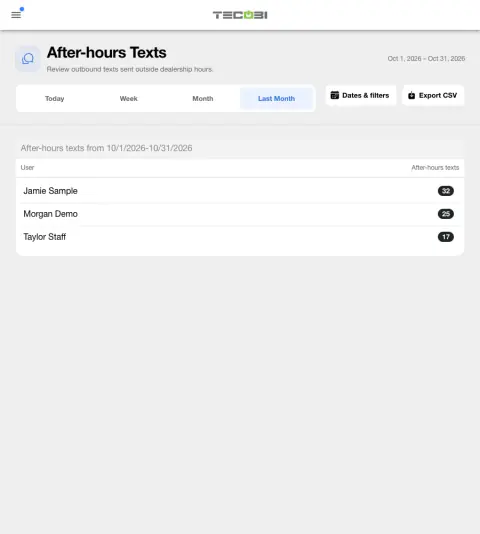
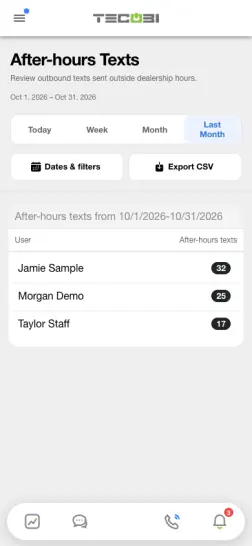
Check who handles late conversations
Use the dealership’s configured hours and open the work behind a pattern before you change team coverage.
Understand activity outside configured hours
Start with the store’s schedule, not an assumption about when every employee should work.
- The report groups eligible outbound text-message records by the associated user for the selected dealership and date range.
- After-hours is determined using the dealership’s configured business hours and timezone, including applicable closing and holiday rules. Business hours must be configured for the report to run.
- The visible date range can cover up to 31 days. Results can be cached for up to five minutes, so a recent change may not appear immediately.
- User rows reflect the report’s permitted team scope, and a user can appear with a zero count.
Know which messages are included
This is a focused view of user-associated activity, not a total of every customer communication.
- The report counts eligible outbound, user-associated text records created outside the configured open intervals. It does not count inbound messages or email.
- Text Ninja messages, lead and customer blasts, AI-prompt messages, follow-up messages and salesperson-reassignment introductions are excluded by this report’s filters.
- Counts represent recorded messages, not verified delivery, customer replies, appointments or sales.
Use the report with context
Turn a pattern into a practical team discussion.
- Compare the selected time period and store schedule before discussing the count with the team. A higher count alone does not show why a message was sent or establish a performance issue.
- Review the applicable customer conversations and other available reports when you need more context. Access to records depends on the user’s permissions.
- The report is restricted to authorized roles and dealership access. A zero or missing result is not proof that no customer communication occurred.
- The report describes recorded activity; it does not itself determine messaging consent, legal compliance or whether an individual message was appropriate.
Put the workflow into practice.
Confirm the dealership’s business hours and closing rules are configured.
Open Reports → After-hours Texts with appropriate dealership and report access, then select a period of no more than 31 days.
Review the eligible outbound text count by user and export the displayed user rows if useful.
Discuss patterns with your team using the underlying business context, permissions and other available reports.
Connected TECOBI tools
Questions dealers ask
Why might two reports show different totals?
Reports may use different date fields, eligibility rules, scopes or outcome definitions. For example, an appointment created in a period is different from one scheduled to occur in it. Read the report’s definitions and filters before comparing totals.
What if an expected outcome is missing from a report?
Check the account, date range and whether the underlying event was recorded with the required outcome. If it still appears wrong, ask TECOBI support to investigate the relevant report and record through a secure support request.
Setup and availability
Sales & AI Reporting: setup and availability
Available report views and drill-down access depend on account permissions and configuration.
Reports describe recorded data and defined attribution rules; they do not guarantee results or establish causation.
Example screenshot values illustrate the interface and are not promised dealership performance.
Submission and assignment history depend on when tracking began. A period can have partial or unavailable coverage.
Vehicle Demand uses recorded interest and current in-stock inventory. It does not measure every shopper, predict future sales or automatically purchase inventory.
Salesperson Performance & Coaching: setup and availability
Call insights depend on available recordings and processing; a transcript or summary may be delayed, partial or unavailable.
AI summaries, sentiment labels and scores can be mistaken. Managers should review the underlying conversation before using them to make judgments.
Conversation and reporting access follows the user’s permissions. Available metrics depend on the selected report, date range and recorded activity.
The screenshots use demonstration identities and figures. They do not establish a performance benchmark, a sales result or a live customer outcome.
Call-needed wait and assignment measures depend on recorded event history and tracking coverage. Missing tracking is not zero activity.
Activity and scoring labels are signals to review. They do not prove a successful conversation, an appointment or the cause of a sale.
Business Texting for Dealership Teams: setup and availability
Texting requires an eligible contact and correctly configured sending number; carrier delivery is not guaranteed.
Opt-out and account controls may restrict sending. Staff should respect customer contact preferences.
Available media types and delivery behavior differ between SMS, MMS, links and email.
AI Texting & Response Bot: setup and availability
Reply modes, delays, permissions and customer context determine when Response Bot runs. Connected inventory and appointment workflows depend on the dealership’s configuration.
Negotiation, finance decisions and questions requiring dealership judgment need a person. An AI answer is not a binding out-the-door quote or finance approval.
Dealership AI calling is not available yet. The website’s Talk guide explains TECOBI; it does not access private accounts or perform customer actions.
The example shows the shared conversation workspace with demonstration identities. It does not identify a particular message as AI-written.
ASK ME ABOUT IT