



Video View Reporting
See what they watched before you follow up.
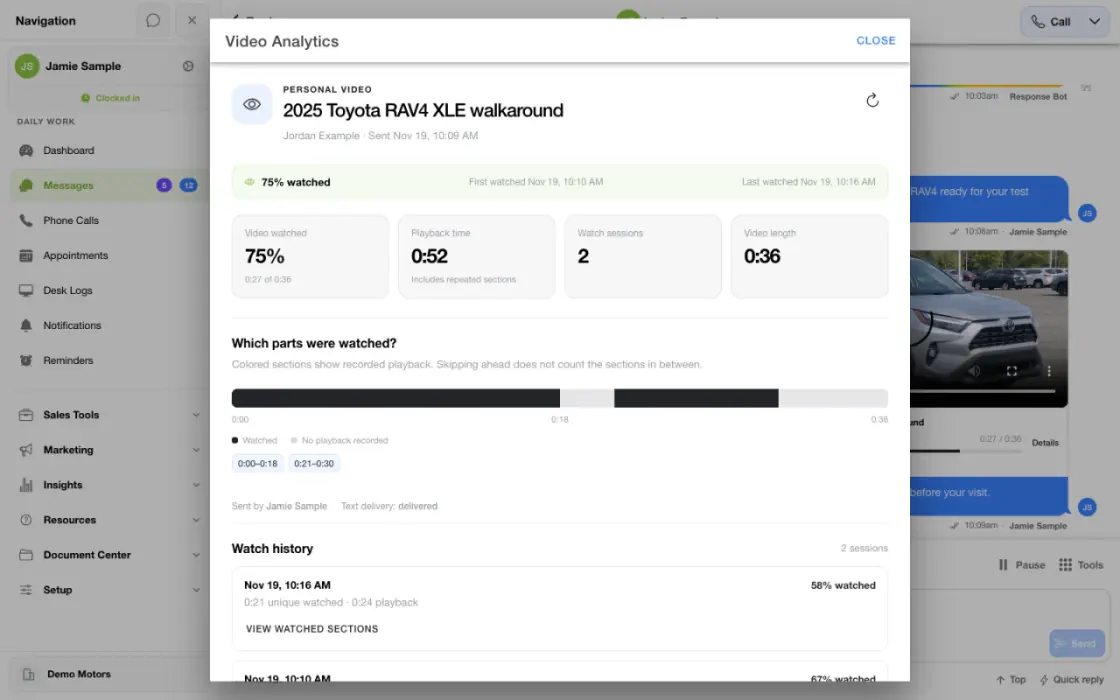
Sending a video and understanding its engagement are different steps. TECOBI’s video reports help your team review supported viewing activity around a customer’s tracked video. The available details include watch sessions, playback time, watched percentage and the portions played. Library-level reporting can add a broader view of how reusable content is being used. That gives salespeople and managers more context for the next conversation without turning a video view into an assumed buying decision.
Choose a follow-up based on what the shopper watched
Review the playback before sending another message. A useful follow-up might answer a question about the part of the vehicle they returned to.
- Vehicle walkaround sentThe salesperson shares the video in the existing customer conversation.
- Playback activity recordedCheck available watch time and sessions, and review the sections displayed in playback activity.
- Follow up with specificsOffer details or a closer look from the same conversation.
What it helps you do
Review the watched portions.
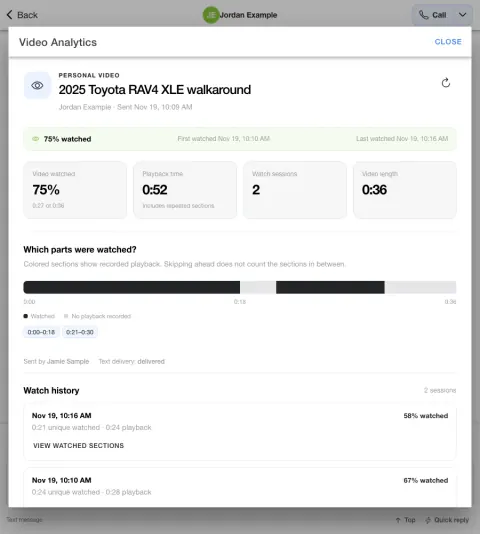
A timeline can show recorded playback ranges so the team can see which parts were played. Skipping ahead does not mean the sections in between were watched.
Understand repeat engagement.
Watch sessions and active playback time can show repeat viewing. Those measures describe playback activity and should be interpreted alongside unique watched portions.
Learn from reusable content.
Supported library analytics bring together sends, watched activity and completion signals. Managers can use the evidence to discuss which content is useful and where it could improve.
Read viewing sessions as activity, not identity.
A watch session is recorded playback, not a verified unique person. A shared link may be watched by someone other than the original lead.
Make the follow-up more relevant.
Use the recorded activity to prepare for questions, then confirm the customer’s interest through the conversation. Watching is a signal, not a booking or sale.
How it works
Open the relevant video activity.
Review the tracked send from the customer conversation or the appropriate personal or account library view, depending on the question you want to answer.
Read the metric definitions.
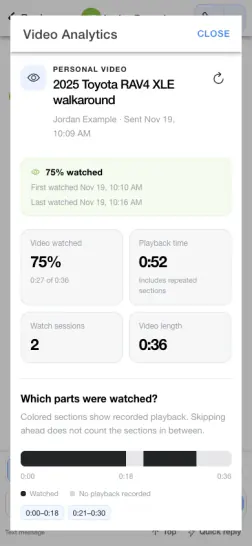
Review Video watched, Playback time, Watch sessions and Video length separately, along with the watched-segments timeline. Check whether detailed tracking is available before interpreting a missing value.
Use the insight thoughtfully.
Tailor the follow-up around the customer’s questions and recorded engagement. A view is useful context, while the customer’s reply and next action provide further evidence.
Setup and availability
Detailed analytics apply to supported tracked sends. Older counters and newer watched-segment timelines do not provide identical coverage.
Watch sessions are not unique viewers and do not establish who watched a shared link. Repeated playback is different from unique watched time; seeking past a section does not mean it was played.
Playback, completion, replies, appointments and sales are different outcomes. No viewing or sales result is guaranteed.
Visibility follows account/customer/library permissions. The report screenshots contain demonstration values, not current account performance or a benchmark.
Questions dealers ask
Does playback time equal unique watched time?
Not necessarily. Playback time can include repeated sections, while unique watched time describes distinct portions played. A customer can revisit a section more than once.
Can I see which parts of a video were watched?
Yes, when detailed tracking is available. The watch timeline displays recorded playback ranges rather than treating a skip as proof that every earlier section was viewed.
Can managers review library performance?
Supported library analytics include usage and viewing signals across tracked sends. Compare content using its audience, purpose and available tracking context.
Does a view mean the shopper is ready to buy?
No. Viewing activity adds context, but it is not a commitment, appointment or sale. Use it to make the next conversation more relevant.
Does one watch session mean one unique customer?
No. A session is recorded playback activity, not verified identity. The same person can return, and a forwarded or shared video link may be watched by someone other than the original lead.
Why does an older video have less information?
Detailed tracking depends on the send and tracking context. Some older sends have only legacy counters. A missing timeline does not by itself prove that nobody watched the video.
What do library reporting measures cover?
Supported views show Times sent, Sends watched, Average watched and Completed, with send history. Watch rate uses eligible tracked sends; averages depend on watched sends with a known duration. Check tracking coverage before comparing unlike totals.
What does a completion signal mean?
Completion is based on recorded coverage of the video rather than simply reaching its final timestamp. It is an engagement measure, not proof the viewer understood the message or committed to a purchase.
What if a report or video send is unavailable?
Access follows account, customer, library and user permissions. Tell an authorized manager or TECOBI support which reporting view, time period and measure you are reviewing. Keep private customer information and video links out of the public website chat.
ASK ME ABOUT IT
BETTER TOGETHER
Connect the next step.
Explore how these TECOBI solutions fit into your dealership’s workflow.