



Sales leaderboards
See your team’s sales activity in context.
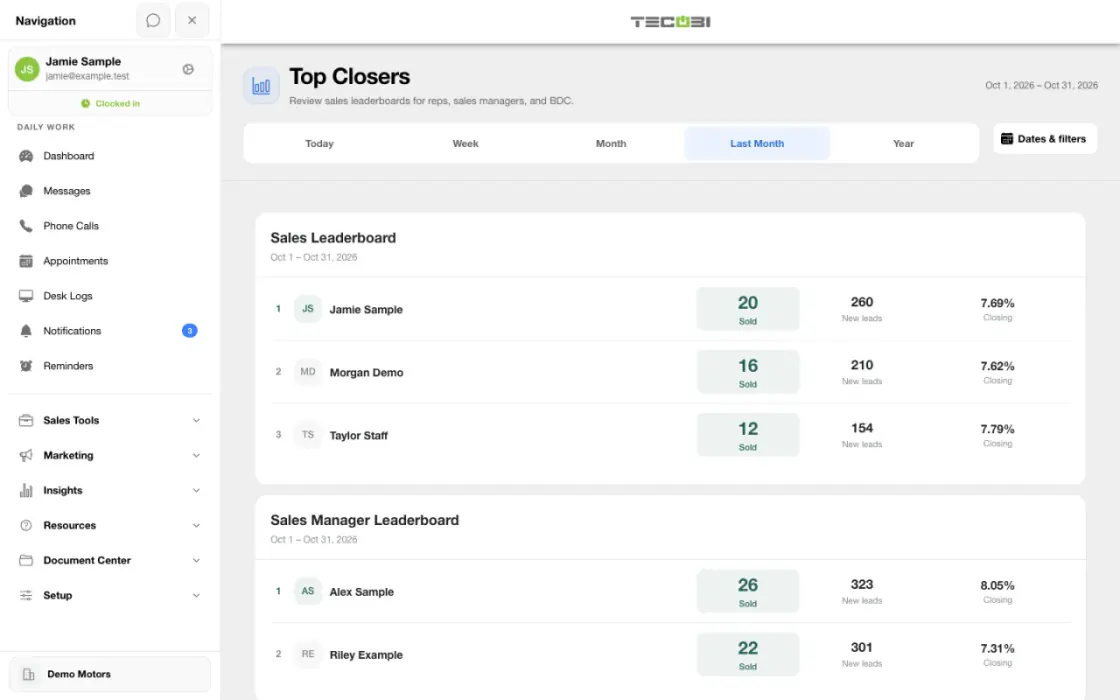
Give your dealership a clearer view of sales activity across roles. TECOBI’s Top Closers report brings recorded sales and new leads together so your team can recognize progress and investigate the numbers behind it.
Put the closing percentage beside its denominator
Open the sold and lead lists before coaching from a ranking. Two people with similar sold counts can have very different lead counts.
- Salesperson A
- 16.2%12 of 74
- Salesperson B
- 19.2%10 of 52
- Salesperson C
- 12.9%8 of 62
Compare dealership roles
Give leaders a practical starting point for a team conversation.
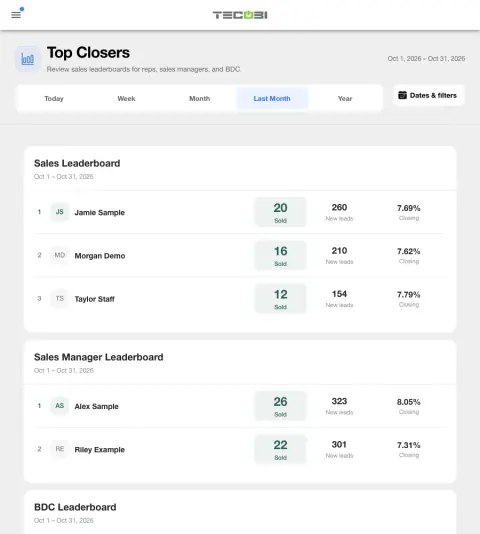
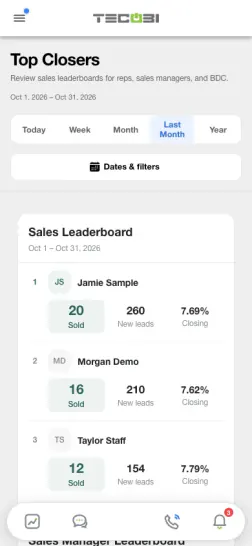
- TECOBI’s Top Closers report displays separate leaderboards for salespeople, sales managers and BDC representatives.
- Each leaderboard shows recorded sold events, new leads and a closing percentage for the selected period.
- The report can show up to 50 people in each role view. Available rows depend on active users and the dealership scope.
Read the percentage in context
The time period is important when comparing results.
- The displayed percentage divides recorded sold events in the period by new acquisition leads created in that period; those groups are not necessarily the same customers.
- When the new-lead count is zero, the report displays a zero ratio. A sale in the period can come from an older lead, so the percentage can exceed 100%.
- An assigned salesperson can receive credit through the recorded sale workflow; sales manager and BDC views use their respective customer assignments. Review the associated sale records when questions arise.
Review the details
Go beyond a ranking to understand what happened.
- The report orders people by recorded sold count, then by the calculated closing ratio.
- Select a sold or new-lead count to open the corresponding permitted detail for the chosen person and period.
- Use the date range and the customer record to understand recorded activity. A ranking by itself does not establish why a sale occurred or explain the quality of a conversation.
Use the report responsibly
Review visibility and context before drawing a conclusion.
- Leaderboard access requires membership in the dealership and the applicable leaderboard visibility permission.
- Figures depend on recorded activity, available data and user permissions. Actual access and setup should be confirmed with TECOBI.
Put the workflow into practice.
Open Top Closers with access to the dealership leaderboard.
Choose the reporting period and review the separate sales, sales manager and BDC leaderboards.
Select a person’s sold or new-lead count to review the available detail.
Use the underlying records and other team activity reports to guide a useful coaching conversation.
Connected TECOBI tools
Questions dealers ask
Why can dealership totals differ from a salesperson’s credited sales?
Store totals and team counts can use different scopes and attribution rules. Team results follow the selected users and salesperson credit; activity in a period and credited sales in that period may involve different customers. Check the report definitions instead of assuming every activity count forms one customer conversion funnel.
What can team activity reporting show?
Supported reports include message activity, calls, average response or talk-time measures, touched leads and recorded appointment outcomes such as set, cancelled, shown and sold. Available metrics and their meaning depend on the report and selected date range.
Why might two reports show different totals?
Reports may use different date fields, eligibility rules, scopes or outcome definitions. For example, an appointment created in a period is different from one scheduled to occur in it. Read the report’s definitions and filters before comparing totals.
Setup and availability
Salesperson Performance & Coaching: setup and availability
Call insights depend on available recordings and processing; a transcript or summary may be delayed, partial or unavailable.
AI summaries, sentiment labels and scores can be mistaken. Managers should review the underlying conversation before using them to make judgments.
Conversation and reporting access follows the user’s permissions. Available metrics depend on the selected report, date range and recorded activity.
The screenshots use demonstration identities and figures. They do not establish a performance benchmark, a sales result or a live customer outcome.
Call-needed wait and assignment measures depend on recorded event history and tracking coverage. Missing tracking is not zero activity.
Activity and scoring labels are signals to review. They do not prove a successful conversation, an appointment or the cause of a sale.
Sales & AI Reporting: setup and availability
Available report views and drill-down access depend on account permissions and configuration.
Reports describe recorded data and defined attribution rules; they do not guarantee results or establish causation.
Example screenshot values illustrate the interface and are not promised dealership performance.
Submission and assignment history depend on when tracking began. A period can have partial or unavailable coverage.
Vehicle Demand uses recorded interest and current in-stock inventory. It does not measure every shopper, predict future sales or automatically purchase inventory.
Automotive CRM & Lead Management: setup and availability
Available tools depend on dealership configuration and user permissions.
Integration coverage varies by provider; TECOBI does not automatically synchronize every field with every CRM or DMS.
Pipeline and activity screens describe recorded work; they do not guarantee a sale or prove why it happened.
Survey access depends on dealership membership and user role or assignment. Automatic post-sale survey requests require enabled configuration and an active sending workflow; no universal schedule, delivery or response is promised.
Text Ninjas is an optional service. Confirm the service scope, coverage hours, handoffs and current pricing with TECOBI. No particular staffing ratio, response-time guarantee or managed phone service is promised here.
ASK ME ABOUT IT