



Appointment Reminders
Help customers arrive ready for their appointment.
An appointment is a promise of a next step. TECOBI helps dealerships keep that step clear with configured reminders that can share the visit details while keeping the conversation connected to the customer record.
Prepare the details a shopper needs before the visit
A reminder helps the customer check the time and location without searching the earlier thread.
- Confirm the appointmentCheck the agreed time and dealership details.
- Review the reminderChoose the supported timing, message and calendar invitation settings.
- Keep changes in contextReview the appointment again if the customer asks to reschedule.
Give customers the details they need
A helpful reminder can reduce the need to search through a conversation for the visit details.
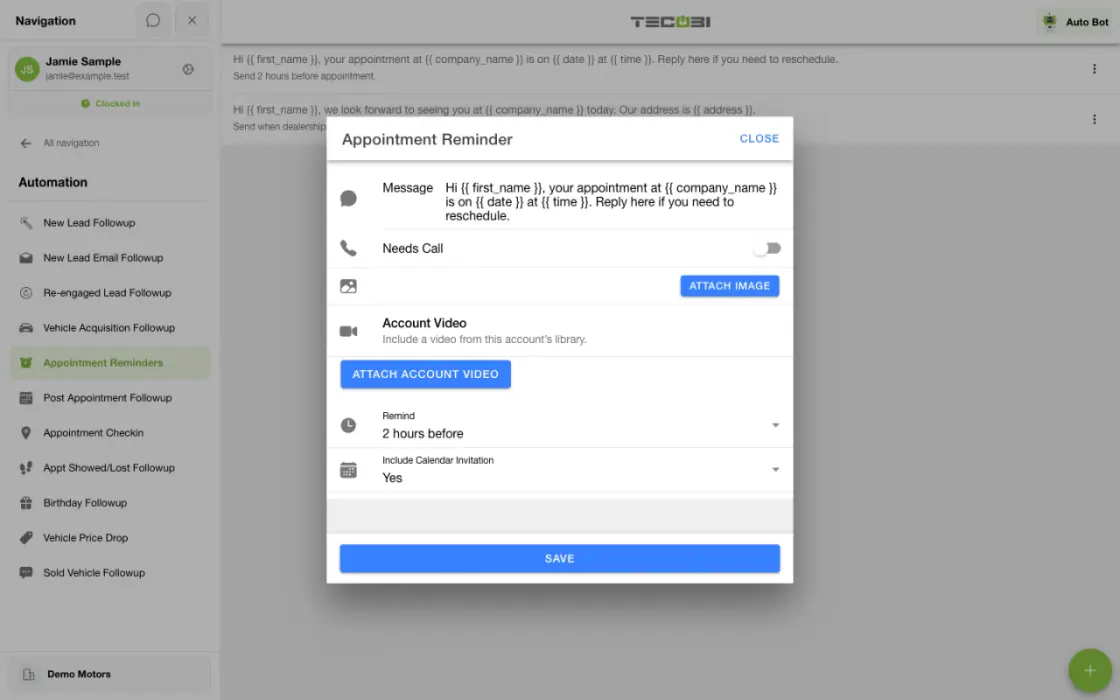
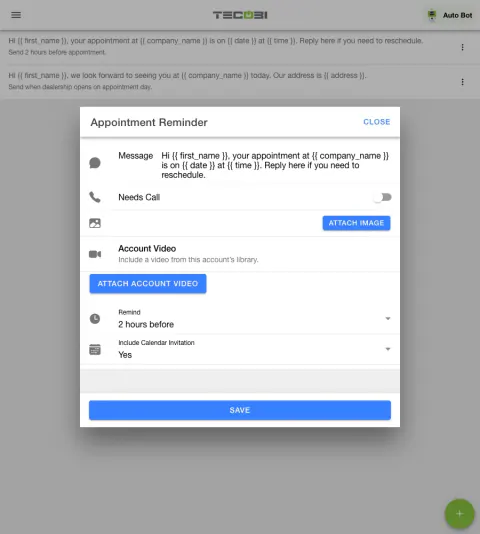
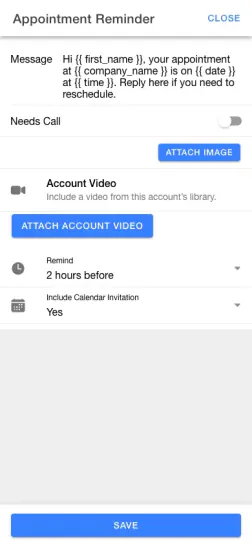
- The dealership writes the reminder message. Available variables can include the customer’s first name, dealership name, address, appointment date and time.
- A reminder can include a link to a calendar invitation when that option is selected. Available configuration also supports an image, GIF or eligible account video.
- Your team can add a Needs Call flag to a configured step. The flag requests staff attention; it does not mean a call was completed.
Choose timing around the visit
Build a reminder cadence that fits the customer’s appointment.
- The timing selector offers “Immediately when set,” selected intervals before the appointment and dealership opening on the appointment day. Processing is scheduled; the label is not a guarantee of instantaneous sending.
- An authorized user can create and manage more than one reminder step. Timing, business hours and processing affect whether an individual step is eligible.
- A step that was configured after its intended time may not be sent. A configured reminder or saved appointment is not evidence of message delivery.
Keep the customer record current
The reminder should reflect the appointment the team is working.
- The workflow checks appointment and customer eligibility before sending. Cancelled, showed, sold or missed appointments and paused or archived conversations can be excluded.
- Contact restrictions, automation settings, phone type, business hours and the processing schedule can affect whether a message is sent.
- When an appointment changes, review the current appointment and customer conversation. Follow-up behavior for a rescheduled appointment depends on the dealership’s available workflow and configuration.
Use reminders alongside your team
Make the visit easier to understand and give a person the context to help.
- For example, a configured text can remind a shopper of a scheduled visit and include the dealership address. This is an illustrative example, not a recorded message or a promised outcome.
- A customer’s reply remains in the TECOBI conversation so your team can answer questions or help with a change.
Put the workflow into practice.
Create an appointment reminder step and write the message for your dealership.
Choose when the reminder should be sent relative to the appointment or dealership opening.
Review available visit details and optional media or calendar invitation settings.
Keep the appointment and customer record current, and review any customer response with your team.
Connected TECOBI tools
Questions dealers ask
Are appointment reminders available?
TECOBI supports appointment reminder and follow-up workflows. The messages and timing depend on the configured workflow, customer contact information and communication eligibility. A reminder being configured does not guarantee delivery or attendance.
Can a customer change an appointment?
The supported customer appointment experience includes reschedule, cancel and add-to-calendar actions when available for that appointment and customer link. The customer can return to that experience to see the relevant options.
How is a work queue different from a lead list?
A lead list helps find and filter records. A work queue focuses on a defined condition, such as a waiting inbound text or a needs-call flag, within the user’s access and the account’s workflow rules.
Setup and availability
Appointment Scheduling: setup and availability
Booking options depend on configured event types, availability, the calendar connection and the customer’s access.
Calendar-aware scheduling depends on the available calendar data and does not guarantee every conflict is detected.
Reminders and recorded appointment statuses do not guarantee message delivery, attendance or a sale.
The product image shows the customer’s booking entry point with no upcoming appointments, not a confirmed booking or a calendar availability screen.
Store booking, event assignment and capacity enforcement require their own configuration and eligible calendar connections. Check-in and board status are recorded workflow information, not independent proof of physical arrival or a sale.
Automotive CRM & Lead Management: setup and availability
Available tools depend on dealership configuration and user permissions.
Integration coverage varies by provider; TECOBI does not automatically synchronize every field with every CRM or DMS.
Pipeline and activity screens describe recorded work; they do not guarantee a sale or prove why it happened.
Survey access depends on dealership membership and user role or assignment. Automatic post-sale survey requests require enabled configuration and an active sending workflow; no universal schedule, delivery or response is promised.
Text Ninjas is an optional service. Confirm the service scope, coverage hours, handoffs and current pricing with TECOBI. No particular staffing ratio, response-time guarantee or managed phone service is promised here.
Business Texting for Dealership Teams: setup and availability
Texting requires an eligible contact and correctly configured sending number; carrier delivery is not guaranteed.
Opt-out and account controls may restrict sending. Staff should respect customer contact preferences.
Available media types and delivery behavior differ between SMS, MMS, links and email.
Sales Work Queues & Reminders: setup and availability
Queue visibility and claim behavior vary with account access, lead assignments and configuration.
TECOBI-managed staffing services are separate from access to dealership queue screens.
Queue counts can require a refresh; a flag records work to consider rather than proving a completed customer interaction.
Personal reminders belong to the signed-in user and require continued dealership access. They do not assign tasks to other staff, send customer messages or record task completion.
Personal reminders are one-time. Notification timing can vary; Sent does not mean the task is complete.
AI Texting & Response Bot: setup and availability
Reply modes, delays, permissions and customer context determine when Response Bot runs. Connected inventory and appointment workflows depend on the dealership’s configuration.
Negotiation, finance decisions and questions requiring dealership judgment need a person. An AI answer is not a binding out-the-door quote or finance approval.
Dealership AI calling is not available yet. The website’s Talk guide explains TECOBI; it does not access private accounts or perform customer actions.
The example shows the shared conversation workspace with demonstration identities. It does not identify a particular message as AI-written.
Digital Retail: setup and availability
Available tools depend on the dealership’s configuration and the customer’s specific link. A public contact profile does not grant access to another customer’s offers or documents.
Vehicle listings and screenshots do not guarantee current availability or pricing. Confirm current details with the dealership.
The dealership prepares the real offer and deal terms. This website’s AI guide explains the workflow; it does not calculate a binding quote, approve financing, inspect private accounts or complete a transaction.
The product images are captured examples. They show the interface, not a current customer action, appointment, signature or sales result.
Trade and credit tools depend on account setup, the link provided and staff/customer access. A trade estimate, submitted application or provider transfer does not establish a final appraisal, financing approval or agreed deal.
Referral forms, invitation status and optional reward wording do not establish messaging consent, a sale or reward payment. The dealership defines its program and reviews eligibility.
ASK ME ABOUT IT