
Find the right moment.
Lead status, eligibility, and time since the last outbound message determine when a follow-up is due.
Your customers don’t all buy today. Auto Bots® keep the conversation going with relevant, proactive follow-up—so your team can focus on the people ready to talk.
Keep reaching out after the conversation goes quiet.
Use the conversation, not a disconnected reminder.
Set the rules. Keep judgment with your team.
From task list to conversation
Your team sets the audience, timing, and message guidance. Auto Bots® handle the repetitive outreach that keeps opportunities from fading away.
Lead status, eligibility, and time since the last outbound message determine when a follow-up is due.
Recent conversation history and your prompt rules guide a relevant next message.
Response Bot handles inbound replies and routes conversations to your team when human judgment is needed.
A follow-up for the moment
Configure follow-up around the customer’s situation. Open a use case to see what a relevant next touch could look like.
The customer was interested, then stopped replying. Keep the next touch connected to what you already discussed.
A customer asked about a blue SUV, then went quiet.
“Hi Alex! Still considering the blue SUV? What questions can I help with?”
Give older opportunities another chance to become a conversation, without another manual task list.
A customer paused their search a few weeks ago.
“Hi Alex, how is the vehicle search going? Are you still looking, or has your timing changed?”
Reconnect after a missed visit and help the customer take the next step when the timing works.
A customer missed their scheduled dealership visit.
“Hi Alex, sorry we missed you today. Would another day this week work better?”
Keep supportive contact when budget, credit, or timing means the customer needs more time.
A customer said they needed more time before buying.
“Hi Alex! You mentioned waiting a little longer. Has anything changed with your plans?”
Reconnect around the vehicle needs and preferences already shared in the conversation.
A customer was comparing SUVs with room for their family.
“Hi Alex, are you still looking for a family SUV? Happy to help narrow down the options.”
Continue useful check-ins and referral conversations after the purchase, based on your configured workflow.
A customer recently purchased a vehicle.
“Hi Alex! How is everything going with your new vehicle? Any questions we can help with?”
Examples illustrate possible workflows and messages. Your bot settings, audience, and conversation context guide actual follow-up.
Your workflow. Your guardrails.
Decide who gets contacted, when follow-up happens, and how your messages sound. Pause a bot or exclude a lead when automation should stop.
See the work behind the follow-up
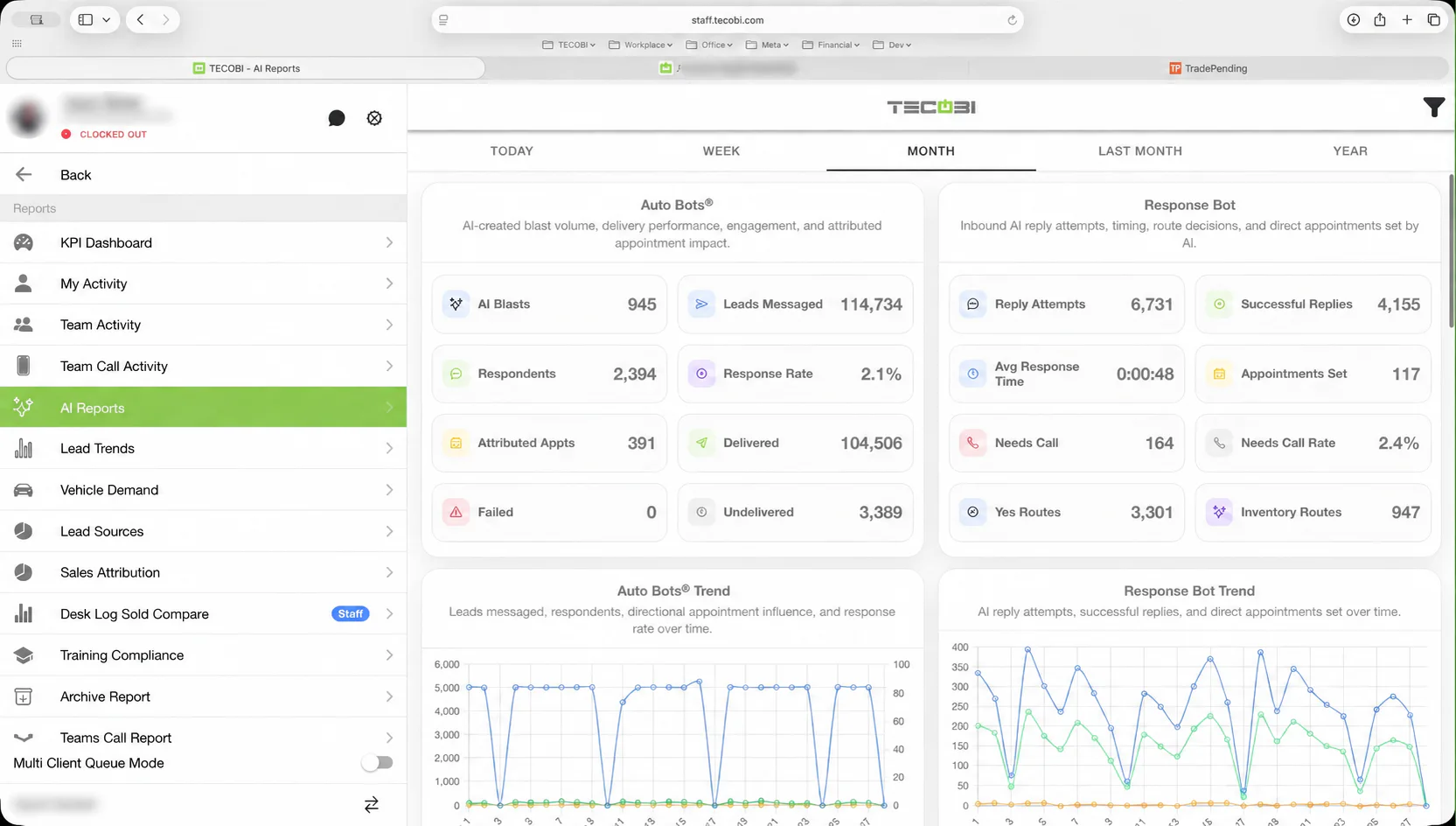
Review bot activity, response patterns, and follow-up-attributed appointments. See which prompts are getting replies and where people need to step in.
Meet your follow-up team
See how proactive outreach, Response Bot, and your team work together in TECOBI.
Google review proof
This platform page explains the workflow. These public Google reviews show how customers describe TECOBI's support, response coverage, follow-up, and handoff experience.
Highest-rated automotive vendor on Google
Pulling the latest Google review signal from TECOBI's Google Business Profile.